Booting up your BirdDog Mini
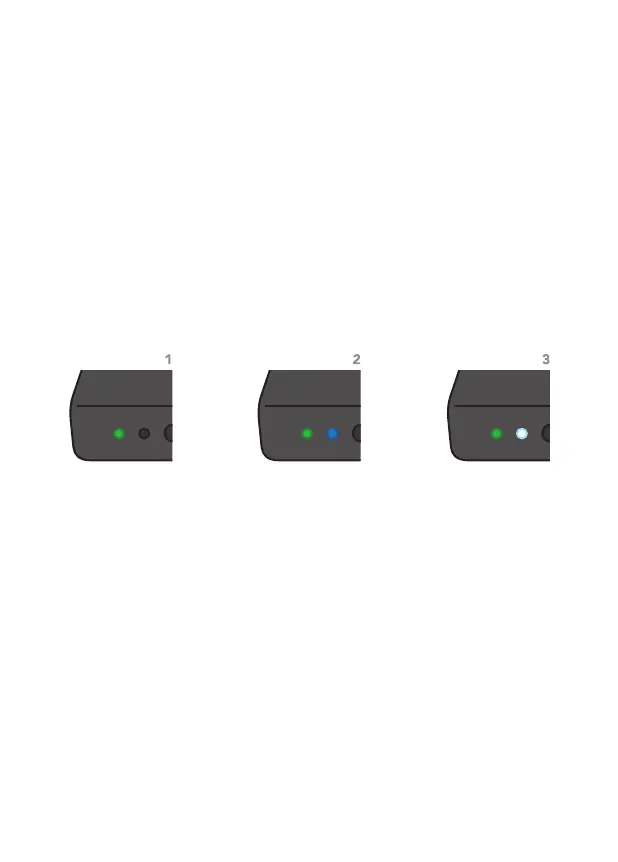
As soon as BirdDog Mini detects a power input signal the left hand
'power/fault' light will light up green.
1
Typically the status will change after 10-20 seconds, at this point
the middle 'status' light will light up blue to indicate the second
stage of booting has begun.
2
The final stage of booting will show the status light change to white
indicating the BirdDog is ready and able to be found on the
computer network.
3
After initial boot up is complete your Mini unit will be visible as a
source on any NDI compatible devices on the SAME ethernet
subnet.
For further networking architecture instructions including routing
please consult either your system administrator or the support
page at bird-dog.tv


 To Next Page