4 BISSELL.com
1. Slide the power switch
down to begin cleaning and
back up to turn the machine
OFF when finished cleaning.
2. Choose your cleaning mode:
Hard Floor Mode
Slide the power switch down
1 notch. This mode is great for
hard floors, low pile carpets
and area rugs and provides a
quieter sound. The brush roll
does not spin in Hard Floor
Mode.
Carpet Cleaning Mode
Slide the power switch
down 2notches. This is
recommended for maximum
suction and provides the most
powerful clean. This mode is
perfect for high, medium and
low pile carpet.
Using the Vacuum
Looking for more guidance? Go to support.BISSELL.com for tips and 24-7 support while
cleaning.
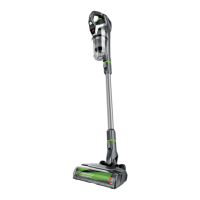
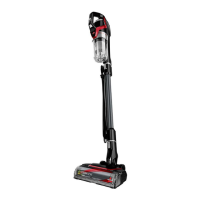
CleanView® Pet Slim Corded can be used as a stick vacuum, hand vacuum or for extended reach with
the hand vacuum and extension wand.
WARNING Do not use your vacuum until you are familiar with all instructions and operating procedures.
1. To change the filter, turn
OFF machine and remove dirt
tank from the hand vacuum
by pressing the tank release
button and sliding the tank out.
2. Twist top to remove filter
frame from the separator.
Remove the filter from the
filter frame housing.
3. Replace with the Febreze
filter and reinstall the filter
frame.
Certain trademarks used under license from The Procter & Gamble Company or its affiliates.
Installing the Optional Febreze Filter
Go to support.BISSELL.com for tips on maintaining and replacing your vacuum filter.


 To Next Page
 Loading...