Be sure to keep your Bivy Stick visible to the sky to ensure
letting you know the message has been received. Your
Bivy Stick will automatically send your location to Global
At this point you can communicate any details with them
the rescue plan and status.
If you need to cancel the SOS call, you can do so by
touching the cancel SOS button on the app. This will
has been received and cancelled.
NOTE: Please be sure to treat the SOS service with
complete seriousness. Only use in the case of a real
emergency. Depending on your location and needs, you
may be responsible for any cost associated with a rescue
operation.
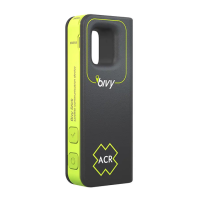
USING YOUR BIVY STICK WITHOUT YOUR PHONE
If you do not want to carry your phone, or it is not
functioning, your Bivy Stick can be used without it. All of
the essential features can be used on the device itself,
able to send preset outgoing messages with the Bivy
Stick alone. Here is how to use the Stick without a phone.
CHECK IN MESSAGE
Press the Check In button (a press and hold will
is queued up to be sent, the status light will
app. The message will also include your GPS coordinates.
SOS
and press and hold the button for 5 seconds.
Once the SOS is activated, the status light will
sent to Global Rescue, along with your location, at regular
that a message is queued up to be sent.


 To Next Page
 Loading...