Rev. 1.00
- 24 -
SLP-D22**
5-7 Using Fan-Fold Paper
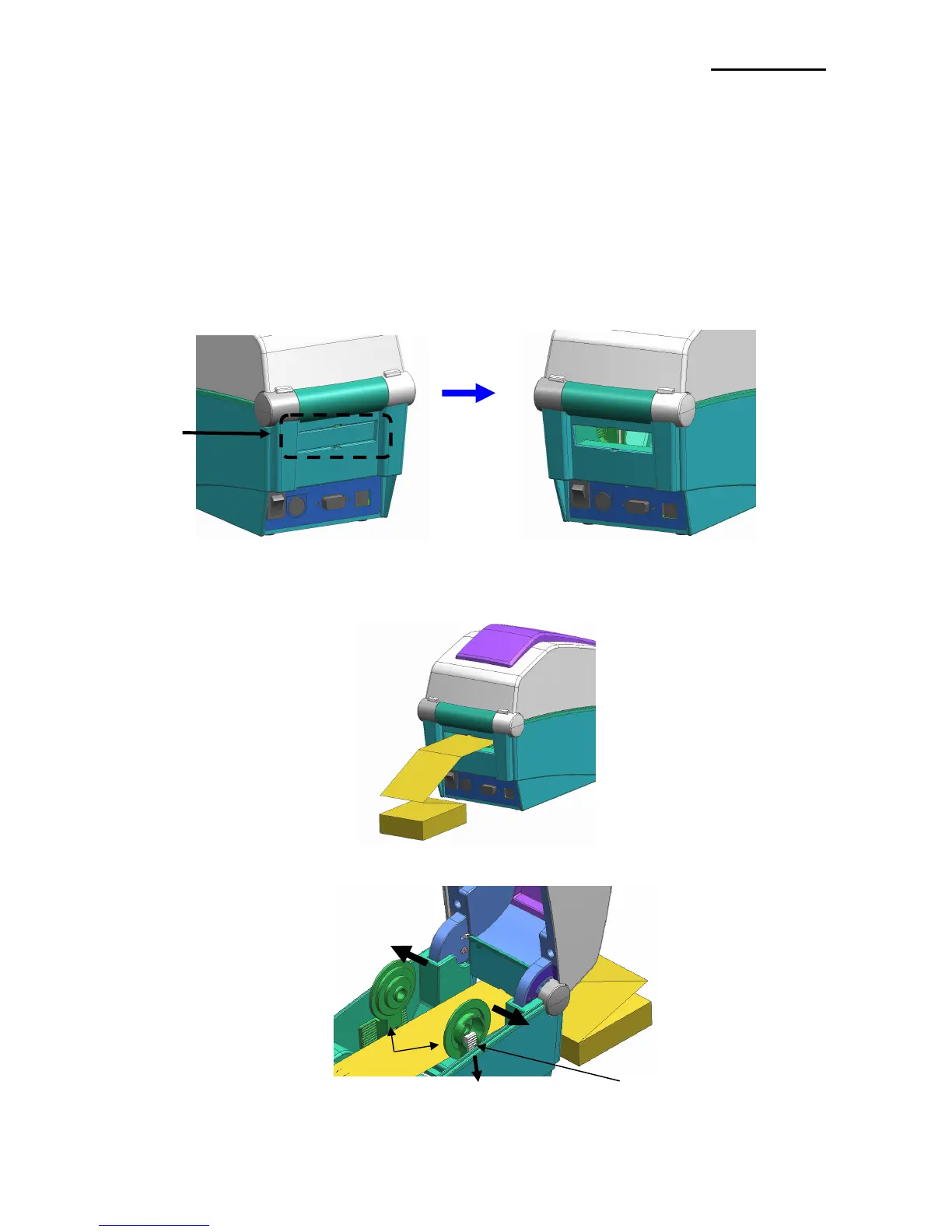
Supplying paper to the printer externally is done as follows.
5-7-1 Printer Preparation
Remove the rear paper supply cover on the back side of the printer with a knife or other
cutting instrument.
※ CAUTION
- Take care not to injure the hands and/or any other part of the body when performing
this step.
5-7-2 When Using Pan-Fold Paper
1) Insert the paper through the slot on the rear of the printer.
2) Adjust the paper holders and guides to the width of the paper.
Pa















 To Next Page