SRP-270
Rev. 2.03
- 41 -
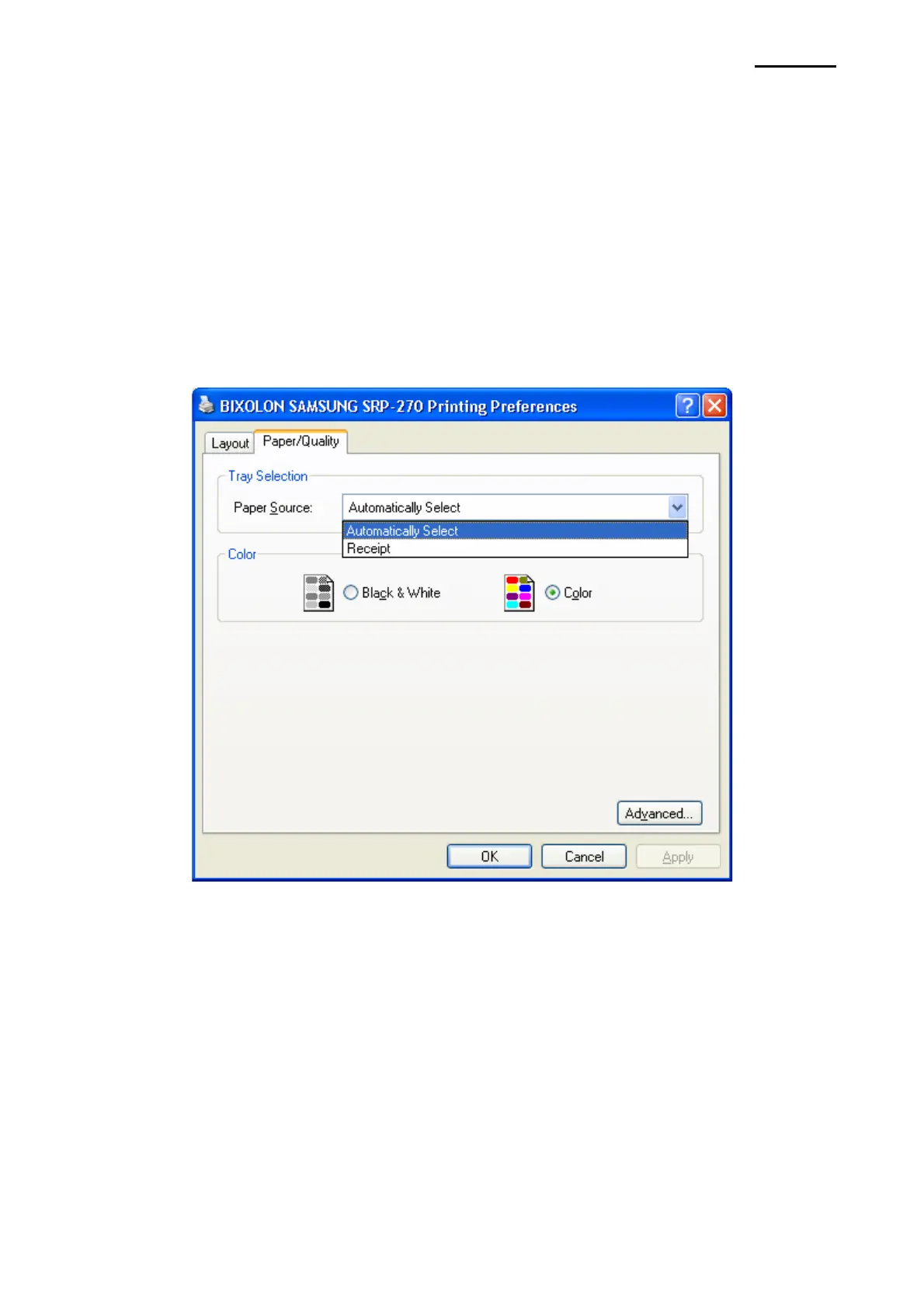
2) Click the “Printing Preferences” button in the ”General” tab.
The button name varies by Windows OS. Refer to the following.
- Windows 95/98/ME: “Properties”
- Windows NT4.0: “Document Defaults”
- Windows 2000/XP/2003 Server: “Printing Preferences”
- Windows WEPOS/VISTA: “Printing Preferences”
3) Select the desired setting in the ”Paper/Quality” tab.



 To Next Page