SRP-270
Rev. 2.03
- 46 -
6-2 Special Functions
The Windows Driver supports the special functions indicated below.
These special functions are available when using the characters after the “FontControl”
font is selected.
This function is not an ordinary character printing function. Take special care.
1) Sample Use
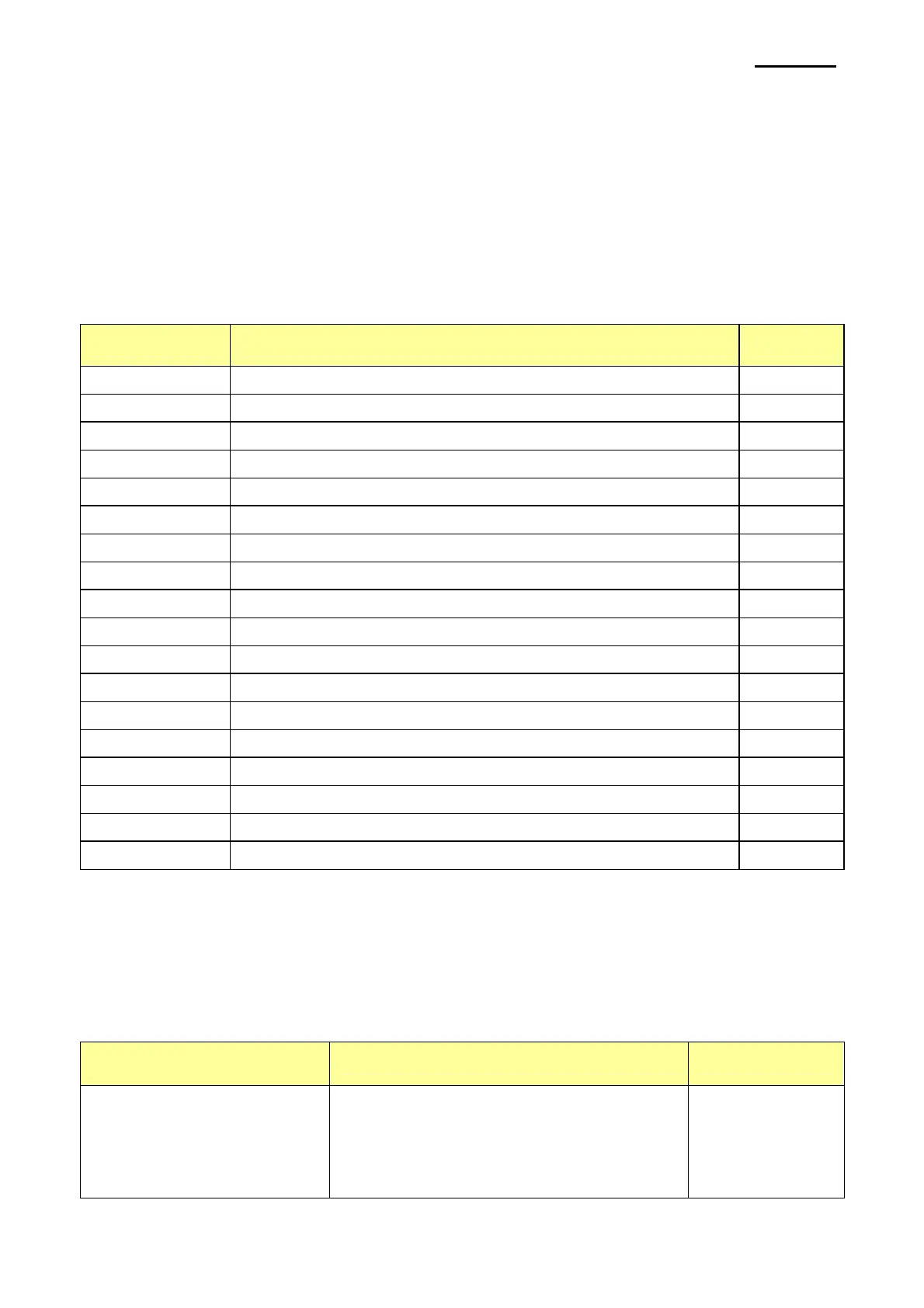
Character Special Function Note
5 HT is output
6 LF is output
7 CR is output
a Open Drawer 2 (50ms drive pulse width)
b Open Drawer 2 (100ms drive pulse width)
c Open Drawer 2 (150ms drive pulse width)
d Open Drawer 2 (200ms drive pulse width)
e Open Drawer 2 (250ms drive pulse width)
g Cut Receipt (partial cut) without paper feeding
w Text is aligned left
x Text is centered
y Text is aligned right
A Open Drawer 1 (50ms drive pulse width)
B Open Drawer 1 (100ms drive pulse width)
C Open Drawer 1 (150ms drive pulse width)
D Open Drawer 1 (200ms drive pulse width)
E Open Drawer 1 (250ms drive pulse width)
P Cut Receipt (partial cut)
If the “FontControl” font is selected and 6 is entered, the “LF” (Line Feeding) operation is
activated. (does not entail the printing of the character “6)
2) “FontControl” Font Function
Printer font for special
function
Function Size(point/dot)
FontControl
- Open Drawer 1/2
- Cut receipt
- Cut receipt(without paper feeding)
- Justification(Left/Center/Right)
- Output HT,Output LF, Output CR
( 9 / 9x9 )



 To Next Page