Ethernet
V 4.00
- 12 -
5-2. Web Server
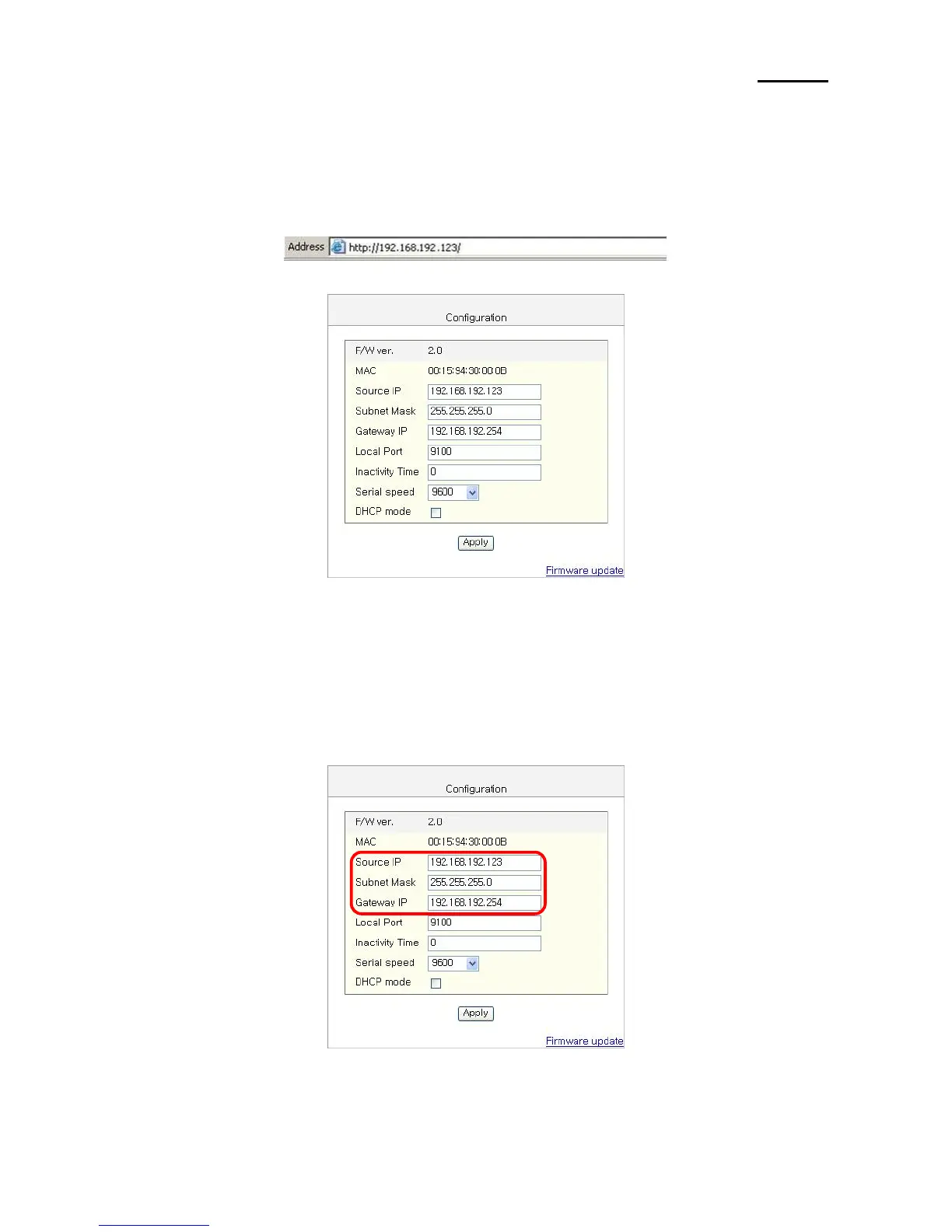
1) Execute Internet Explorer.
2) Enter IP address of the printer at Address of Internet Explorer and click go.
[Note]
- If you are not aware of IP address, check IP address by pushing Function key.
(Refer to [Appendisx2])
- Ask Network administrator IP Address and its related information.
3) When Configuration Window appears, enter new Source IP.


 To Next Page