Ethernet
V 4.00
- 6 -
4. How to install
1) Check the interface version
[Note]
- Each version uses its own Configuration Tool.
2) Turn of the printer and insert the interface card.
3) Set the baud rate (Serial speed)
- SRP-270,275: Max. 19200 bps
- SRP-350: Max. 57600 bps
- SRP-350Plus: Max. 115200 bps
- SRP-370,372: Max. 115200 bps
- SRP-770: Max. 115200bps
- SRP-770Ⅱ: Max. 230400 bps
- SLP-T400: Max. 230400 bps
[Note]
- The baud rate (Serial speed) of the interface card is from 1200 ~ 230400 bps.
- The baud rate (Serial speed) of the printer can be set with DIP switch
(Refer to [Appendix 1])
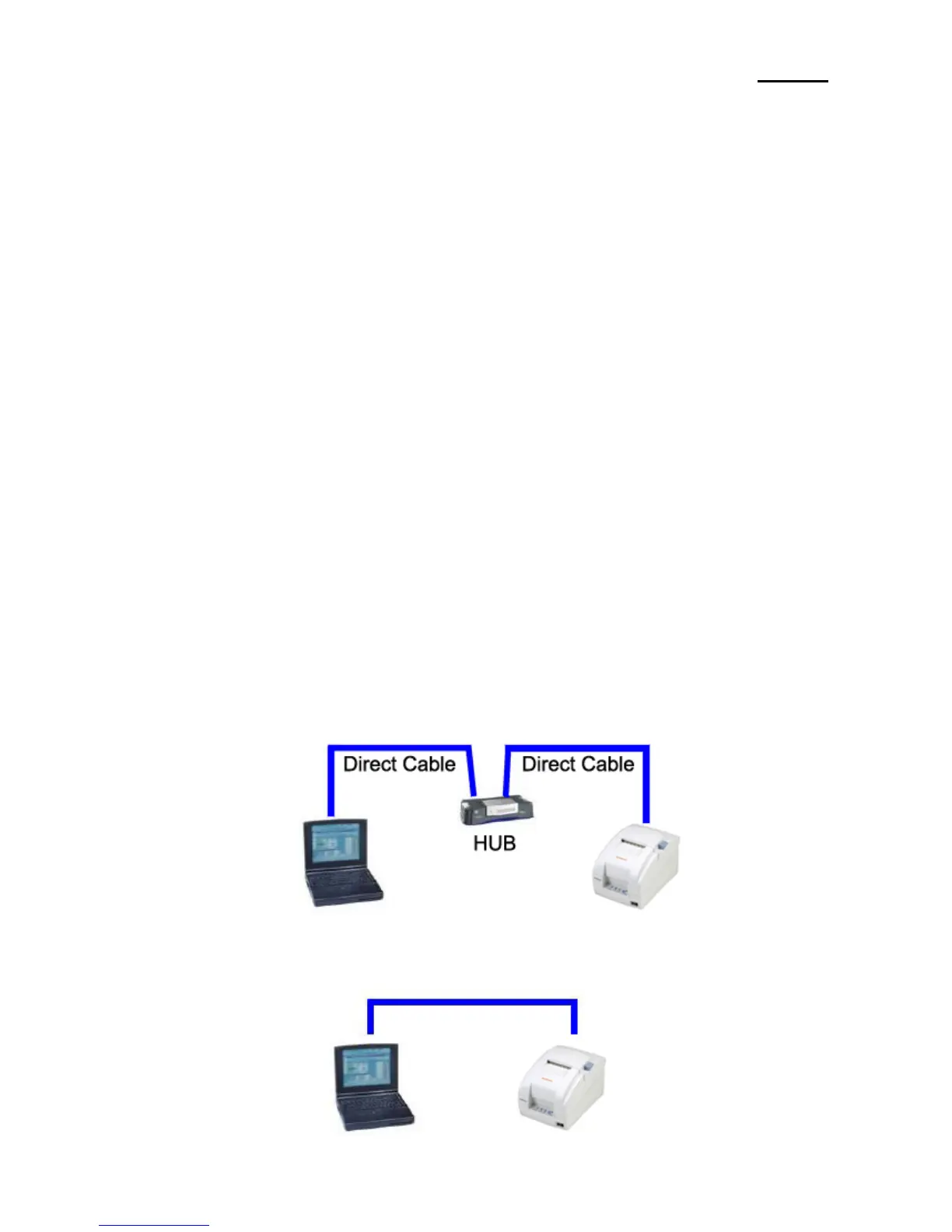
4) Connect LAN cable to the interface card and turn on the printer.
(1) Use direct cable to connect to HUB (Switch).
(2) Use cross cable to connect to LAN card of computer.
Cross cable


 To Next Page