BJ-256 BJ Control Pro
User Guide
3.5 Direct programming of a complete telephone control level
If you wish to control a BJ telephone, you can programme the remote directly with
all the keys and memories stored in the telephone. For this type of programming,
follow steps 1, 2 and 3 for RF code recording. To make programming simpler, you
should follow the steps below according to your specific case:
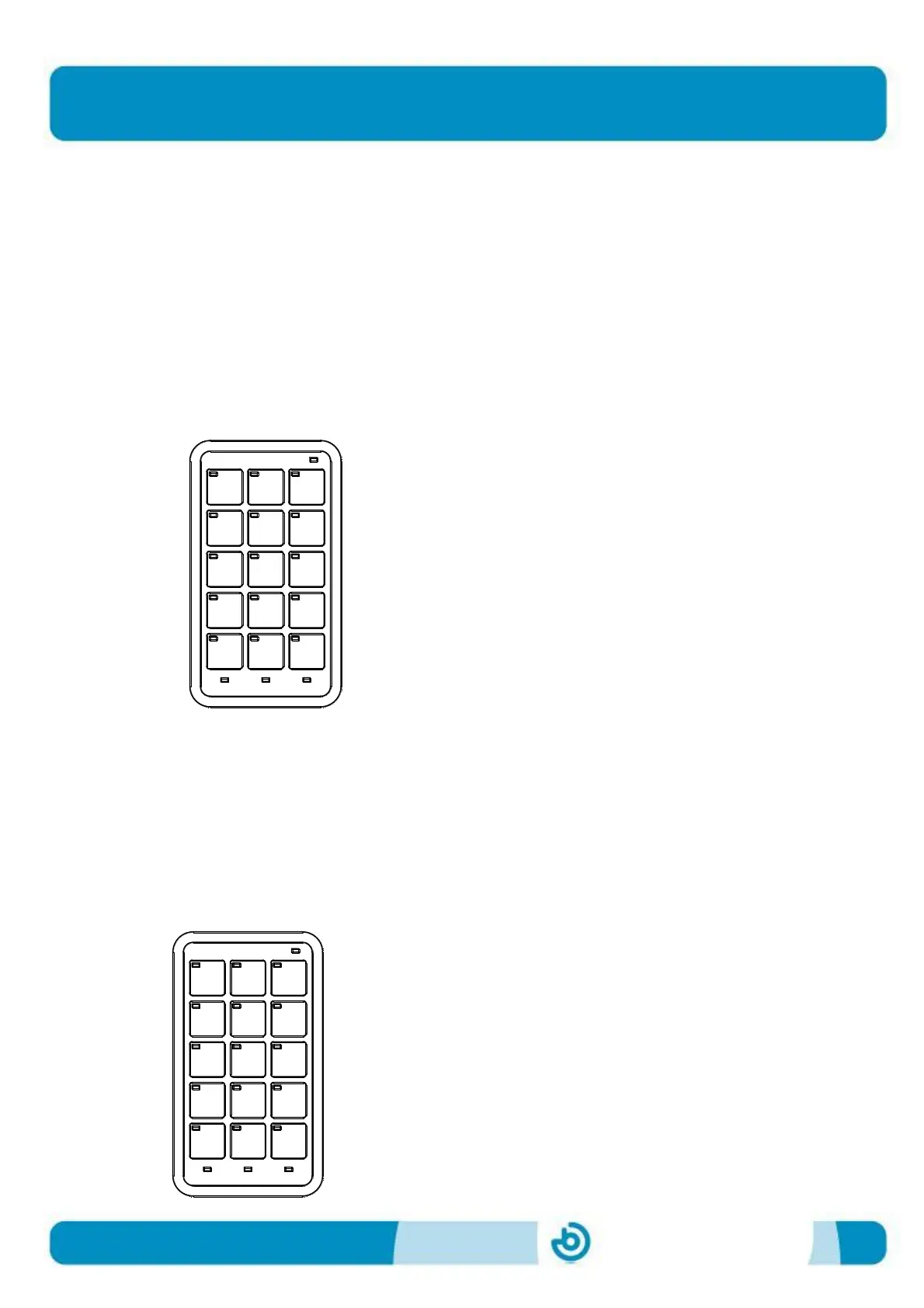
a) To record all keys and memories stored on the BJ telephone, enter code
600. This code affects the entire level. By entering code 600, each cell on
the remote control in the selected level will be programmed with the
following RF codes:
Codes 90-99= memories stored in the BJ telephone
Code 110 = pick up and hang up
Codes 100-112 = numerical keys on the BJ
telephone
If you press the key with the code 91, the telephone dials the number stored in
memory 1. When you press the [SHIFT] key, the next time a key is pressed, the
value in brackets will be sent, i.e. if you now press the same key as above,
number 1 will be dialled. The [SHIFT] key does not affect the other functions of
the remote and is not disabled if a key without a dual value is pressed.
b) To record memories only, enter code 601. This code affects the entire
level. When you enter the code 601, each cell on the remote in the selected
level will be programmed with the following RF codes:
Codes 90-99= memories stored in the BJ telephone
Code 110 = pick up and hang up
If you press the key with the code 91, the telephone
dials the number stored in memory 1, and so on.
091
ESC
(101)
094
(104)
097
(107)
111
110
092
(102)
095
(105)
098
(108)
090
(100)
SHIFT
093
(103)
096
(106)
099
(109)
112
091
ESC
094
097
110
110
092
095
098
090
110
093
096
099
110


 To Next Page