EasyManua.ls Logo

BJ Live BJ CONTROL PRO - Page 7

BJ Live BJ CONTROL PRO
24 pages
Print Icon
To Next Page IconTo Next Page
To Previous Page IconTo Previous Page
Loading...
BJ-256 BJ Control Pro
User Guide
BJ-256 BJ Control Pro
Page 7
2.
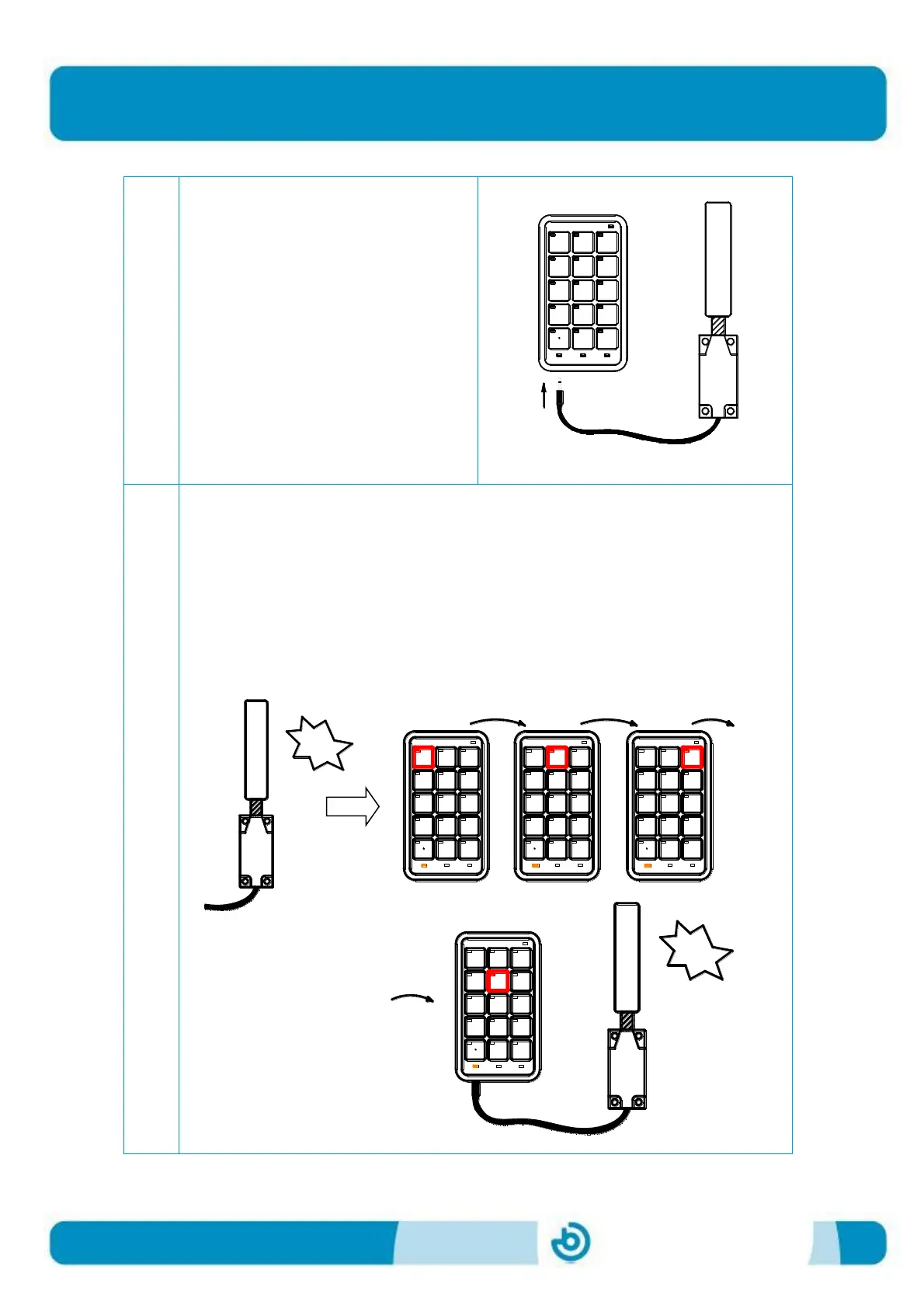
Connect the switch to the "control
input" on the remote control.
3.
Press the switch once to begin scanning. While scanning is in progress, the
level LED will turn yellow.
When the LED of the cell you want to enable lights up, press the switch
again to select it.
If this cell is already programmed, as explained in section 3, the
programmed action will be carried out.
Once you have finished, if you want to start again, press the switch again.

1
4
7
*
2
5
8
0
X
3
6
9
#
ESC
conmutador
switch
1
4
7
*
2
5
8
0
X
3
6
9
#
ESC
1
4
7
*
2
5
8
0
X
3
6
9
#
ESC
1
4
7
*
2
5
8
0
X
3
6
9
#
ESC
tt ...
click
1
4
7
*
2
5
8
0
X
3
6
9
#
ESC
conmutador
...
switch
1
4
7
*
2
5
8
0
X
3
6
9
#
ESC
1
4
7
*
2
5
8
0
X
3
6
9
#
ESC
1
4
7
*
2
5
8
0
X
3
6
9
#
ESC
tt ...
click
1
4
7
*
2
5
8
0
X
3
6
9
#
ESC
conmutador
...
switch