EasyManua.ls Logo

Black & Decker BDT50 Series - User Manual

Black & Decker BDT50 Series
20 pages
Print Icon
To Next Page IconTo Next Page
Loading...
INSTRUCTION MANUAL
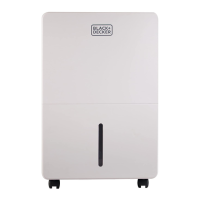
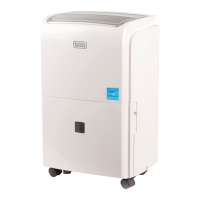
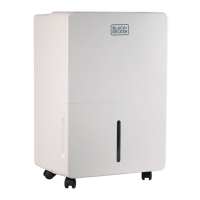
PORTABLE DEHUMIDIFIER
Thank you for choosing BLACK+DECKER!
PLEASE READ BEFORE RETURNING THIS PRODUCT FOR
ANY REASON.
If you have a question or experience a problem with your BLACK+DECKER
purchase, go to www.blackanddecker.com/instantanswers
If you can’t find the answer or do not have access to the Internet, call
844-299-0879 from 10:30 a.m. to 6:30 p.m. EST Mon. - Fri. to speak with an
agent. Please have the catalog number available when you call.
SAVE THIS MANUAL FOR FUTURE REFERENCE.
CATALOG NUMBER
BDT30**
BDT50**
BDT70**
Question and Answer IconNeed help?

Do you have a question about the Black & Decker BDT50 Series and is the answer not in the manual?

Summary

Important Safety Instructions

General Safety Precautions

Crucial safety precautions for operating the dehumidifier, including warnings and cautions.

Grounding Instructions

Electrical Requirements and Grounding Plug

Details on the unit's electrical requirements and the importance of the grounding plug.

Power Supply Cord

Extension Cord Safety Guidelines

Recommendations and warnings for using extension cords with the appliance.

Parts & Features

Dehumidifier Component Identification

Identifies and illustrates the main parts of the portable dehumidifier.

Control Panel

Control Panel Layout and Functions

Explains the buttons, indicators, and digital display on the dehumidifier's control panel.

Error Codes

Error Code Explanations and Troubleshooting

Details error codes (E1, E2) and guidance for contacting customer service.

Installation Guide

Installing the Units Castors

Step-by-step instructions for attaching the castors to the dehumidifier.

Before First Operation

Initial Setup and Bucket Check

Pre-operation steps, including removing the bucket and checking the float system.

Operation Instructions

Basic Operation and Mode Selection

Guide to turning the unit on/off, setting humidity, and using continuous mode.

Timer Function

Setting Automatic Timers

Instructions for programming the unit to turn on or off automatically.

Full Water Collection Bucket

Bucket Full Indicator and Auto Shutoff

Explains the function of the full bucket indicator and the unit's automatic shutoff.

Filter Cleaning

Filter Maintenance and Resetting Indicator

How to clean the filter and reset the filter indicator light.

Home Comfort Mode

Preset Humidity Levels for Rooms

Overview of preset humidity settings for different living spaces.

Child Lock Mode

Locking and Unlocking the Control Panel

Instructions for enabling and disabling the child lock feature.

Automatic Defrost

Frost Buildup Management

Explanation of the automatic defrost cycle for the evaporator coils.

Continuous Drainage

Connecting the Included Threaded Hose

Steps for attaching the provided hose for continuous water drainage.

Continuous Drainage

Connecting a Standard Garden Hose

Instructions for connecting a garden hose for continuous water drainage.

Specifications

Model-Specific Technical Data

Technical specifications for BDT30, BDT50, and BDT70 models.

Care and Cleaning Guide

Unit Housing and Bucket Cleaning

Guidance on cleaning the dehumidifier's exterior and water collection bucket.

Storing for Extended Period or Transporting the Unit

Storage and Transport Procedures

Steps for properly storing or transporting the dehumidifier.

Before You Call For Service

Initial Troubleshooting Checks

Basic troubleshooting steps to perform before contacting customer service.

Customer Service

Contact Information and Warranty Support

Details on how to contact customer service for assistance and warranty claims.

Troubleshooting

Common Problems and Solutions Table

A table outlining common issues, their causes, and recommended remedies.

Limited Warranty

Warranty Terms, Exclusions, and Limitations

Comprehensive details on the product's limited warranty coverage and exclusions.

Obtaining Service

Service Request and Product Support

How to obtain service, product literature, or accessories.

Overview

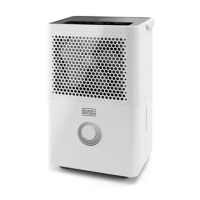
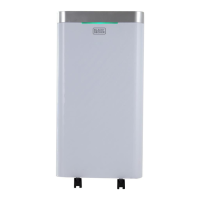
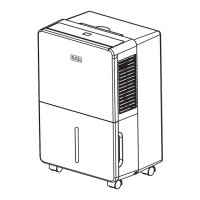
This document is an instruction manual for a BLACK+DECKER portable dehumidifier, covering models BDT30**, BDT50**, and BDT70**.

Function Description

The BLACK+DECKER portable dehumidifier is designed to remove excess moisture from indoor air, helping to maintain comfortable humidity levels and prevent issues like mold, mildew, and bacteria growth. It operates by drawing in humid air, passing it over evaporator coils where moisture condenses, and then expelling drier air. The collected water is stored in a removable bucket or can be continuously drained using an attached hose. The unit features a control panel with a digital humidistat display, allowing users to select desired humidity levels or continuous operation. It also includes various modes and functions such as Home Comfort Mode, Child Lock Mode, Automatic Defrost, and a Timer Function for scheduled operation.

Important Technical Specifications

The dehumidifier comes in three models with varying capacities:

  • BDT30:
    • Dehumidifying capacity: 30 pints per day
    • Bucket capacity: 8.5 pints
    • Air flow volume (high/med/low): 215/180/155 CFM
    • Power: 115V, 60 Hz, 3.2A
    • Power consumption: 370 watts
  • BDT50:
    • Dehumidifying capacity: 50 pints per day
    • Bucket capacity: 8.5 pints
    • Air flow volume (high/med/low): 215/180/155 CFM
    • Power: 115V, 60 Hz
  • BDT70:
    • Dehumidifying capacity: 70 pints per day
    • Bucket capacity: 16.9 pints
    • Air flow volume (high/med/low): 320/290/250 CFM
    • Power: 115V, 60 Hz, 6.5A
    • Power consumption: 730 watts

All models require a 115 volt, 60 Hz, 15 amp electrical supply and must be connected to a correctly grounded power supply with a 3-prong grounding plug. The recommended humidity levels for operation are between 30%-50%. The unit is designed for indoor use only and should not be operated in temperatures below 41°F.

Usage Features

The dehumidifier offers several user-friendly features:

  • Control Panel & Digital Display: An intuitive control panel with a digital humidistat display shows current settings and error codes.
  • Humidity Control: Users can select a desired relative humidity level between 35-80% in 5% increments, or choose "Continuous" operation for maximum dehumidification.
  • Fan Speed Settings: Three fan speed options (High, Medium, Low) are available to adjust airflow and noise levels.
  • Home Comfort Mode: Preset humidity levels optimize performance based on location:
    • Sleeping Space (bedroom): 55% relative humidity.
    • Living Space (living room, rec room, kitchen): 50% relative humidity.
    • Basement: 45% relative humidity.
    • Continuous: Operates regardless of room humidity.
  • Timer Function: Allows programming the unit to automatically turn ON or OFF. The timer can be set in 30-minute increments up to 10 hours, and then in 1-hour increments up to 24 hours.
  • Full Water Collection Bucket: The unit automatically shuts off, emits a beeping noise, and illuminates the "BUCKET FULL" indicator when the water collection bucket is full. Operation resumes once the bucket is emptied and properly re-inserted.
  • Continuous Drainage: For extended operation without emptying the bucket, the unit can be connected to a drain hose (black, threaded hose included, or standard garden hose not included). This requires placing the dehumidifier on a level surface and ensuring the drain hose is lower than the drain plug to allow gravity drainage.
  • Castors: Equipped with four castors for easy mobility.
  • Child Lock Mode: Prevents accidental changes to settings by locking the control panel. Activated by pressing and holding the TIMER button for 3 seconds, illuminating the "LOCK" indicator.
  • Automatic Defrost: When frost builds on the evaporator coils, the compressor cycles off, and the fan continues to run until the frost clears, after which dehumidification resumes automatically.

Maintenance Features

Regular maintenance ensures optimal performance and longevity of the dehumidifier:

  • Filter Cleaning: The "Clean Filter" LED indicator lights up after approximately 250 hours of use, signaling that the filter needs cleaning. The filter is easily removable from the back of the unit. It should be cleaned with warm, soapy water and thoroughly dried before re-insertion. After cleaning, the FILTER button must be pressed to reset the indicator. The filter should not be cleaned in a dishwasher, and the unit should not be operated without the filter in place.
  • Water Collection Bucket Cleaning: The water collection bucket should be cleaned every few weeks with a mild detergent to prevent mold, mildew, and bacteria growth. It must be completely dried before being placed back into the unit.
  • Unit Housing Cleaning: To maintain the unit's appearance and prevent color fading, it should be kept out of direct sunlight. The exterior can be cleaned with a damp cloth and dried with a soft towel.
  • Storage: For extended periods of non-use or during transport, the unit should be unplugged, the filter cleaned or replaced, any excess water emptied from the collection bucket, and then stored in a dry place.

The manual also provides troubleshooting steps for common issues like the unit not starting, not drying air effectively, running too much, frost on coils, and control panel issues. For more complex problems or error codes (E1, E2), users are advised to contact customer service rather than attempting internal repairs.

Black & Decker BDT50 Series Specifications

General IconGeneral
BrandBlack & Decker
ModelBDT50 Series
CategoryDehumidifier
LanguageEnglish

Related product manuals