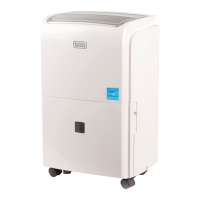
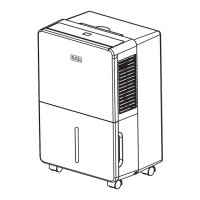
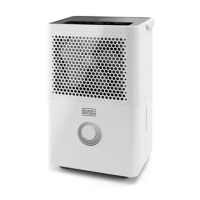
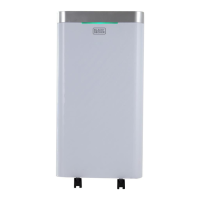
This document describes the BLACK+DECKER portable dehumidifier, available in models BDT30WTA, BDT50WT, and BDT70WT. The dehumidifier is designed for indoor use to reduce humidity levels in a room.
Function Description
The BLACK+DECKER portable dehumidifier operates by drawing in moist air, removing the excess moisture, and then releasing drier air back into the room. It features a compressor that cycles on and off to maintain the desired humidity level. When frost builds up on the evaporator coils, the unit automatically enters an "Automatic Defrost" mode, where the compressor cycles off and the fan continues to run until the frost disappears, ensuring continuous operation. In the event of a power interruption, the unit has an "Automatic Restart" feature, which allows it to resume operation in its previous settings once power is restored, except for the timer and child lock functions which need to be reset manually.
Usage Features
To begin operation, the dehumidifier should be placed on a level surface strong enough to support it when the water bucket is full. It requires a clearance of at least 12-18 inches around the unit, and air inlet or outlet grills should not be blocked. The unit must be connected to a correctly grounded 115 volt 60 Hz, 15 amp power supply. It is recommended to allow the unit to run continuously for 24 hours when first operating to establish a stable humidity level.
The control panel features a digital humidistat display and various LED indicators for "Bucket Full," "Fan Speed," "Clean Filter," "Home Comfort Mode," "Child Lock," "Power On," and "Timer On."
- Power On/Off: The unit is turned on and off by pressing the POWER button.
- Humidity Control: Users can select the desired relative humidity in the room using the ▲ or ∇ buttons, which adjust the humidity by 5% increments, ranging from 35-80% or "continuous" operation. In "continuous" mode ("CO" on the display), the dehumidifier operates constantly regardless of room humidity.
- Fan Speed: The FAN SPEED button allows selection between High, Medium, and Low fan speeds, indicated by corresponding LEDs.
- Timer Function: The TIMER button enables programming the unit to automatically turn ON or OFF. When the unit is OFF, pressing TIMER and then ▲ or ∇ sets an ON timer in 30-minute increments up to 10 hours, and then 1-hour increments up to 24 hours. Similarly, when the unit is ON, the TIMER button can be used to set an OFF timer.
- Home Comfort Mode: This mode offers preset humidity levels for optimal performance in different environments:
- "Continuous": Dehumidifier runs constantly.
- "Basement": Digital humidistat is preset to 45% relative humidity.
- "Bedroom": Digital humidistat is preset to 55% relative humidity.
- Child Lock Mode: To prevent settings from being changed, the control panel can be locked by pressing and holding the TIMER button for 3 seconds. The "LOCK" indicator will light up. Holding the TIMER button for another 3 seconds unlocks the panel.
- Water Collection: The dehumidifier collects water in a removable bucket. When the bucket is full, the unit automatically shuts off, emits a beeping noise, and the "BUCKET FULL" indicator lights up. The unit will not resume operation until the bucket is emptied and properly reinserted.
- Continuous Drainage: For extended operation without emptying the bucket, the unit can be set up for continuous drainage. This involves attaching the included black, threaded hose (or a standard garden hose, not included) to the drain port on the back of the dehumidifier. The hose should lead to a drain lower than the height of the drain plug, ensuring no kinks or knots.
Maintenance Features
Regular maintenance is crucial for the dehumidifier's performance and longevity.
- Bucket Cleaning: The water collection bucket should be cleaned every few weeks to prevent mold, mildew, and bacteria growth. A mild detergent and warm, soapy water are recommended. After cleaning, the bucket must be thoroughly dried before being placed back into the unit. It is important that the plastic float system within the bucket is securely installed and can swing freely, as it is essential for the "bucket full" system to function correctly.
- Filter Cleaning: The "Clean Filter" indicator light will illuminate after approximately 250 hours of use, signaling that the filter needs cleaning. The filter is located at the back of the unit and can be removed by pressing down on its tabs. It should be cleaned with warm, soapy water and dried completely before being reinserted. The filter should not be cleaned in a dishwasher, and the dehumidifier should not be operated without the filter in place. After cleaning and reinserting the filter, the FILTER button should be pressed to reset the indicator.
- Unit Housing Cleaning: To maintain the unit's appearance and prevent color fading, it should not be exposed to direct sunlight. The exterior surface can be cleaned with a damp cloth and then dried with a soft towel.
- Storage: For extended storage or transportation, the unit should be unplugged, the filter cleaned or replaced, and any excess water emptied from the collection bucket. The dehumidifier should then be stored in a dry place.
Error codes (E1, E2, EH) displayed on the digital humidistat indicate potential sensor malfunctions and require contacting customer service.

 Need help?
 General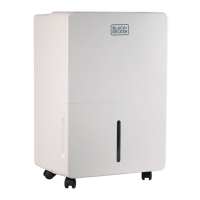


 To Next Page