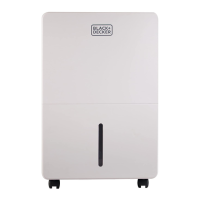
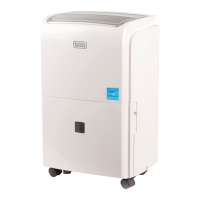
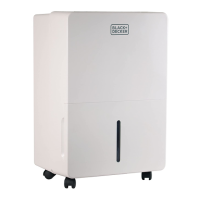
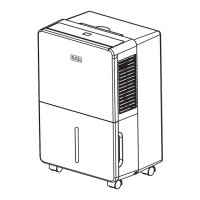
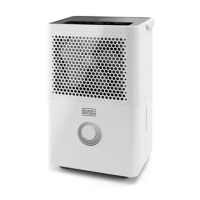
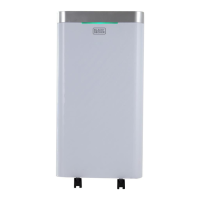
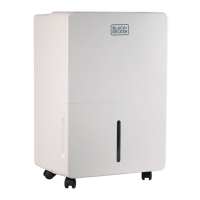
This document is an instruction manual for a BLACK+DECKER portable dehumidifier, model BDT70PWT. It provides comprehensive information on the device's setup, operation, maintenance, and troubleshooting, ensuring users can effectively manage humidity levels in their indoor spaces.
The primary function of this device is to remove excess moisture from the air, thereby creating a more comfortable and healthier indoor environment. It is designed for indoor use only and should not be operated outdoors. The dehumidifier is particularly useful in areas prone to high humidity, such as basements, bedrooms, or other living spaces where moisture can lead to discomfort, mold, or mildew.
Usage Features:
The dehumidifier offers several features to enhance its usability and effectiveness:
- Control Panel and Digital Display: The unit is equipped with a control panel and a digital display that allows users to easily monitor and adjust settings.
- Humidity Control: Users can select a desired relative humidity level between 35% and 80% in 5% increments. The unit will cycle on and off automatically to maintain the chosen humidity level.
- Continuous Operation Mode: For continuous dehumidification regardless of the room's humidity, users can select the "Continuous" mode. In this mode, the unit will operate without interruption, provided the collection bucket does not fill up (if continuous drainage is not enabled).
- Fan Speed Settings: The dehumidifier offers three fan speed options: High, Medium, and Low, allowing users to adjust the airflow based on their needs and preferences.
- Timer Function: A programmable timer allows users to set the unit to automatically turn ON or OFF. The timer can be set in 30-minute increments up to 10 hours, and then in 1-hour increments up to 24 hours.
- Home Comfort Mode: This feature provides preset humidity levels optimized for different environments:
- Continuous: Dehumidifier operates continuously.
- Basement: Digital humidistat preset at 45% relative humidity.
- Bedroom: Digital humidistat preset at 55% relative humidity.
- Child Lock Mode: To prevent unintended changes to settings, the control panel can be locked by pressing and holding the TIMER button for 3 seconds. The LOCK indicator will illuminate when activated.
- Automatic Defrost: If frost builds up on the evaporator coils, the compressor will automatically cycle off, and the fan will continue to run until the frost dissipates. Once defrosted, the unit will resume normal operation.
- Automatic Restart: In the event of a power interruption, the dehumidifier will automatically restart with its previous settings once power is restored. However, pump mode, timer function, and child lock mode will need to be manually reset.
- Water Collection Bucket: The unit collects condensed water in a removable bucket. When the bucket is full, the dehumidifier will automatically shut off, emit a beeping sound, and the "BUCKET FULL" indicator will light up. The unit will not resume operation until the bucket is emptied and correctly reinserted.
- Continuous Drainage Option: For extended operation without manually emptying the bucket, the dehumidifier can be set up for continuous drainage. This involves attaching either the included black, threaded hose or a standard garden hose (not included) to the drain port on the back of the unit. The hose should lead to a drain lower than the height of the drain plug to ensure proper gravity drainage.
- Internal Pump Mode: This advanced feature allows the unit to pump collected water upwards, up to 16 feet in height from the base of the unit, to a nearby drain, sink, or window. This mode requires the installation of the included pump drain hose kit. The "PUMP" LED indicator illuminates when activated. It's important to note that a small internal tank must fill before the pump functions, and operation may be intermittent depending on humidity levels.
Maintenance Features:
Proper maintenance is crucial for the longevity and efficient operation of the dehumidifier:
- Filter Cleaning: The unit features a filter that needs regular cleaning. An indicator light will illuminate after approximately 250 hours of use, signaling that the filter needs attention. The filter can be removed from the back of the unit by pressing down on the filter tabs. It should be cleaned with warm, soapy water and thoroughly dried before being reinserted. After cleaning, the FILTER button must be pressed to reset the indicator. It is explicitly stated not to clean the filter in a dishwasher and not to operate the dehumidifier without the filter in place.
- Water Collection Bucket Cleaning: To prevent the growth of mold, mildew, and bacteria, the water collection bucket should be cleaned every few weeks using a mild detergent. After cleaning, it must be completely dried before being placed back into the unit.
- Unit Housing Cleaning: To maintain the unit's appearance and prevent color fading, it should be kept away from direct sunlight. The exterior can be cleaned with a damp cloth and dried with a soft towel.
- Storage for Extended Periods or Transport: When storing the unit for an extended period or transporting it, several steps are recommended:
- Unplug the unit.
- Clean or replace the filter.
- Empty any excess water from the water collection bucket.
- Unplug the internal water drainage stopper and empty any remaining water.
- Reattach the drainage stopper.
- Reinsert the bucket into the unit.
- Store the unit in a cool, dry place.
The manual emphasizes the importance of the float system in the water collection bucket for proper "bucket full" detection and warns against removing it or obstructing its free rotation. It also provides guidance on troubleshooting common issues, such as the unit not starting, not drying the air effectively, running too much, or displaying frost on the coils. For more complex problems, users are advised to contact customer service rather than attempting internal repairs.

 Need help?
 General

 To Next Page