14MAINTENANCE
CLEANING DUSTBIN AND FILTERS
NOTE: Empty your dustbin and clean lters regularly to ensure optimal performance.
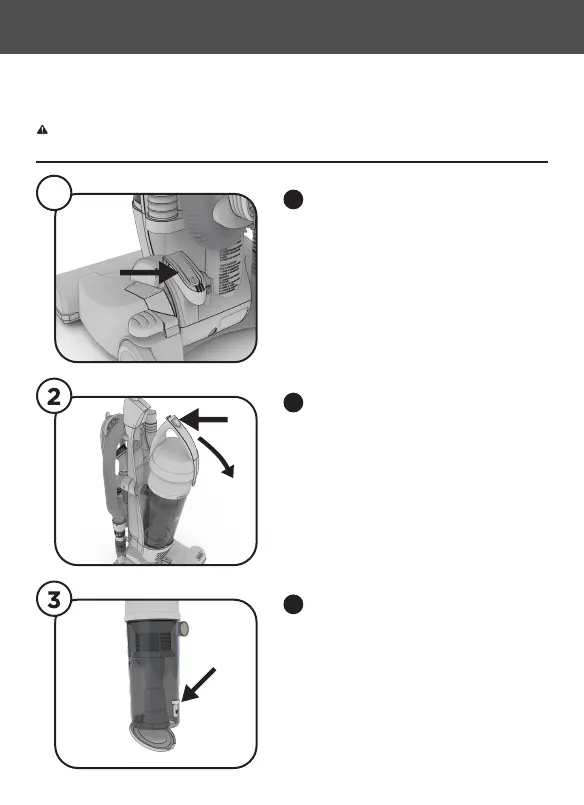
Turn Vacuum OFF. Then unplug
vacuum.
1
1
Push down on the dustbin door
release as shown. Empty Dustbin
contents into trash.
3
To empty dirt from the dustbin and
lters press the Dustbin Canister
Release and pull out to release.
2
WARNING - Always turn off and unplug vacuum cleaner before performing maintenance to the
vacuum cleaner. Failure to do so could result in electrical shock or personal injury.



 To Next Page