Page 17
PROGRAMMED SHUTDOWN
- With the appliance on, press the TIMER button, the TIMER is displayed under
the .
- Set the time when you want the appliance to switch off using the buttons
(from 30 minutes to 24 hours)
- During the rst ten hours you can select half intervals. For times longer than ten
hours, one hour intervals can be selected
- Press the TIMER button again to conrm the setting. The TIMER symbol light
on remote control panel will light up to indicate the timer is activated.
- At the end of the set time the appliance switches off automatically.
- To cancel the TIMER setting press the TIMER button again whenever during the
set time.
PROGRAMMED START UP
- Turn on the appliance and set the working mode you desire.
- Press button to switch into STANDBY.
- Press the TIMER button twice the time is displayed and . symbol.
- Set the time when you want the appliance to switch on using the buttons
(from 30 minutes to 24 hours).
- During the rst ten hours you can select half intervals. For times longer than ten
hours, one hour intervals can be selected.
- Press the TIMER button again to conrm the setting the TIMER symbol light
. on control panel light up to indicate the timer is activated.
- At the end of the set time the appliance switches on automatically and operates
in the same working mode as prior to switching into STANDBY, for example
cooling mode, 25˚C fan speed high.
- To cancel the TIMER setting press the TIMER button again whenever during the
set time.
NOTE: A ashing green dot will appear on the bottom right of control panel LCD
display when timer function is active.
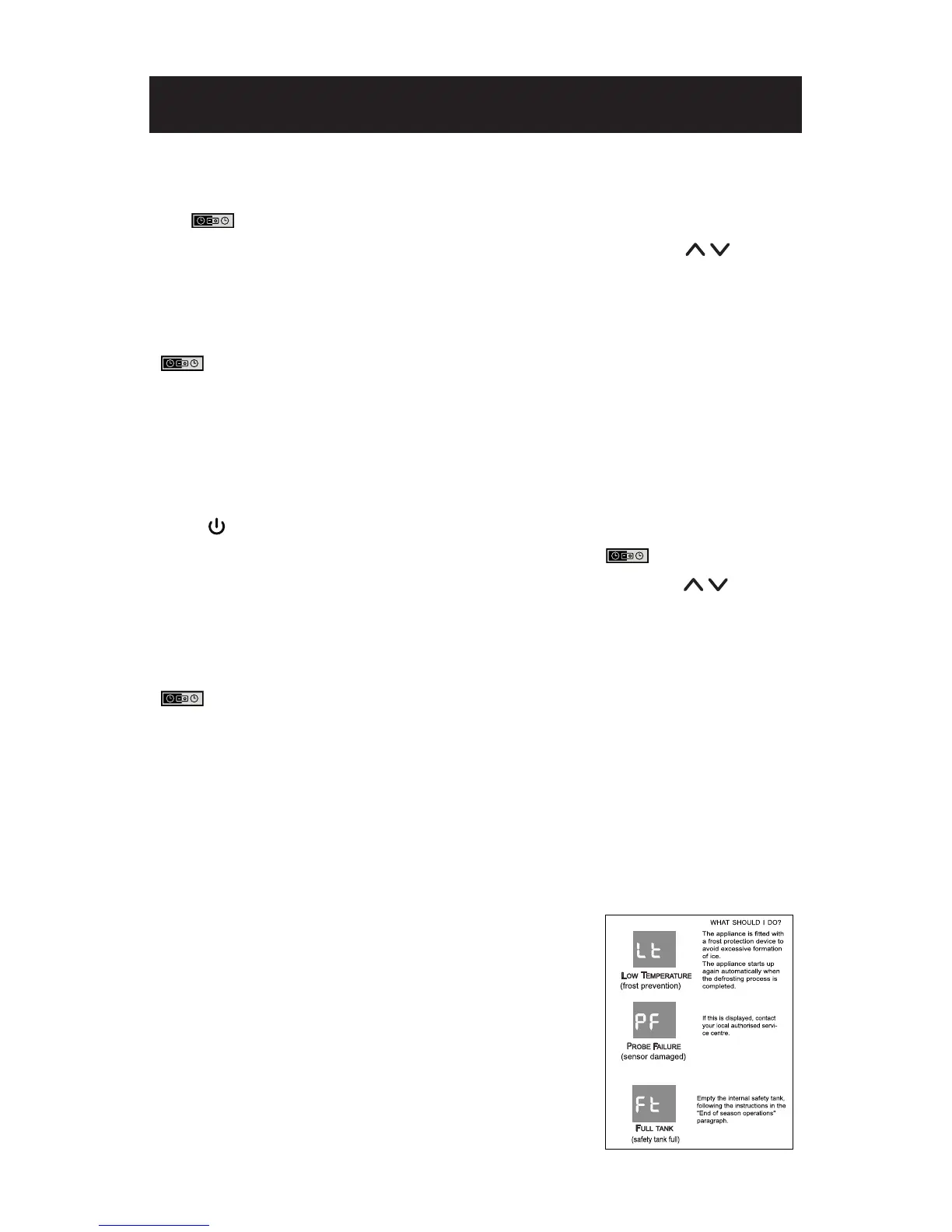
SELF-DIAGNOSIS
The appliance has a self diagnosis system to identify a
number of malfunctions. Error messages are displayed
on the appliance display.
IF DISPLAYED,
SET UP & USE


 To Next Page
 Loading...