EasyManua.ls Logo

Black & Decker BPACT14H Series - User Manual

Black & Decker BPACT14H Series
24 pages
Print Icon
To Next Page IconTo Next Page
Loading...
INSTRUCTION MANUAL
Thank you for choosing BLACK+DECKER!
PLEASE READ BEFORE RETURNING THIS PRODUCT FOR
ANY REASON.
If you have a question or experience a problem with your BLACK+DECKER
purchase, go to www.blackanddecker.com/instantanswers
If you can’t find the answer or do not have access to the Internet, call
844-299-0879 from 10:30 a.m. to 6:30 p.m. EST Mon. - Fri. to speak with an
agent. Please have the catalog number available when you call.
SAVE THIS MANUAL FOR FUTURE REFERENCE.
CATALOG NUMBER
BPACT14H**
14,000 BTU
PORTABLE AIR CONDITIONER
WITH HEAT PUMP
Question and Answer IconNeed help?

Do you have a question about the Black & Decker BPACT14H Series and is the answer not in the manual?

Summary

Product Registration

Safety Information

Important Safety Instructions

Provides essential safety precautions for using electrical appliances.

Handling Alkaline Batteries

Details safety precautions for handling alkaline batteries to prevent hazards.

Grounding Instructions

Explains electrical requirements and proper grounding procedures for safety.

Power Supply Cord

Discusses safe use of the power supply cord and extension cords.

Safety Guidelines

Lists general guidelines for safe operation, use, and maintenance of the air conditioner.

Power Cord Operation

Explains how to test the power supply cord's safety features and proper operation.

Operating Condition

Specifies the recommended temperature ranges for optimal appliance performance.

Set Up & Use

Parts & Features

Identifies and illustrates the various components and features of the air conditioner.

Specifications

Lists the technical specifications of the air conditioner, including dimensions and ratings.

Installation Guide Location

Provides guidance on selecting an appropriate and safe location for unit placement.

Suggested Tools for Window Kit Installation

Lists necessary tools for installing the window slider kit.

Window Slider Kit Installation

Details the process for installing the window slider kit for various window types.

Double-Hung Sash;Sliding Casement Window Installation

Provides specific steps for installing the kit in double-hung sash or sliding casement windows.

Exhaust Hose Installation

Explains how to correctly install and connect the exhaust hose for proper operation.

Control Panel

Describes the layout and functions of the appliance's control panel.

Operating from the Control Panel

Guides users on how to operate the appliance using its onboard control panel.

Cool Mode

Explains how to use the cool mode, including temperature and fan speed settings.

Dehumidifying Mode

Details the operation of the dehumidifying mode and necessary configurations.

Fan Mode

Describes how to operate the appliance in fan-only mode and adjust fan speeds.

Heat Mode

Guides users on operating the appliance in heat mode, including temperature and fan settings.

Control Panel on Remote Control

Illustrates and explains the functions of the remote control panel.

Correct Use

Provides instructions on the proper handling and usage range of the remote control.

Inserting or Replacing the Batteries

Explains how to insert or replace batteries in the remote control unit.

Operating from the Remote Control

Details how to operate the appliance using various functions on the remote control.

Cooling Mode

Explains remote control operations for the cooling mode.

Dehum Mode

Explains remote control operations for the dehumidifying mode.

Fan Mode

Explains remote control operations for the fan mode.

Heat Mode

Explains remote control operations for the heat mode.

Max Function

Describes the MAX function for rapid cooling and its limitations.

Sleep Operation

Explains the sleep operation feature for gradual temperature adjustments.

Air Swing Function

Details how to use the air swing function for directional air circulation.

Programmed Shutdown

Explains how to set a timer for programmed automatic shutdown.

Programmed Start Up

Details how to set a timer for programmed automatic start-up.

Self-Diagnosis

Describes the appliance's self-diagnosis system and error message interpretations.

Water Drainage Method

Explains the methods for draining condensed water from the unit.

Intermittent Drainage

Details the procedure for intermittent manual drainage of the water tank.

Continuous Drainage

Explains the continuous drainage method, particularly for HEAT mode.

Cleaning

Provides instructions for cleaning the appliance cabinet and filters.

Cleaning the Cabinet

Details the correct method for cleaning the exterior of the air conditioner.

Cleaning the Filters

Explains how to clean the evaporator and condenser filters for optimal performance.

Start - End of Season Operations

Outlines checks for the start of the season and operations for the end of the season.

Troubleshooting & Warranty

Before You Call For Service

Offers initial troubleshooting steps to resolve common operational issues.

Customer Service

Provides contact information and instructions for obtaining customer support and warranty service.

Limited Warranty

Details the terms, conditions, exclusions, and duration of the product warranty.

Overview

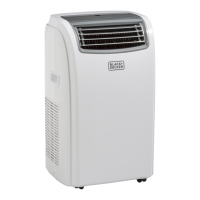
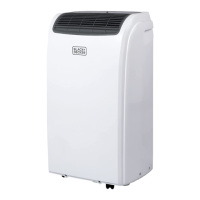
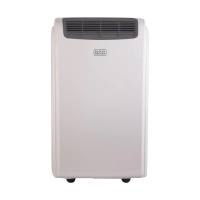
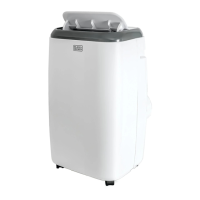
This document describes the BLACK+DECKER 14,000 BTU Portable Air Conditioner with Heat Pump, an appliance designed to provide cooling, dehumidification, and heating for various room environments. The manual emphasizes safe operation, proper installation, and maintenance to ensure optimal performance and longevity of the unit.

Function Description

The BLACK+DECKER portable air conditioner serves multiple functions:

  • Cool Mode: Ideal for hot and humid conditions, this mode cools and dehumidifies a room. Users can set a desired temperature and select from various fan speeds (HIGH, MED, LOW, AUTO) to achieve optimal comfort.
  • Dehumidifying Mode: This mode is designed to reduce humidity, particularly useful during spring, autumn, rainy periods, or in damp rooms. In this mode, the air exhaust hose must be fitted to the appliance to discharge air externally. The fan speed is automatically set to AUTO and cannot be adjusted.
  • Fan Mode: This function allows the unit to operate solely as a fan, circulating air without cooling or heating. Users can select HIGH, MED, or LOW fan speeds, but AUTO fan speed is not available in this mode.
  • Heat Mode: For cooler environments, this mode provides heating. Users can set a target temperature and choose from HIGH, MED, LOW, or AUTO fan speeds. During heating, water is collected in a tank, and the unit will shut down with an "ft" (FULL TANK) display when full, requiring the tank to be emptied. In very cold rooms, the appliance may automatically defrost, displaying "Lt" (LOW TEMPERATURE) intermittently.

Usage Features

The portable air conditioner offers several features to enhance user experience and control:

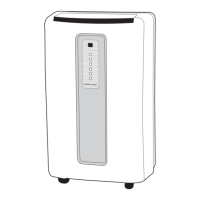
  • Control Panel and Remote Control: The unit can be operated directly from the control panel or with the included remote control. While the control panel provides access to main functions, the remote control offers additional features for full potential.
  • Temperature and Time Adjustment: Both the control panel and remote control allow users to increase or decrease temperature and set timer functions.
  • Fan Speed Selection: Users can select different fan speeds (HIGH, MED, LOW, AUTO) depending on the desired airflow and noise level, except in dehumidifying mode where it's fixed to AUTO.
  • MAX Function: This feature is designed for rapid cooling in summer. When activated, the appliance operates in cool mode with AUTO fan speed, and temperature or fan speed adjustments are not possible. This function is not available in HEAT mode.
  • SLEEP Operation: This function gradually adjusts the temperature over time, increasing (for cooling) or decreasing (for heating) by 1°F/1°C every 60 minutes, then another 1°F/1°C after an additional 60 minutes, and finally another 2°F/2°C after 120 minutes. This cycle is maintained for 6 hours before shutdown, making it suitable for nighttime use. This feature is not available in FAN mode.
  • AIR SWING Function: This allows users to control the left/right swing of air circulation, providing more even air distribution.
  • Timer Function: The timer can be set to delay the appliance's start-up or shutdown, optimizing operating periods and saving electricity.
  • Self-Diagnosis System: The appliance includes a self-diagnosis system that displays error messages on the display area to indicate malfunctions, such as "FT" for a full tank or "Lt" for low temperature during defrost.
  • Portability: Equipped with casters, the unit can be easily moved on smooth, flat surfaces, though caution is advised on carpeted areas.

Maintenance Features

Regular maintenance is crucial for the efficient and safe operation of the air conditioner:

  • Cleaning the Cabinet: The exterior of the appliance should be cleaned with a slightly damp cloth and then dried with a dry cloth. It is important not to wash the unit with water, use petrol, alcohol, solvents, or insecticide liquids.
  • Cleaning the Filters: To maintain efficiency, the air filters should be cleaned weekly. The evaporator filter and the two-piece condenser filter can be removed for cleaning. Dust can be removed with a vacuum cleaner. For very dirty filters, they can be immersed in warm water, rinsed multiple times with lukewarm water, and then thoroughly dried before re-insertion.
  • Water Drainage: The unit collects condensation during operation.
    • Intermittent Drainage: When the internal water tank is full, the unit will display "FT" and shut down. The water can be drained by removing the drain cap from the rear of the unit and allowing the water to flow into a receptacle.
    • Continuous Drainage: For continuous operation without manual emptying, especially in HEAT mode, a drain hose can be connected to the drain outlet and led to a permanent drain. It is important to ensure the drain hose is positioned lower than the drain outlet to prevent water backup.
  • End of Season Operations: Before storing the unit for an extended period, the internal circuit should be completely emptied of water by removing the drain cap. All remaining water should be drained into a basin. After draining, the cap should be replaced, and the filters cleaned and dried thoroughly before re-installation.
  • Power Cord Maintenance: The power supply cord includes a current sensing device. Regular testing of the cord by pressing the TEST and RESET buttons is recommended to ensure proper operation. If the cord fails to reset or is damaged, it must be replaced by one obtained from the manufacturer.

Black & Decker BPACT14H Series Specifications

General IconGeneral
TypePortable Air Conditioner
Cooling Capacity14, 000 BTU
Coverage Area350 sq. ft.
Voltage115V
Fan Speeds3
Remote ControlYes
Control TypeElectronic
DisplayLED
Filter TypeWashable
RefrigerantR410A
DehumidificationYes
Operating ModesCool, Fan, Dehumidify
Power Supply115V
Included AccessoriesRemote control, Window installation kit

Related product manuals