
 Need help?
Do you have a question about the Black & Decker BPACT14WT and is the answer not in the manual?
Basic safety precautions for using electrical appliances.
Electrical requirements and proper grounding of the appliance.
Information about the Leakage Current Detection and Interruption (LCDI) power cord.
General safety guidelines for operating the air conditioner.
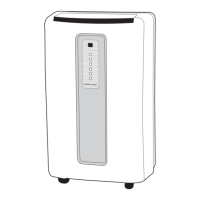
Overview and description of the appliance's control panel.
Information on installing batteries and operating the remote control.
Detailed explanation of the remote control buttons and functions.
Initial troubleshooting steps when the appliance fails to operate.
Contact information and important notes for customer support.
A chart detailing common problems, causes, and remedies.
Details of the product's limited warranty terms and exclusions.
 General
| Type | Portable Air Conditioner |
|---|---|
| Cooling Capacity | 14, 000 BTU |
| Modes | Cool, Fan, Dehumidify |
| Fan Speeds | 3 |
| Digital Display | Yes |
| Remote Control | Yes |
| Timer | 24-hour |
| Filter Type | Washable |
| Voltage | 115V |
| Room Size Coverage | Up to 350 sq. ft. |
| Power Supply | Corded Electric |
| Installation Type | Portable |
| Warranty | 1-year limited |
| Features | Auto Restart |
| Refrigerant | R-410A |


 To Next Page