
 Need help?
Do you have a question about the Black & Decker BPACT08WT and is the answer not in the manual?
Basic safety precautions for electrical appliances, covering grounding, cord safety, and usage environment.
Safety guidelines for handling alkaline batteries to prevent leaks, explosions, and personal injury.
Electrical requirements and proper grounding procedures to reduce the risk of electric shock.
Explains the Leakage Current Detection and Interruption (LCDI) power cord and its testing procedure.
General safety rules for operating the air conditioner to prevent injury and damage.
Specifies the recommended temperature and humidity ranges for optimal unit performance.
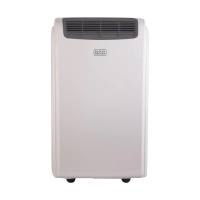
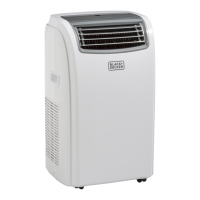
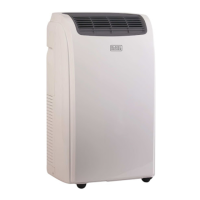
Identifies and illustrates all components and accessories of the portable air conditioner.
Provides instructions on selecting the proper location and lists tools needed for window kit installation.
Details the process of installing the window slider kit for various window types.
Instructions on how to connect and position the exhaust hose for proper operation.
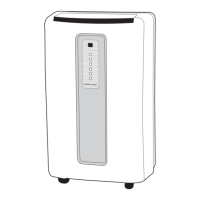
Explains how to use the control panel buttons to operate the appliance.
Details the functionality and settings for Cool, Dehumidify, Fan, and Heat modes.
Covers battery installation and basic instructions for using the remote control.
Describes the functions of each button on the remote control for operating the unit.
Explains LED indicators, power button, mode selection, and cool mode settings.
Provides detailed operation instructions for Dehumidify, Fan, and Heat modes.
Explains how to set the timer and activate the sleep function for comfortable operation.
Details procedures for draining water from the unit in Cool and Heat modes.
Explains how to set up continuous drainage specifically for the dehumidification mode.
Instructions on how to clean the exterior of the air conditioner unit.
Steps for cleaning the air filter to maintain unit efficiency.
Guidance on seasonal checks, preparations, and end-of-season procedures.
Initial troubleshooting steps to resolve common operational issues before contacting support.
Information on how to contact customer support and requirements for warranty service.
A detailed chart listing common problems, their causes, and recommended solutions.
Outlines the terms, conditions, exclusions, and duration of the product's limited warranty.
 General
| Brand | Black & Decker |
|---|---|
| Model | BPACT08WT |
| Category | Air Conditioner |
| Language | English |


 To Next Page