
 Need help?
Do you have a question about the Black & Decker BPC12HJ and is the answer not in the manual?
Record model and serial number for warranty service and future reference.
Follow all instructions and exercise basic safety precautions to reduce risk of injury.
Keep manual safe, use damp cloth for cleaning, and avoid insecure placement.
Highlights ease of operation, unique water evaporation, included window kit, and casters.
Step-by-step guide for assembling and installing the unit with the window kit.
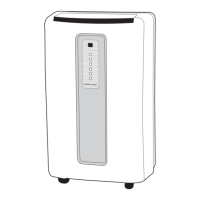
Identifies key parts of the air conditioner unit with numbered labels.
Explains the function of TEST and RESET buttons on the power cord.
Guidelines for initial setup and placement before operating the unit.
Guidance on operating modes, water drainage, and filter cleaning during use.
Procedures for storing the unit when not in use for extended periods.
Explains how to turn the unit on/off and select operating modes (Cool, Dehumidification, Fan).
Details how to adjust fan speeds in different operating modes.
Instructions for setting the timer and adjusting temperature settings.
Describes remote control operation for mode, fan speed, and timer settings.
How to adjust the temperature using the remote control buttons.
Instructions for cleaning the air filter to maintain optimal efficiency.
Guidance on safe cleaning methods for the unit's exterior cabinet.
Important warnings and precautions regarding battery handling and disposal.
Steps for storing the air conditioner for long periods to prevent damage.
Checks to perform if the air conditioner does not turn on.
Reasons and solutions if the unit is running but not cooling the room effectively.
Explanation of the "Tank Full" light and actions to take when it appears.
Specifies what is covered and for how long, including parts and labor.
Lists conditions and damages not covered by the warranty.
Details on how to obtain warranty service and what actions will be taken.
 General
| Power Source | Electric |
|---|---|
| Voltage | 115V |
| Frequency | 60Hz |
| Operating Modes | Cool, Fan, Dehumidify |
| Fan Speeds | 3 |
| Remote Control | Yes |
| Timer | 24-hour |
| Filter Type | Washable |
| Cooling Capacity | 12000 BTU |
| Type | Portable |


 To Next Page