SET UP & USE
Continuous Draining for Dehumidication Mode
Unplug the unit from the power source.
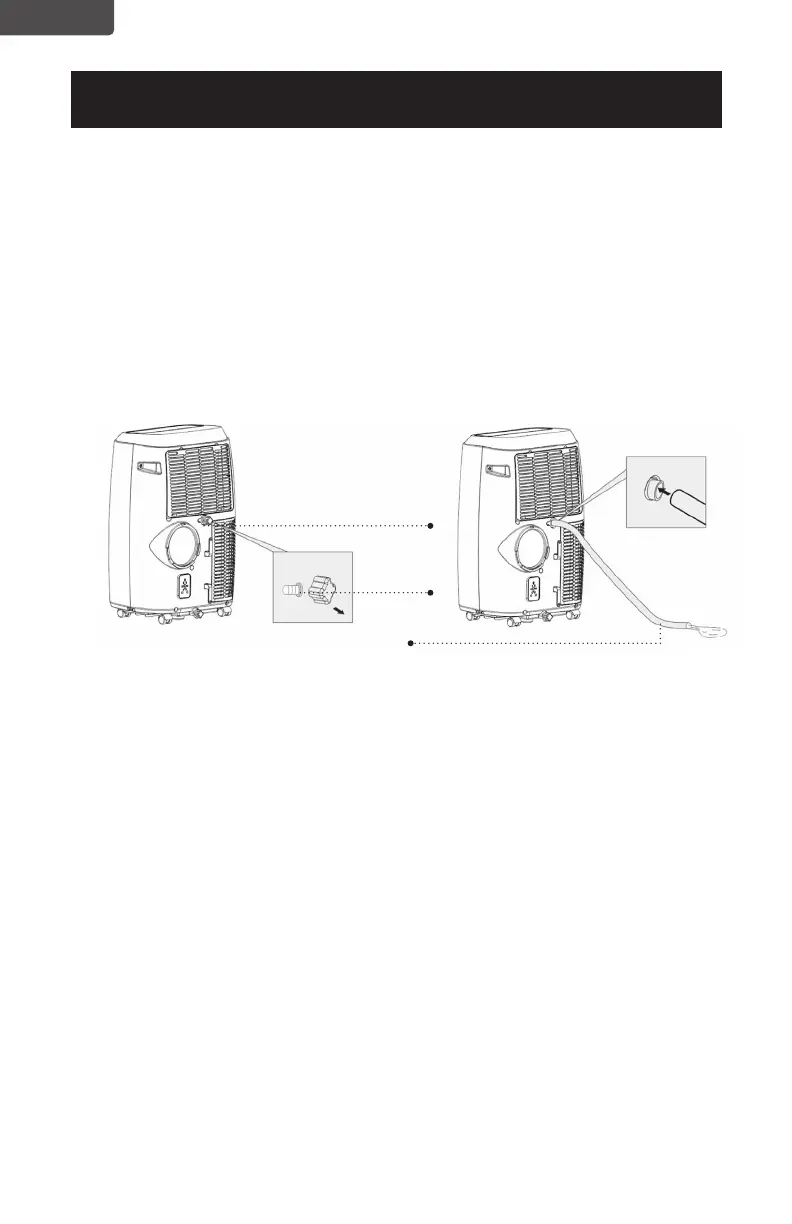
Remove the drain cap located in the back center of the unit. While doing this
operation some residual water may spill so have a drip pan (not supplied) to
collect the water.
Connect the drain hose (supplied) as shown in the diagram. The water can be
continuously drained through the hose into a oor drain or bucket.
Turn on the unit.
WAIT 3 MINUTES BEFORE RESUMING OPERATION
• After the unit has stopped, it cannot be restarted for 3 minutes. Operation will
automatically restart after 3 minutes.
Page 22
Drain outlet
Drain hose
Drain cap
ENGLISH


 To Next Page
 Loading...