
 Need help?
Do you have a question about the Black & Decker BPT05WTBA and is the answer not in the manual?
Essential safety precautions for operating electrical appliances.
Guidelines for safe handling and disposal of alkaline batteries.
Electrical requirements and proper grounding procedures for safety.
Information on the Leakage Current Detection and Interruption power cord.
General do's and don'ts for safe operation and energy saving.
Recommended room temperature ranges for cooling and dehumidifying modes.
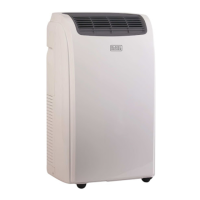
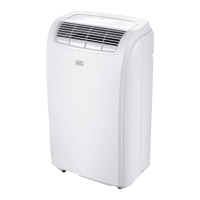
Identification of unit components and included accessories.
Unit dimensions, weight, and electrical requirements.
Placement advice and recommended tools for setup.
Step-by-step guide for installing the window slider kit.
Instructions for connecting and positioning the exhaust hose.
Overview of the control panel and how to turn the unit on.
Detailed instructions for using Cool, Dehumidify, and Fan modes.
Instructions for inserting batteries into the remote control.
Explanation of all remote control buttons and their operations.
Explanation of LED indicators and mode selection buttons.
How to use Turbo and Follow Me features for enhanced comfort.
Setting up timed start/shut down and using sleep mode.
Changing temperature units and activating the child lock feature.
Steps for draining water from the unit in cooling mode.
Steps for draining water during dehumidification mode.
Instructions for cleaning the unit and preparing for seasonal use/storage.
Initial checks to perform when the unit fails to operate.
Information on how to get support and product warranty details.
A chart detailing common problems, causes, and solutions.
Details on warranty coverage, exclusions, and how to obtain service.
 General
| Brand | Black & Decker |
|---|---|
| Model | BPT05WTBA |
| Category | Air Conditioner |
| Language | English |


 To Next Page