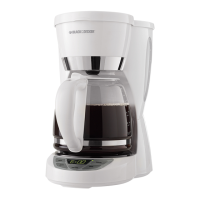
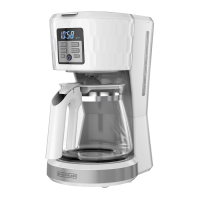
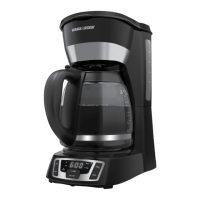
1. Plug the coffeemaker into a standard electrical outlet.
2. The numbers and colon “:” on the digital clock display flashes “12:00”.
3. Press HOUR and MIN buttons until the correct time appears on the display.
The colon “:” will continue to flash even after the time is set. (A)
4. When the time passes noon, the LED light in the display next to PM illuminates to let you know you are in PM time. If the PM
light is not illuminated it is AM time.
5. To change the time after it has been set, press either HOUR or MIN once to enter the time setting mode. Then follow the
steps above.
Note: If the appliance is unplugged or power is interrupted even momentarily, the time may need to be reset.
BREWING COFFEE
1. Open cover.
2. Fill water reservoir with desired amount of water. The 12 line on the side of the reservoir represents a full carafe of coffee. Do
not fill past this 12 Cup line.
Note: Use spring water or filtered water. Distilled water lacks the minerals necessary to bind to elements of coffee.
Note: Filtered water will limit impurities and excessive minerals that can detrimentally impact coffee flavor and machine
performance.
3. Insert a basket type paper filter into the brew basket.
4. Add desired amount of ground coffee. Close lid, making sure it clicks.
5. Make sure carafe lid is properly attached to the empty carafe. Close the carafe lid.
Note: Coffee may overflow if carafe lid is not properly placed.
6. Place empty carafe on the carafe plate.
7. If not already plugged in, plug power cord into an outlet.
8. If regular brew strength is desired, your coffeemaker is set to brew coffee.
9. If strong coffee is desired, press the STRONG button once to select the strong brew. The LED light in the display next to
STRONG will illuminate. To turn STRONG mode off press the STRONG button again and the LED light will turn off.
Note: We recommend using the STRONG setting to ensure the best flavor whenever brewing 4 cups of coffee or less.
10. Press ON/OFF ( ) button and brewing begins. The ( ) button illuminates while brewing.
11. Once coffee grounds have cooled, carefully open cover and, discard used grounds. Close cover.
12. The coffeemaker will keep brewed coffee hot for 2 hours and then automatically turn off.
To turn off the coffeemaker at any time press the ON/OFF button ( ). The ON/OFF ( ) light goes off.
SNEAK-A-CUP® FEATURE
Remove the carafe and brewing is paused. The carafe must be placed back on the carafe plate in 30 seconds to prevent overflow.
Brewing begins again.
KEEP WARM FUNCTION
The hot plate remains in “keep warm” mode for 2 hours (120 minutes) following the brew cycle.
During this time the ON/OFF ( ) button remains illuminated.
After 2 hours have passed, the heater turns off and the ON/OFF ( ) light turns off.
To turn off the coffeemaker at any time press the ON/OFF button ( ).
BREW LATER FUNCTION
If BREW LATER function has not been previously set:



 To Next Page
 Loading...