EasyManua.ls Logo

Black & Decker CM2036SC - User Manual

Black & Decker CM2036SC
51 pages
Print Icon
To Next Page IconTo Next Page
Loading...
User Manual of Product 1:
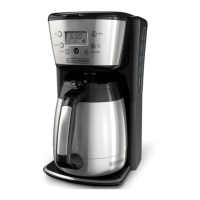
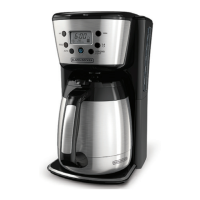
BLACK+DECKER Thermal Coffee Maker, 12 Cup,
Programmable, Digital Controls, Black and Silver, CM2036SC
User Manual of Product 2:
BLACK+DECKER Toaster, 4 Slice, Extra Wide Slots for Bagels
and Artisan Breads, Black, TR1478BD

Questions and Answers

  • J
    Jamie SmithJul 29, 2025
    Why my Black & Decker Coffee Maker does not turn on?
    • J
      James CraigJul 29, 2025
      If your Black & Decker Coffee Maker isn't turning on, the most common reason is that it's not properly plugged in. Ensure the appliance is connected to a working electrical outlet.
  • N
    Noah PerryAug 4, 2025
    What to do if my Black & Decker CM2036SC Coffee Maker is leaking?
    • J
      Jessica HowellAug 4, 2025
      If your Black & Decker Coffee Maker is leaking, there are a few potential causes. First, check if the water reservoir is overfilled; ensure it doesn't exceed the 12-cup MAX line. Also, make sure the cover is correctly placed and tightened on the carafe and that the carafe is correctly positioned on the carafe plate.
  • K
    Keith WadeAug 10, 2025
    Why does the brew basket overflow on my Black & Decker CM2036SC Coffee Maker?
    • G
      George ThompsonAug 10, 2025
      The brew basket on your Black & Decker Coffee Maker might overflow due to a couple of reasons. One reason might be that the carafe has been removed for longer than 20 seconds when using the Sneak-A-Cup™ feature, so make sure to replace the carafe within 20 seconds during the brewing cycle. Also, using too much coffee can cause overflows; try reducing the amount of coffee you use.
  • J
    James NelsonAug 17, 2025
    Why does my Black & Decker CM2036SC brew slowly?
    • M
      Melissa OlsonAug 17, 2025
      If your Black & Decker Coffee Maker is brewing slowly, it likely needs cleaning. Follow the descaling instructions in the “Descaling With the Auto Clean™ Function” section to resolve this issue.
  • B
    Bruce WhiteAug 23, 2025
    How to fix coffee sediment in my Black & Decker brewed coffee?
    • A
      Aaron PerezAug 23, 2025
      If you're finding coffee sediment in your brewed cup from your Black & Decker Coffee Maker, it's likely that the paper filter or the brew basket isn't properly placed. Insert a basket-shaped paper filter into the brew basket, and then correctly insert the basket into its holder.

Summary

IMPORTANT SAFEGUARDS

PRODUCT BENEFITS

GETTING TO KNOW YOUR CONTROL PANEL

Digital Clock and Display Functions

Explains the LCD display and its functions like Power, Auto, Program, Hour, Minute.

BEFORE BREWING

PROGRAMMING YOUR COFFEE MAKER

Setting the Digital Clock

Step-by-step guide to setting the clock time using HR and MIN buttons.

Using the 1-4 Cup Setting

How to activate the setting for brewing 1-4 cups.

Setting the Auto Brew Delay Start

Instructions for programming the 24-hour timer to start brewing automatically.

Setting the Brew Strength Selector

Steps to select brew strength (regular, strong, bold) using the STRONG button.

BREWING COFFEE

CARE AND CLEANING

Cleaning Steps

Detailed instructions for cleaning the coffeemaker after each use.

Descaling with Auto Clean Function

Procedure for descaling the coffee maker using the Auto Clean feature with vinegar.

TROUBLESHOOTING

WARRANTY AND CUSTOMER SERVICE INFORMATION

Two-Year Limited Warranty

Details coverage, duration, and service for the limited warranty.

Getting Service

How to obtain warranty service, including saving receipts and contacting support.

Warranty Exclusions

Lists conditions and damages not covered by the warranty.

State Law Relation

Explains how state law relates to the warranty and consumer rights.

Toaster Operation

Black & Decker CM2036SC Specifications

General IconGeneral
BrandBlack & Decker
ModelCM2036SC
CategoryCoffee Maker
LanguageEnglish

Related product manuals