EasyManua.ls Logo

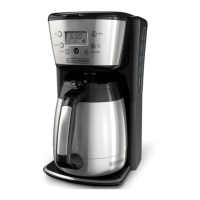
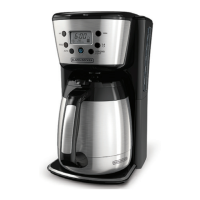
Black & Decker CM2035B - User Manual

Black & Decker CM2035B
16 pages
Print Icon
To Next Page IconTo Next Page
Loading...
TM
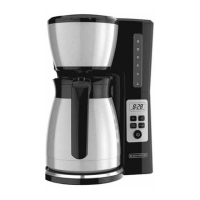
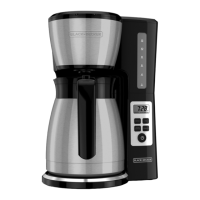
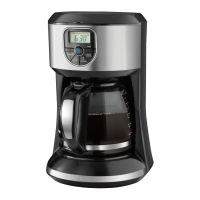
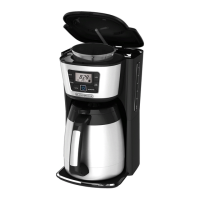
THERMAL PROGRAMMABLE
12-CUP COFFEE MAKER
Use & Care Manual
CM2035B

Questions and Answers

  • B
    blawsonAug 1, 2025
    Why my Black & Decker CM2035B does not turn on?
    • L
      Lindsey BullockAug 1, 2025
      If your Black & Decker Coffee Maker isn't turning on, the most likely cause is that it's not properly plugged in. Ensure the appliance is connected to a working electrical outlet.
  • Q
    qwagnerAug 7, 2025
    What to do if my Black & Decker Coffee Maker is leaking?
    • M
      Ms. Karen PowersAug 7, 2025
      There are several reasons why your Black & Decker Coffee Maker might be leaking. First, check if the water reservoir is overfilled, ensuring it doesn't exceed the 12-cup MAX line. Also, make sure the cover is correctly placed and tightened on the carafe. Finally, ensure the carafe is correctly positioned on the carafe plate.
  • J
    Jason HallAug 13, 2025
    Why does the brew basket overflow on my Black & Decker CM2035B?
    • T
      travis09Aug 13, 2025
      If the brew basket of your Black & Decker Coffee Maker is overflowing, it could be due to a couple of reasons. One possibility is that the carafe was removed for longer than 20 seconds when using the Sneak-A-Cup™ feature; make sure to replace the carafe within 20 seconds during brewing. Another reason might be using too much coffee. Try reducing the amount of coffee you use.
  • C
    Christopher HernandezAug 19, 2025
    How to fix a Black & Decker Coffee Maker that brews slowly?
    • E
      Emily RobertsAug 19, 2025
      If your Black & Decker coffee maker is brewing slowly, it likely needs cleaning. Follow the instructions in the “Descaling with Vinegar” section to properly clean your appliance.
  • M
    Michael StevensAug 25, 2025
    Why is there coffee sediment in my Black & Decker Coffee Maker?
    • A
      alexandragarciaAug 26, 2025
      If you're finding coffee sediment in your brewed cup from your Black & Decker Coffee Maker, it's likely that the paper filter and/or the brew basket are not properly placed. Make sure you insert a basket-shaped paper filter into the brew basket and that the basket is correctly inserted into the holder.

Summary

Important Safeguards

General Safety Precautions

Basic safety precautions for using electrical appliances, including avoiding hot surfaces and immersion in liquids.

Polarized Plug Information

Explanation of the polarized plug design to reduce electric shock risk and proper usage.

Electrical Cord Safety

Guidelines for using extension cords with the appliance to prevent entanglement or tripping hazards.

Before Brewing

Initial Setup and Cleaning

Covers product registration, unpacking, initial cleaning of the carafe and brew basket, and running water-only cycles.

Programming Your Coffee Maker

Setting the Auto Brew Delay Start

Instructions for programming the automatic delay start timer to brew coffee at a future time.

4 Elements to Brew the Perfect Cup

Key Brewing Elements

Details the importance of water quality, coffee freshness, even saturation, and proper coffee-to-water proportion.

Brewing Coffee

Care and Cleaning

Troubleshooting

Common Coffee Maker Issues

Addresses problems like the maker not turning on, leaking, brew basket overflows, sediment, and slow brewing.

Warranty and Customer Service Information

Two-Year Limited Warranty Details

Outlines what the warranty covers, duration, how to get service, and exclusions.

Black & Decker CM2035B Specifications

General IconGeneral
Product typeDrip coffee maker
Capacity in cups12 cups
Number of spouts1
Coffee maker typeSemi-auto
Appliance placementCountertop
Adjustable coffee strengthYes
Reservoir for brewed coffee-
Control typeTouch
Display typeLCD
Product colorBlack, Silver
Housing materialStainless steel
Multi beverageNo

Related product manuals