EasyManua.ls Logo

Black & Decker CM2046S-LA - User Manual

Black & Decker CM2046S-LA
36 pages
Print Icon
To Next Page IconTo Next Page
Loading...
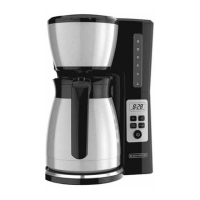
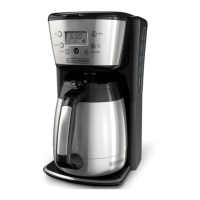
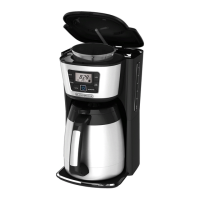
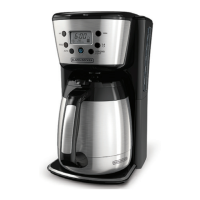
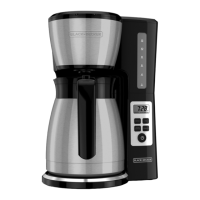
THERMAL PROGRAMMABLE
12-CUP* COFFEE MAKER
CAFETERA TÉRMICA PROGRAMABLE
DE 12 TAZAS*
CM2046S-LA
*One cup equals approximately 5 oz. (varies by brewing technique)
*Una taza equivale a aproximadamente 5 onzas. (varía de acuerdo al método de preparación utilizado)
*Une tasse équivaut à environ 115 g (5 oz; varie selon la technique de brassage)

Questions and Answers

  • F
    Frank MorrisAug 3, 2025
    What to do if my Black & Decker CM2046S-LA does not turn on?
    • T
      Terry PayneAug 3, 2025
      If your Black & Decker coffee maker isn't turning on, the most common cause is that it's not properly plugged in. Make sure the appliance is securely plugged into a working outlet.
  • D
    David RichardAug 7, 2025
    Why does my Black & Decker CM2046S-LA Coffee Maker brew slowly?
    • V
      Vicki MooreAug 8, 2025
      A slow brewing Black & Decker coffee maker often indicates that it needs cleaning. Follow the instructions in the “Descaling With the Auto Clean™ Function” section of the manual to properly clean your coffee maker.
  • A
    Andrew HudsonAug 11, 2025
    Why does the brew basket overflow in my Black & Decker CM2046S-LA?
    • Y
      Yolanda EdwardsAug 11, 2025
      The brew basket of your Black & Decker coffee maker might overflow if the carafe has been removed for more than 20 seconds when using the Sneak-A-Cup™ feature. Make sure to replace the carafe within 20 seconds during the brewing cycle. Another cause could be using an excessive amount of coffee. Reduce the amount of coffee used to prevent overflows.
  • S
    Stephanie HammondAug 16, 2025
    Why is my Black & Decker CM2046S-LA leaking?
    • M
      Mike CoxAug 16, 2025
      Your Black & Decker coffee maker might be leaking due to several reasons: the water reservoir may be overfilled, so ensure it doesn't exceed the 12-cup MAX line. The carafe cover may not be correctly placed or tightened, so check its placement. Also, the carafe might not be sitting properly on the carafe plate, so ensure it is correctly placed.
  • C
    Cameron BryantAug 20, 2025
    Why is there coffee sediment in my Black & Decker Coffee Maker?
    • A
      Antonio ReyesAug 20, 2025
      Coffee sediment in your brewed cup from your Black & Decker coffee maker is usually caused by the paper filter or brew basket not being properly placed. Ensure that you insert a basket-shaped paper filter into the brew basket and that the basket is correctly inserted into the holder.
  • S
    Stephanie MedinaAug 25, 2025
    What to do if Black & Decker CM2046S-LA doesn't complete brewing?
    • J
      Jason BarrAug 25, 2025
      If your Black & Decker coffee maker isn't completing the brewing process and water remains in the tank, it is likely heavily calcified. You should follow the instructions in the “Descaling With the Auto Clean™ Function” section. Multiple cleaning cycles may be required.
  • A
    ariosAug 29, 2025
    How to make Black & Decker Coffee Maker coffee hotter?
    • A
      Adam GarnerAug 29, 2025
      If the coffee from your Black & Decker coffee maker isn't hot enough, it could be due to low brew volumes (under four cups) or a cold carafe. Pre-heat the carafe before brewing using hot tap water.

Summary

Safety Precautions

Polarized Plug Safety

Explanation of the appliance's polarized plug design for reduced shock risk.

Tamper-Resistant Screw Warning

Warning about the tamper-resistant screw and user serviceability.

Electrical Cord Usage Guidelines

Guidelines for using the power cord and extension cords safely.

Getting to know your Coffee Maker

Product Benefits

Getting to know your Control Panel

Before Brewing

Programming your Coffee Maker

Setting the Digital Clock

Steps to set the current time on the coffee maker's display.

Programming Auto Brew Start Time

Instructions for programming the automatic brew timer.

4 Elements to Brew the Perfect Cup

Importance of Water Quality

Importance of using fresh, filtered water for optimal coffee taste.

Maximizing Coffee Freshness

How freshly ground beans impact coffee flavor and how to maximize it.

Ensuring Even Saturation

How the Vortex™ Showerhead ensures even coffee ground saturation for better flavor.

Achieving Proper Coffee Proportion

Recommended coffee-to-water ratio for ideal brew strength.

Tips for a Perfect Cup of Coffee

Brewing Coffee

Care and Cleaning

Auto Clean Descaling Process

Instructions for descaling the coffee maker using the Auto Clean feature.

Troubleshooting

Warranty and Customer Service Information

Black & Decker CM2046S-LA Specifications

General IconGeneral
Product NameBlack & Decker CM2046S-LA
CategoryCoffee Maker
TypeDrip Coffee Maker
Capacity12 cups
ColorBlack
ProgrammableYes
Auto Shut-offYes
Brew Strength SelectorYes
Water Level IndicatorYes
Keep Warm FunctionYes
Sneak-A-Cup FeatureYes
Water Filter CompatibleNo
Pause and ServeYes

Related product manuals