EasyManua.ls Logo

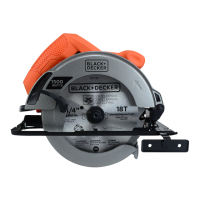
Black & Decker CS1015 - User Manual

Black & Decker CS1015
32 pages
Print Icon
To Next Page IconTo Next Page
Loading...
INSTRUCTION MANUAL
Thank you for choosing Black & Decker! To register your new product go to
www.BlackandDecker.com/NewOwner
PLEASE READ BEFORE RETURNING THIS PRODUCT
FOR ANY REASON.
If you have a question or experience a problem with your Black & Decker purchase, go to
http://www.blackanddecker.com/instantanswers
If you can’t find the answer or do not have access to the Internet,
call 1-800-544-6986 from 8 a.m. to 5 p.m. EST Mon. - Fri. to speak with an agent.
Please have the catalog number available when you call.
SAVE THIS MANUAL FOR FUTURE REFERENCE.
VEA EL ESPAOL EN LA CONTRAPORTADA.
INSTRUCTIVO DE OPERACN, CENTROS DE SERVICIO Y PÓLIZA DE GARANTÍA.
ADVERTENCIA: ASE ESTE INSTRUCTIVO ANTES DE USAR EL PRODUCTO.
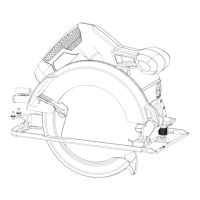
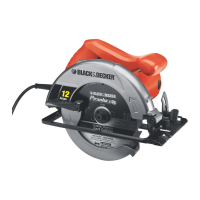
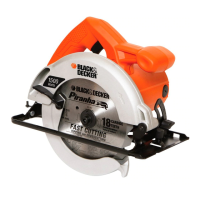
7-1/4” (184MM), 15 AMP CIRCULAR SAW
CATALOG NUMBER
CS1015

Questions and Answers

  • H
    Heather GonzalezAug 8, 2025
    What to do if my Black & Decker Saw won't start?
    • M
      Matthew LopezAug 8, 2025
      If your Black & Decker Saw won't start, first ensure it's properly plugged into a working outlet. If it still doesn't start, check the circuit fuse. If the fuse is blown, replace it. However, if the product repeatedly causes the circuit fuse to blow, stop using it immediately and have it serviced at a Black & Decker service center or authorized servicer. Also, check if the circuit breaker has tripped and reset it. Again, if the product repeatedly trips the circuit breaker, discontinue use and seek professional servicing at a Black & Decker service center or authorized servicer. If the cord or switch is damaged, have it replaced at an authorized Black & Decker service center.

Black & Decker CS1015 Specifications

General IconGeneral
BrandBlack & Decker
ModelCS1015
CategorySaw
LanguageEnglish

Related product manuals