EasyManua.ls Logo

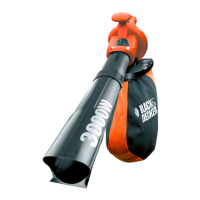
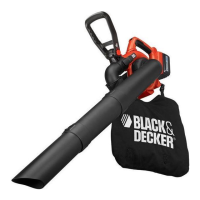
Black & Decker GW3050 - User Manual

Black & Decker GW3050
16 pages
Print Icon
To Next Page IconTo Next Page
Loading...
GW3050
GW3030
GW2810
GW2838

Questions and Answers

  • H
    hnelsonJul 27, 2025
    What to do if my Black & Decker GW3050 fails to operate?
    • S
      Shannon HarrisJul 27, 2025
      If your Black & Decker Blower isn't operating, start by checking the connection to the power supply. Then, inspect the fuse in the plug and replace it if it's blown (UK only). Also, ensure the blow/vacuum tube assembly is correctly fitted to the powerhead. If the fuse continues to blow, disconnect from the mains and consult a Black & Decker repair agent.
  • S
    steven74Aug 6, 2025
    How to fix poor shredding with Black & Decker GW3050 Blower?
    • S
      Steven FranklinAug 6, 2025
      To address poor shredding with your Black & Decker Blower, first, switch off and disconnect the blower from the mains power supply, then remove the collection bag. Next, remove the vacuum tube and inspect the fan. Clean any debris from the fan blades. If the fan is cracked or damaged, do not use the blower and consult a Black & Decker repair agent.
  • J
    Jessica JonesAug 15, 2025
    Why is my Black & Decker GW3050 making a high-pitched whine and vacuuming poorly?
    • M
      Mary GallegosAug 15, 2025
      If your Black & Decker Blower is making a high-pitched whine and vacuuming poorly, switch it off and disconnect it from the power supply to allow any debris to fall clear of the tube. Remove and empty the collection bag. Check that both the inlet and exit ports on the vacuum tube are clear. Remove any debris from the fan area. If poor vacuuming continues, disconnect from the mains and consult a Black & Decker repair agent.

Summary

General Appliance Safety Warnings

Personal Safety Precautions

Details essential safety measures for operator well-being during use.

Electrical Safety Requirements

Outlines crucial safety rules regarding power supply and electrical connections.

Specific Blow Vac Safety Instructions

Lists safety advice unique to blow vac functionality.

Safety of Others and Bystanders

Emphasizes precautions to protect people and property around the work area.

Operating the Appliance

Switching On and Off

Describes how to power the appliance on and off using the speed control.

General Product Usage

Provides overall guidance for using the product effectively and safely.

Troubleshooting and Maintenance

Troubleshooting Guide

Lists common problems and their solutions for user assistance.

Product Maintenance

Provides instructions for routine cleaning and upkeep of the appliance.

Black & Decker GW3050 Specifications

General IconGeneral
Airflow14 m³/h
Airspeed418 km/h
Bag capacity50 L
Product colorBlack, Red
Shoulder strapYes
Weight and Dimensions IconWeight and Dimensions
Weight3700 g

Related product manuals