6
GETTING STARTED
• Remove all packing material, any stickers, and the plastic band around the
power plug.
• Register your product at www.prodprotect.com/applica
• Remove and save literature.
• Remove mounting hardware and template. Set them safely aside.
• For warranty verifi cation, do not remove cord tag.
Do not attempt to operate appliance until properly installed.
INSTALLING YOUR SPACEMAKER™
This unit is for household use only. Only recommended for installation on
fl at bottom cabinets.
CHOOSE A LOCATION
When choosing your location, consider the following:
• DO make sure to mount within reach of an electrical outlet.
• DO consider your normal work patterns in the kitchen when choosing location.
• DO NOT mount over any heating or cooking appliance such as your range or
oven.
• DO NOT mount over or near a sink.
• DO NOT mount under, in front of or behind any under-cabinet light
fi xtures.
DETERMINE CABINET TYPE
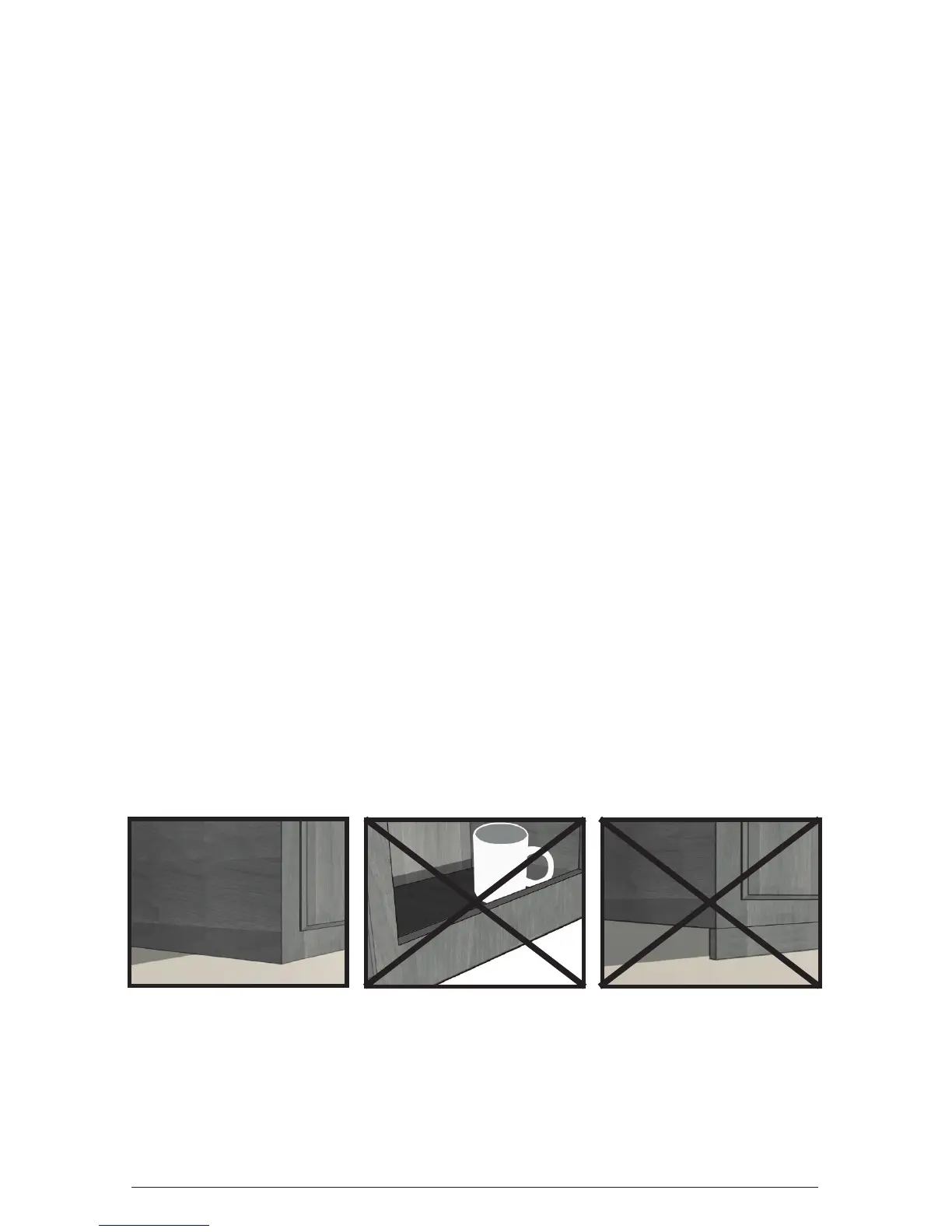
Important: Spacemaker™ appliances are only recommended to be installed
on cabinets without a top lip and with a fl at bottom. It is not recommended
to install Spacemaker appliances on cabinets with an overhang. See image
below for recommended cabinet types.
FLAT BOTTOM
TOP LIP OVERHANG




 To Next Page