EasyManua.ls Logo

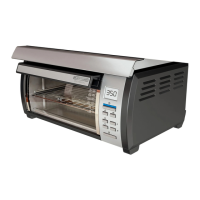
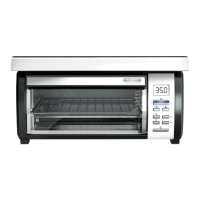
Black & Decker SpaceMaker TROS1000 - User Manual

Black & Decker SpaceMaker TROS1000
27 pages
Print Icon
To Next Page IconTo Next Page
Loading...
USA/Canada 1-800-231-9786
www.prodprotect.com/applica
Accessories/Parts (USA/Canada)
Accesorios/Partes (EE.UU/Canadá)
1-800-738-0245
Please Read and Save this Use and Care Book
Por favor lea este instructivo antes de usar el producto
UNDER-THE-CABINET
TOASTER OVEN
HORNO TOSTADOR
PARA INSTALAR DEBAJO DEL GABINETE
Register your product online at www.prodprotect.com/applica, for
a chance to WIN $100,000!
For US residents only
Registre su producto por Internet en www.prodprotect.com/applica
y tendrá la oportunidad de GANAR $100,000!
Solamente para residentes de EE.UU
Models
Modelos
TROS1000
TROS1000Q

Questions and Answers

  • C
    Cameron JimenezJul 29, 2025
    How to stop my Black & Decker SpaceMaker TROS1000 from smoking?
    • G
      Gabrielle DavilaJul 30, 2025
      If your Black & Decker Oven is producing a burnt food odor or smoke during use, it's likely due to food remnants on the oven walls or in the crumb tray. To resolve this, ensure all parts of the oven are clean and free of debris.
  • C
    Catherine BrownAug 3, 2025
    Why is my Black & Decker Oven not heating up?
    • R
      rfowlerAug 4, 2025
      If your Black & Decker Oven is not heating or stops heating, there are a couple of things to check: First, ensure that all three dials are set to the appropriate cooking mode and that the green light is on. Second, verify that the oven is properly plugged into a working outlet.
  • M
    Mr. Timothy Hughes IIAug 7, 2025
    What to do if my Black & Decker SpaceMaker TROS1000 Oven overcooks food?
    • T
      thomas27Aug 8, 2025
      If your food is consistently overcooked or undercooked in your Black & Decker Oven, the temperature and/or cook time may need adjustment. Try lowering or raising the temperature setting by 25 degrees from the suggested setting in a recipe or label directions.
  • J
    John WagnerAug 13, 2025
    Why aren't the heating elements on in my Black & Decker Oven?
    • M
      Miss April Banks MDAug 13, 2025
      If the heating elements in your Black & Decker Oven don't seem to be on, it's important to know that they cycle on and off during baking. Make sure the proper function is selected to ensure it's operating correctly.
  • L
    Lindsey PetersAug 18, 2025
    Why is my Black & Decker SpaceMaker TROS1000 Oven toasting too dark the second time?
    • R
      Ryan LopezAug 18, 2025
      If your second toasting cycle in the Black & Decker Oven results in toast that is too dark, it is because the toast setting selected is too dark. When doing repeated toast cycles, remember to select a slightly lighter setting for the 2nd and 3rd toasting.
  • J
    Jason WillisAug 23, 2025
    Why does moisture form inside my Black & Decker SpaceMaker TROS1000 door when toasting?
    • J
      Joseph HamiltonAug 25, 2025
      The moisture that forms on the door of your Black & Decker Oven during toasting is common and usually disappears before the end of the toasting cycle, as the amount of moisture in the product being toasted will vary from one manufacturer to another.

Summary

Important Safeguards

Control Panel Overview

Control Panel Components

Identifies and describes the buttons, indicators, and digital display.

Installation and Setup

Standard Installation (Flat Cabinet)

Step-by-step guide for mounting the appliance in cabinets with a flat bottom.

Using Your Toaster Oven

Baking Instructions

Detailed steps and guidelines for baking with the toaster oven.

Toasting Guide and Tips

Instructions and advice for toasting bread and achieving desired results.

Care and Cleaning

Troubleshooting and Recipes

Troubleshooting Common Issues

Solutions for common problems encountered during operation.

Black & Decker SpaceMaker TROS1000 Specifications

General IconGeneral
BrandBlack & Decker
ModelSpaceMaker TROS1000
CategoryOven
LanguageEnglish

Related product manuals