EasyManua.ls Logo

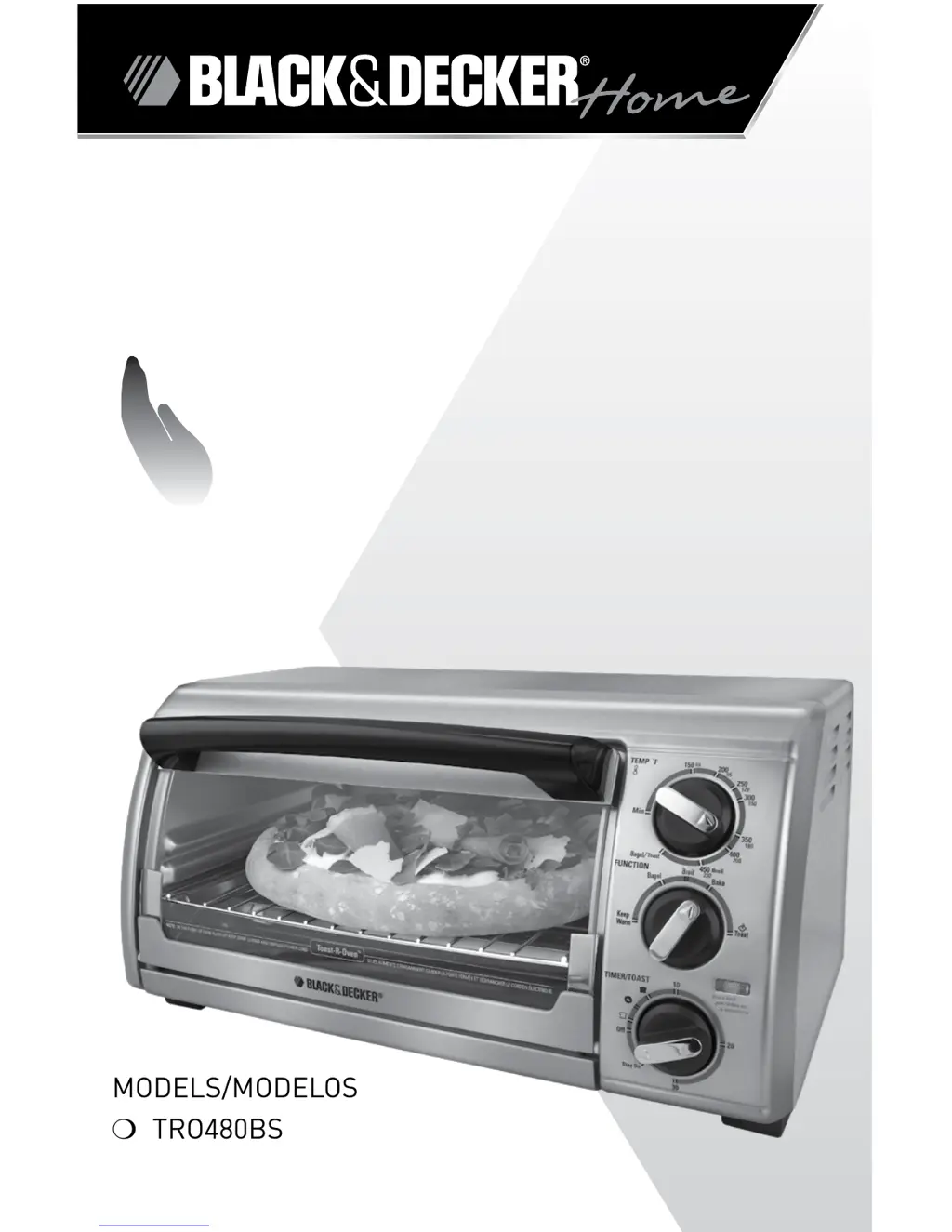
Black & Decker TRO480BS - User Manual

Black & Decker TRO480BS
21 pages
Print Icon
To Next Page IconTo Next Page
Loading...






Oven
HOrnO 
Care










Questions and Answers

  • J
    Joshua ShortJul 28, 2025
    How to fix Toast function not working on Black & Decker Oven?
    • N
      Nicole PhillipsJul 28, 2025
      If the toast function isn't working on your Black & Decker Oven, make sure all three knobs are properly set. Turn both the top and middle dials to TOAST. The bottom dial must be turned past 10 and then back to your desired toast color.
  • A
    Ashley PalmerAug 1, 2025
    Why is my Black & Decker TRO480BS Oven not heating?
    • C
      christina23Aug 2, 2025
      If your Black & Decker Oven is not heating or stops heating, ensure all three knobs are set correctly and the blue power indicator light is on. Also, verify that the outlet the oven is plugged into is working properly.
  • B
    Becky StevensAug 6, 2025
    What to do if my Black & Decker TRO480BS Oven is overcooking food?
    • K
      Kristen JonesAug 6, 2025
      If your Black & Decker Oven is overcooking or undercooking food, it might be because the temperature or cook time needs adjustment. Given that a toaster oven is smaller than a conventional oven and may cook faster, try lowering the temperature setting by 25 degrees from what the recipe or label suggests.
  • C
    Christopher OchoaAug 10, 2025
    Why is my Black & Decker TRO480BS smoking?
    • D
      Dr. Michaela WelchAug 10, 2025
      A burnt food odor or smoking from your Black & Decker Oven during use indicates remnants of food on the oven walls or in the crumb tray. Refer to the Care & Cleaning section of the manual to ensure all parts are clean and free of debris.
  • L
    Leslie StricklandAug 15, 2025
    Why are the heating elements not on in my Black & Decker Oven?
    • P
      Patrick MendozaAug 15, 2025
      The heating elements in your Black & Decker Oven will cycle on and off during baking. Check to ensure the proper function is selected. Note that on broil, only the top heating elements will be active.
  • G
    Glenn HarperAug 19, 2025
    Why is my Black & Decker TRO480BS toasting too dark?
    • L
      Lauren HarrisAug 19, 2025
      If your second toasting cycle in the Black & Decker Oven results in toast that's too dark, it's likely the toast setting selected is too dark. When doing repeated toast cycles, remember to select a slightly lighter setting for the 2nd and 3rd toasting.
  • P
    Paula PowellAug 22, 2025
    Why does moisture form inside my Black & Decker TRO480BS when toasting?
    • J
      Jacob LewisAug 22, 2025
      The moisture that forms on the door of your Black & Decker Oven during toasting is common and usually disappears before the 3rd cycle. Because the oven is a closed appliance, the moisture cannot evaporate as it would in a toaster. The amount of moisture in the product being toasted will vary from one manufacturer to another.

Summary

Product Introduction and Support

Customer Care and Online Registration

Provides contact information and website for customer service and product registration.

Important Safety Precautions

General Safety Guidelines

Lists essential safety precautions to follow when using electrical appliances, including handling hot surfaces and avoiding electrical shock.

Technical Details and Components

Electrical Safety and Cord Information

Explains the importance of grounded plugs, tamper-resistant screws, and electrical cord safety features.

Product Component Identification

Identifies and labels the various parts of the countertop oven with their corresponding numbers.

Control Panel and Operation

Control Panel Overview

Details the functions of the temperature, function, and timer control knobs and the power indicator light.

Getting Started and Initial Setup

Guides users through unpacking, initial cleaning, and setting up the oven for first use.

Oven Usage and Functions

Helpful Hints and Baking Overview

Offers practical advice for using the oven effectively and provides an overview of the baking function.

Cooking Function Guides

Baking, Broiling, and Toasting Procedures

Details the procedures for baking, broiling, and toasting food, including settings and tips.

Advanced Cooking Modes

Toasting Tips and Keep Warm Function

Offers specific tips for toasting and detailed instructions for using the Keep Warm function.

Maintenance and Troubleshooting

Oven Care and Troubleshooting

Provides instructions for cleaning the oven and solutions to common operational issues.

Recipe Guide

Breakfast, Seafood, and Pork Recipes

Features recipes for breakfast bread, basil lemon halibut, and broiled pork chops.

Warranty and Support

Customer Service and Warranty Information

Provides information on obtaining service, warranty coverage, and limitations for the product.

Black & Decker TRO480BS Specifications

General IconGeneral
BrandBlack & Decker
ModelTRO480BS
CategoryOven
LanguageEnglish

Related product manuals