Page 348
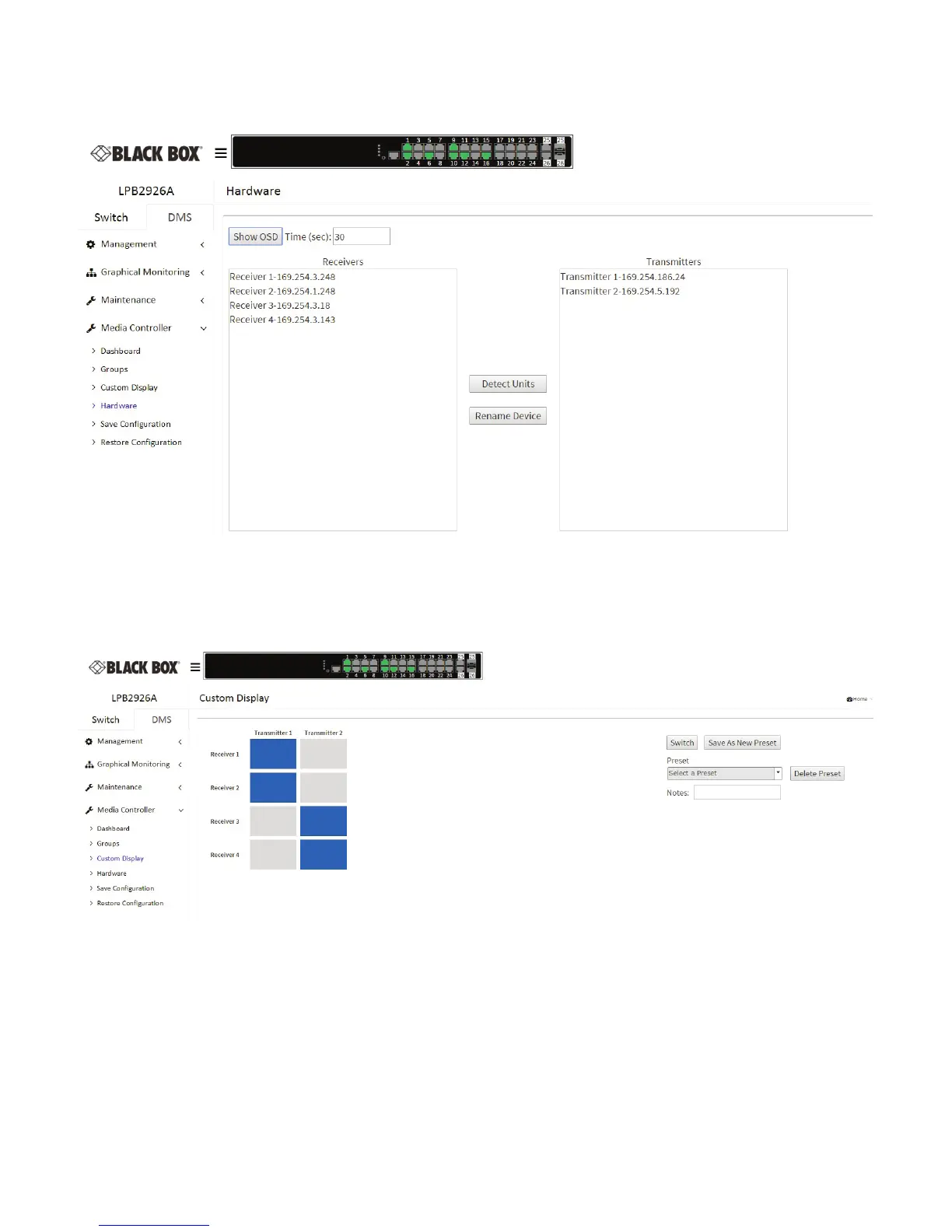
The OSD display will show the IP address of the Media Cento on the aached screen for the Receivers to easily idenfy which screen
is aached to which receiver. You can set the me that the IP will be displayed.
Figure 9-11. Set me to show OSD on the Hardware screen.
Next, click on the Custom Display opon on the Media Controller menu to switch which receivers are connected to which
transmiers. The Units are setup in a grid display. Transmiers are listed across the top and receivers are listed down the side. Just
click the box across from a receiver to aach it to the selected transmier, then click the switch buon to acvate.
Figure 9-12. Custom Display screen.
You can also use the grid to setup Presets. Choose your setup, then click the Save as New Preset buon. This will open a Name Preset
box. Name the preset and click apply.












 To Next Page