ServSwitch Wizard VGA/USB
724-746-5500 | blackbox.com
Page 14
3.2.1.4 Link connections
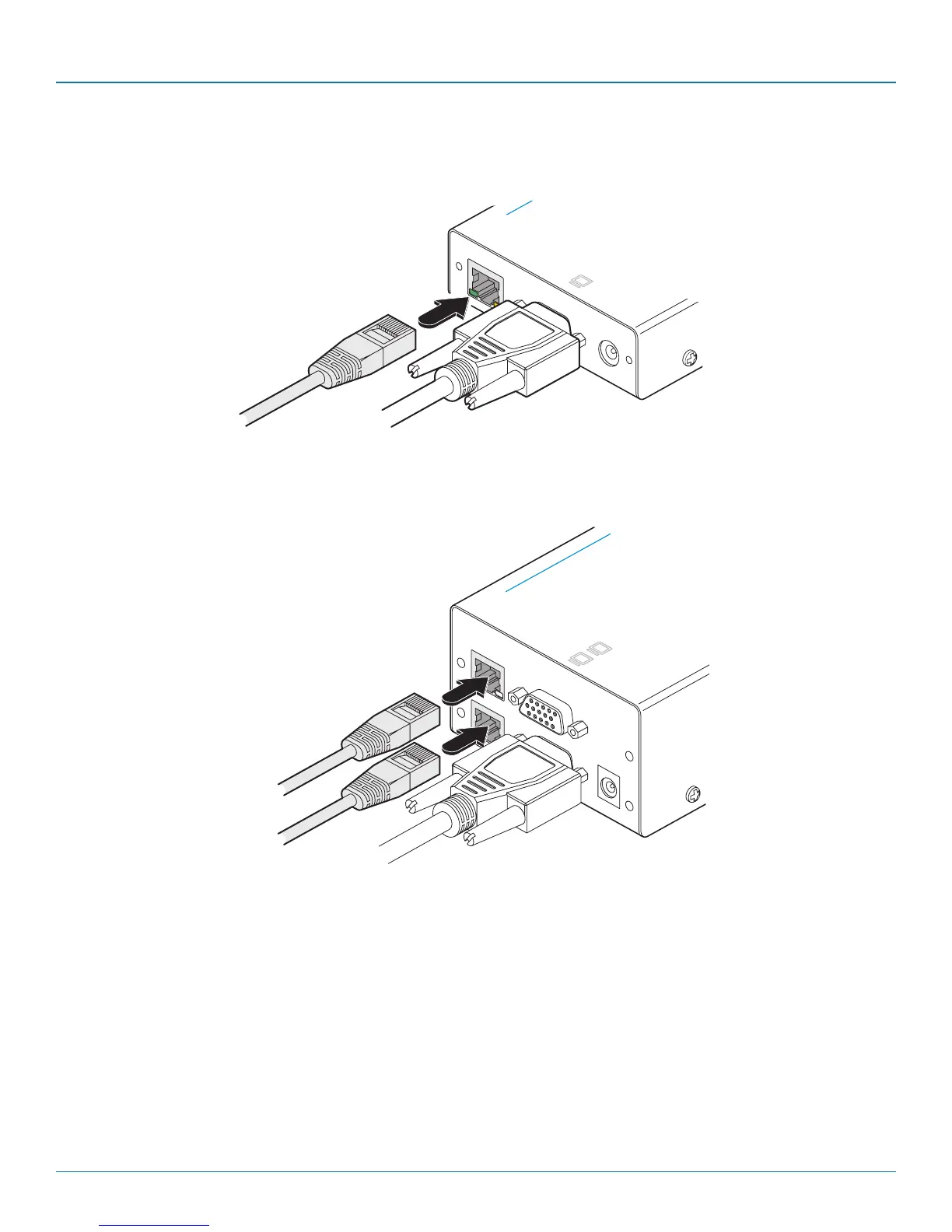
1 Connect the link cable (up to 984 feet/300 meters in length) to the local module socket labeled TO REMOTE as shown in Figure
3-10:
Figure 3-10. Attaching the CATx link cable
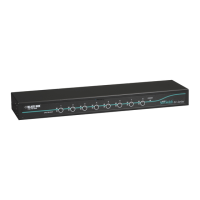
Figure 3-11. Attaching two CATx link cables to a dual-variant local module
Ensure that the primary and secondary links from the local module are not crossed.
LINK
POWER
OU T
TO REMOTE
ON
h W i z a r d V G A / U S B
™
K V M
E X T E N D E R
LINK
POWER
OU TOU T
A
B
TO REMOTE
ON
S e r v S w i t c h W i z a r d V G A / U S B
™
B L A C K
B O X K V M
E X T E N D E R
[Dual-variant only] Attach a second category 5e, 6 or 7a
link cable (up to 984 feet/300 meters in length) to the
upper socket on the dual-variant local module.
Primary CATx
link cable
Secondary CATx
link cable



 To Next Page