ServSwitch Wizard VGA/USB
724-746-5500 | blackbox.com
Page 16
3.2.2 Connections at the remote module
3.2.2.1 Video connections
1 Where possible ensure that power is disconnected from the computer system to be connected.
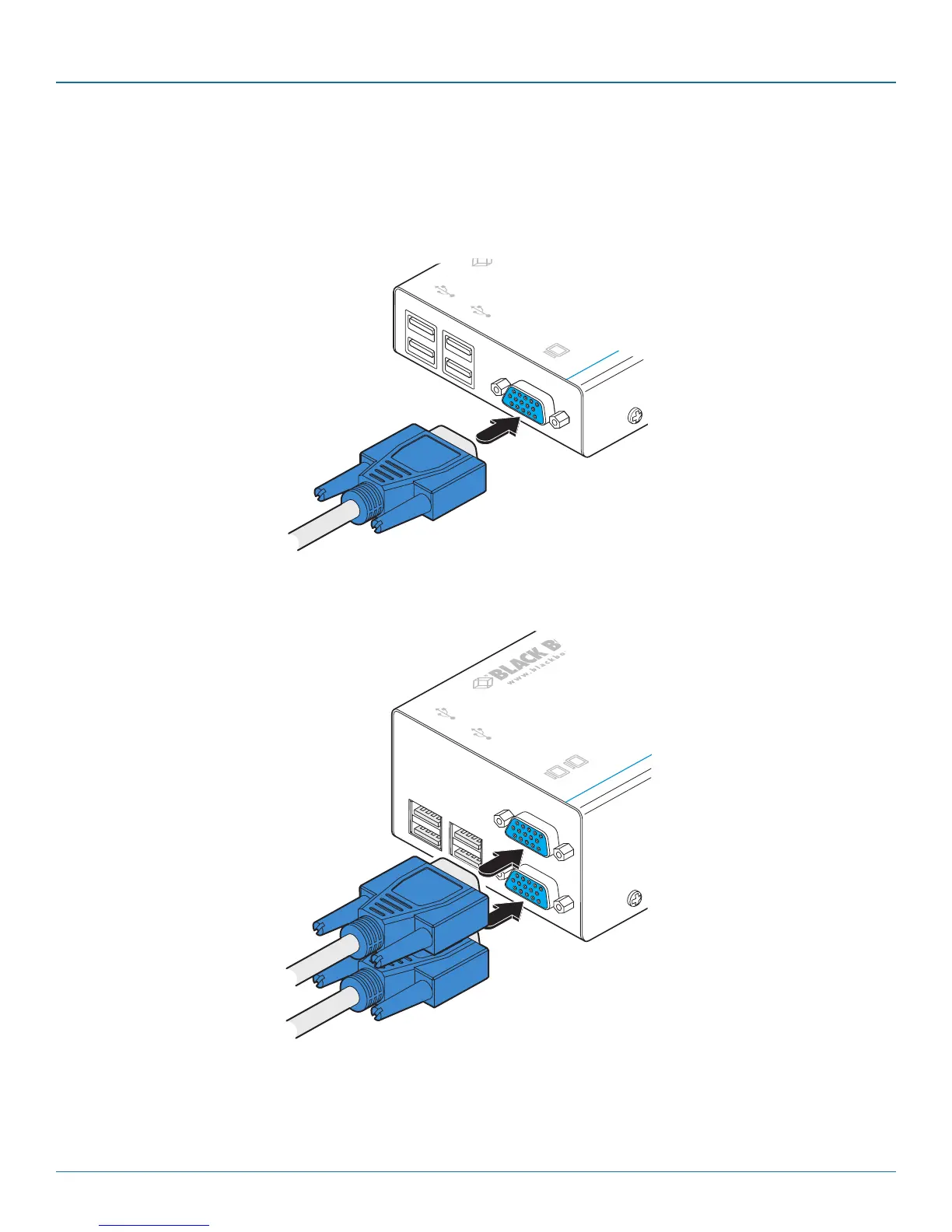
2 Attach the lead from the video display to the video out socket on the remote module as shown in Figure 3-14:
Figure 3-14. Attaching the VGA video display cable
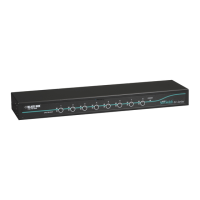
[Dual-variant only] Optionally attach the lead from a second video display to the upper video out socket on the dual-vari-
ant remote module.
Figure 3-15. Attaching two VGA video display cables to the dual-variant local module
To primary
video display
To secondary
video display



 To Next Page