ARIA and ALBA KNX Keypad Panels - Operation and Maintenance Manual
Page 16/21
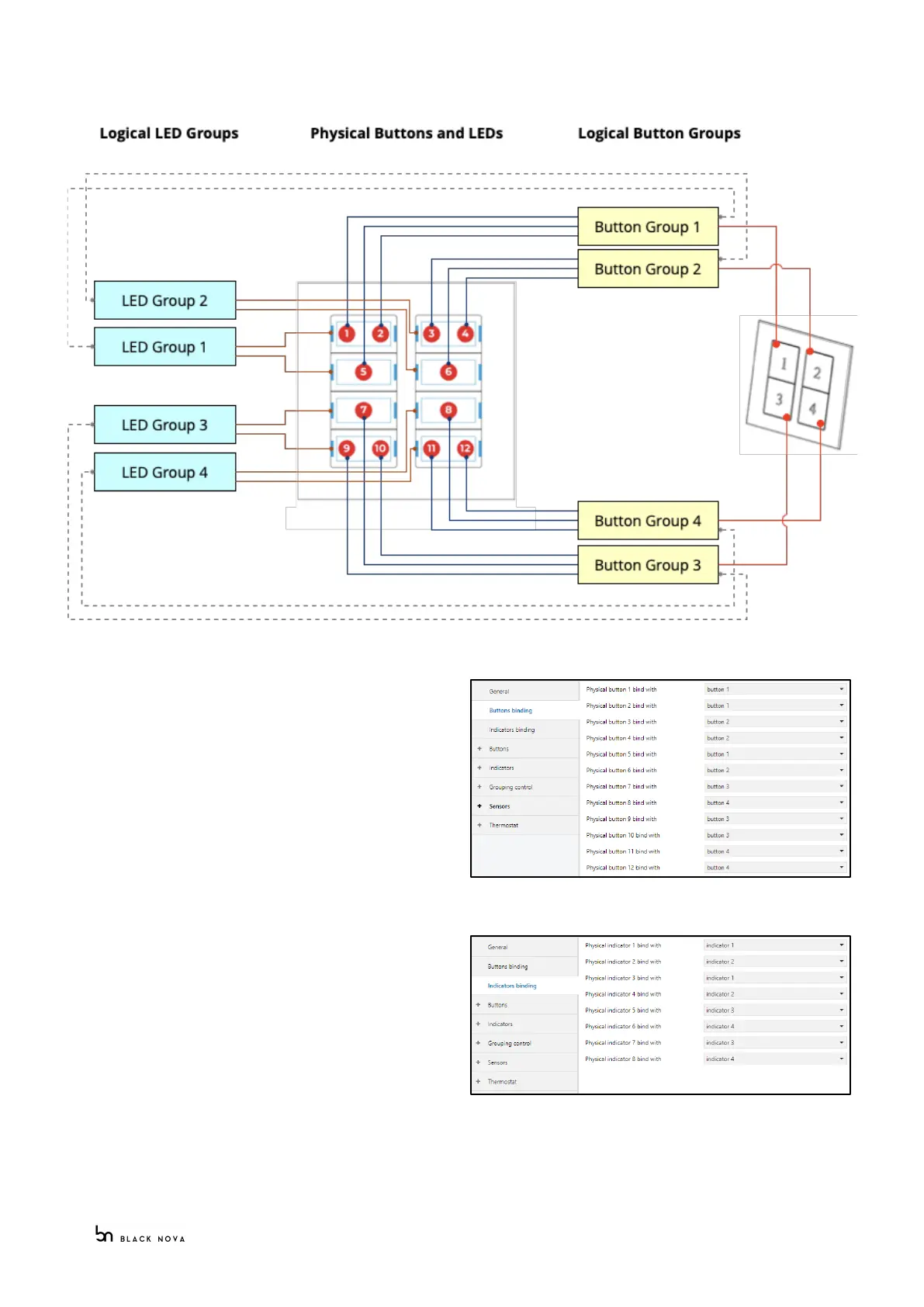
The following diagram explains the 4 buttons use case:
Physical button binding
Expand the “Buttons binding” tab to access the button
binding page
All the bindings are set as “none” by default; click on the
“Button n bind with” dropdown list to select the button
group to associate with the physical button.
Physical Indicators binding
Expand the “Indicators binding” tab to access the
indicator binding page
All the bindings are selected as “none” by default; click
on the “Indicator n bind with” dropdown list to select
the led group to associate with the physical led.



 To Next Page