ARIA and ALBA KNX Keypad Panels - Operation and Maintenance Manual
Page 6/21
Programming the keypad
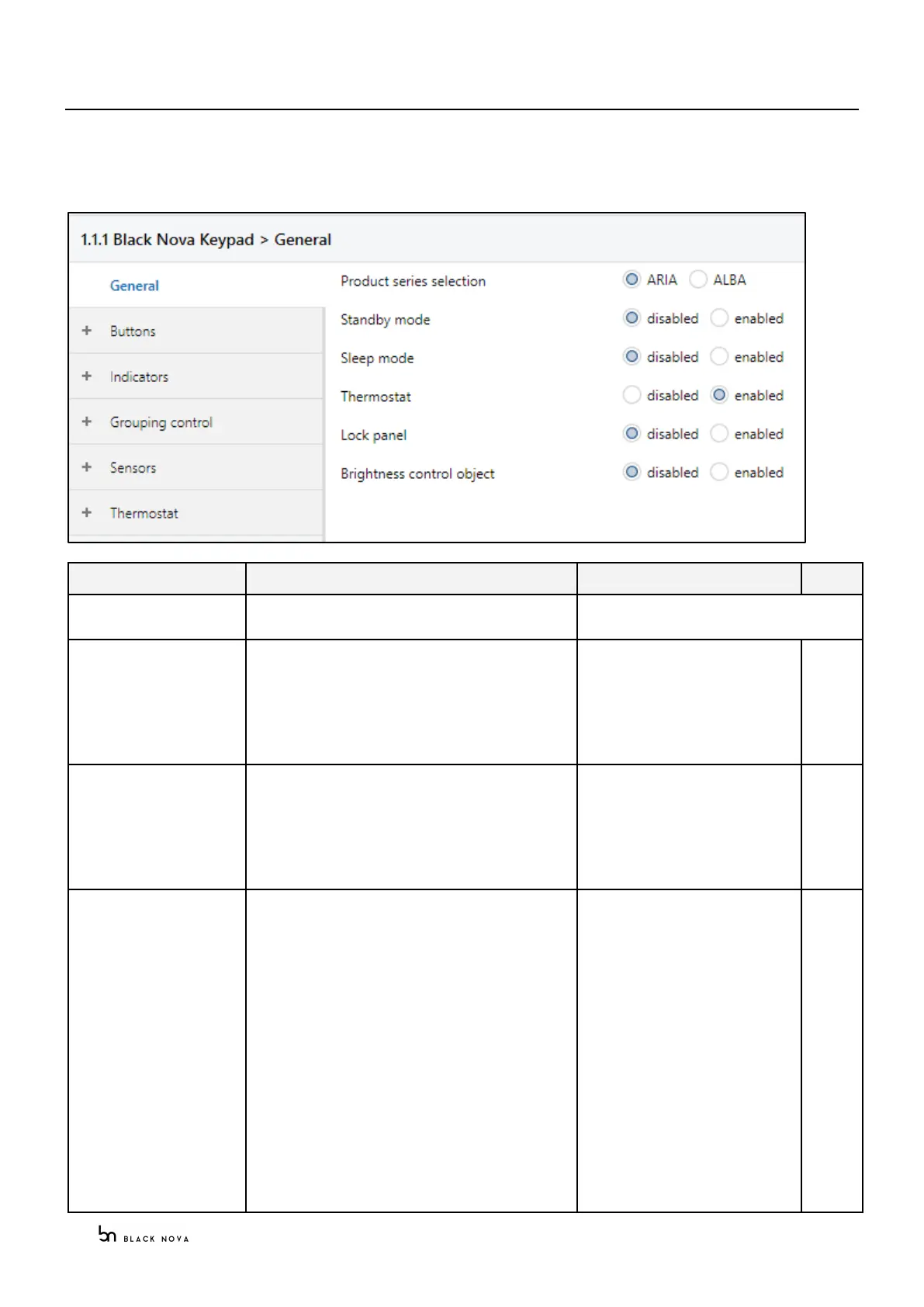
The KNX keypad panel version is configured using the KNX ETS commission application.
General parameters
Selection of the product series
Enables the standby mode: once passed the
specified amount of time set at “Standby Timeout”
field the panel brightness is set to “Standby mode
brightness coefficient” value.
If enabled the Status object can control the standby
mode remotely or sync with other devices
Enables the sleep mode: once passed the specified
amount of time set at “Sleep Timeout” field the panel
brightness is set to “Sleep mode brightness
coefficient” value.
If enabled the Status object can control the sleep
mode remotely or sync with other devices
Enables the thermostat control object for the
keypads
Unit ON/OFF
Auto/manual
Fan speed 0-100%
Fan speed: 0,1,2,3…
Setpoint temperature
Display °C/F
Setpoint 0=Decrease, 1=Increase
Speed 0=Decrease, 1=Increase
Cooling/Heating
Special mode:
0 - nothing on display,
1 - Eco Mode indicated on Display,
2 - Away mode indicated on
display.
Minimum setpoint temperature
Maximum setpoint temperature
Speed 1
1 bit
1 bit
1 byte
1 byte
2 bytes
1 bit
1 bit
1 bit
1 bit
1 byte
2 bytes
2 bytes
1 bit



 To Next Page