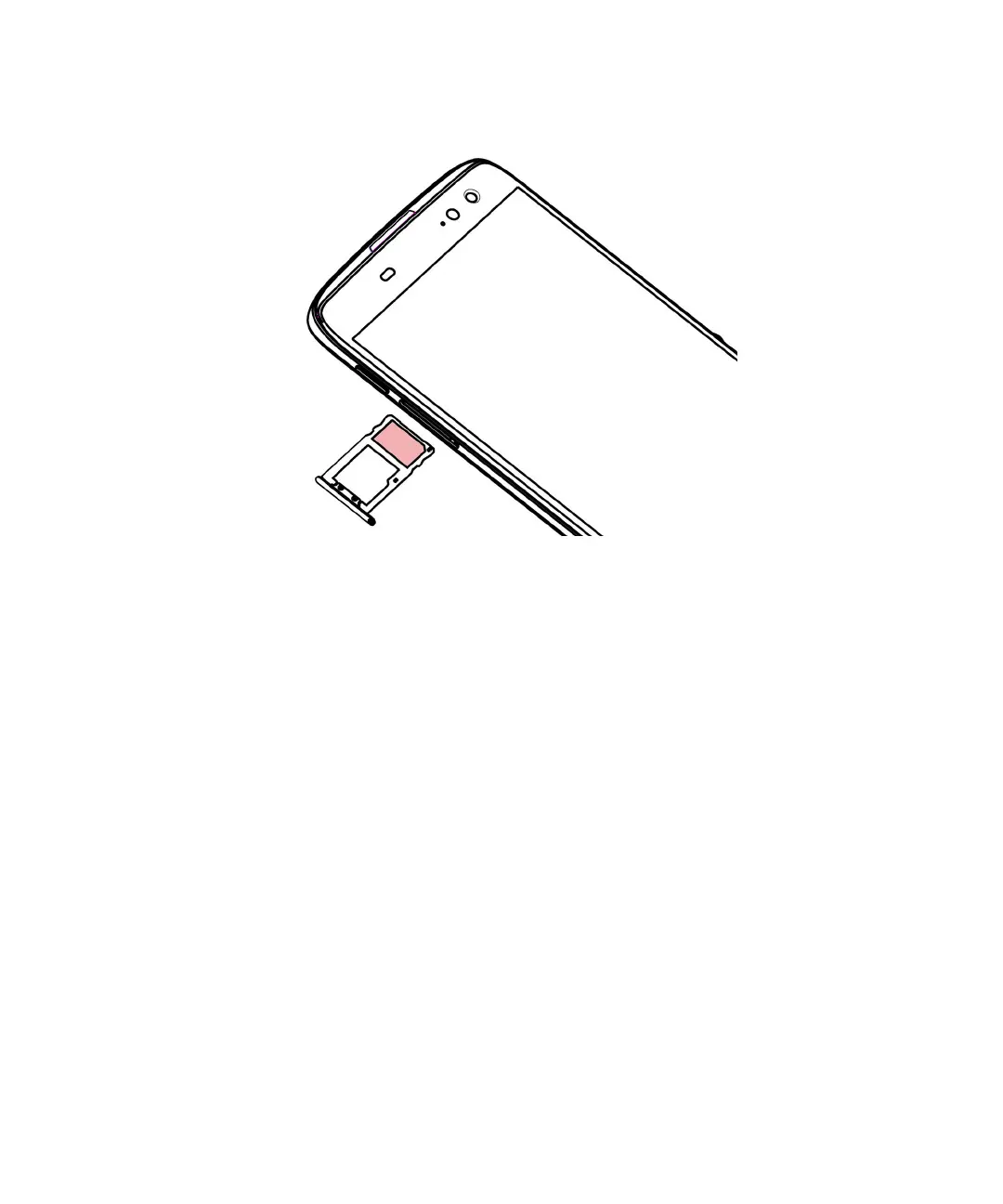
4.
Put the SIM card in the tray.
5. Push the tray back into the slot.
Insert a media card
If you want more storage for pictures, videos, music, and documents, you can insert a media card (microSD card).
1.
Release the tray by pushing the tip of the tool (provided in the box) into the hole on the left side of your device. If you
don't have the tool that came with your device, you can also use a paper clip.
User Guide Setup and basics
7














 To Next Page