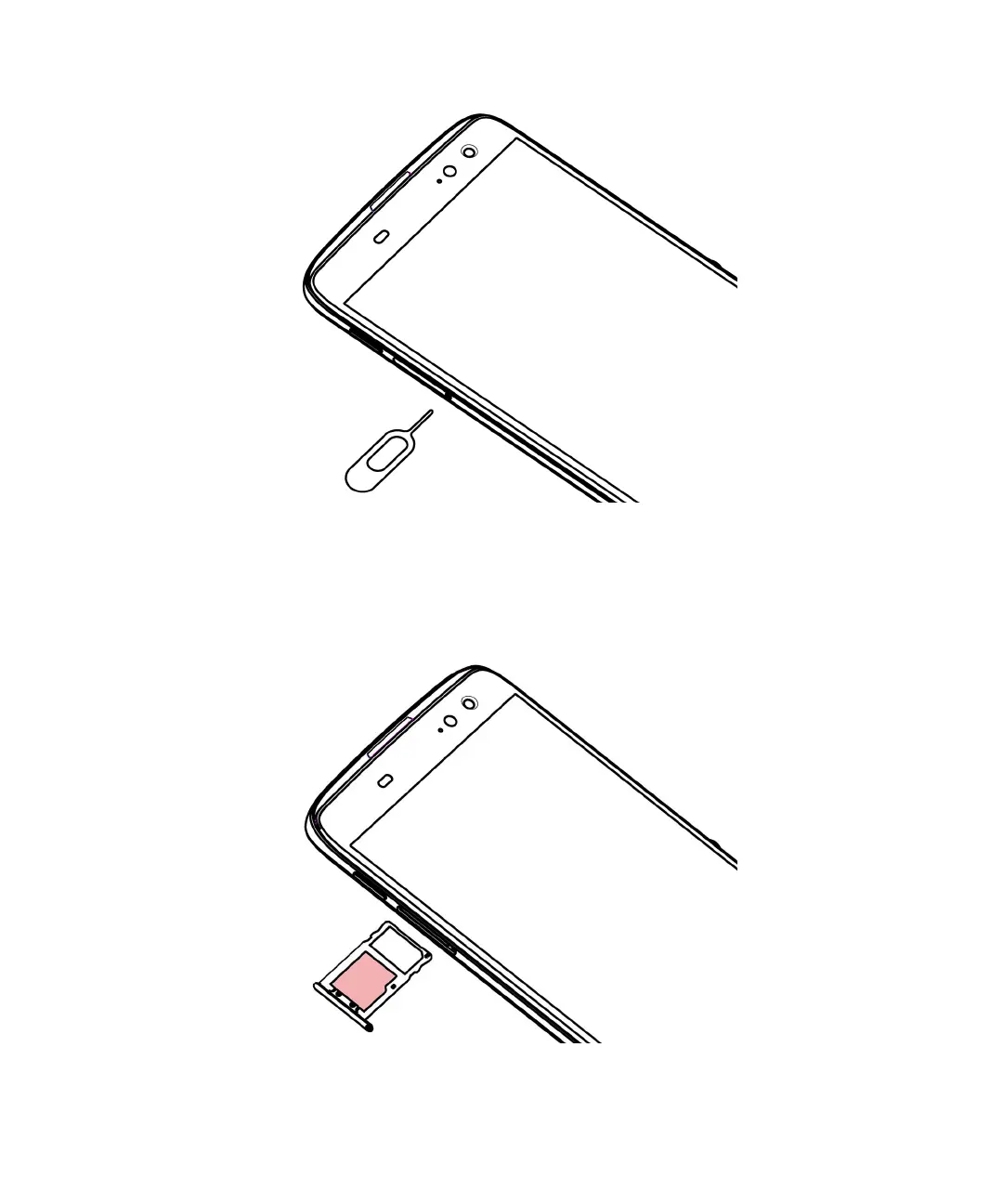
2. Pull out the tray completely and set it on a flat surface.
3. Hold the media card so that the metal contacts are facing away from you. Align the notch on the media card with the
notch in the larger section of the tray.
4.
Put the media card in the tray.
5. Push the tray back into the slot.
User Guide Setup and basics
8














 To Next Page