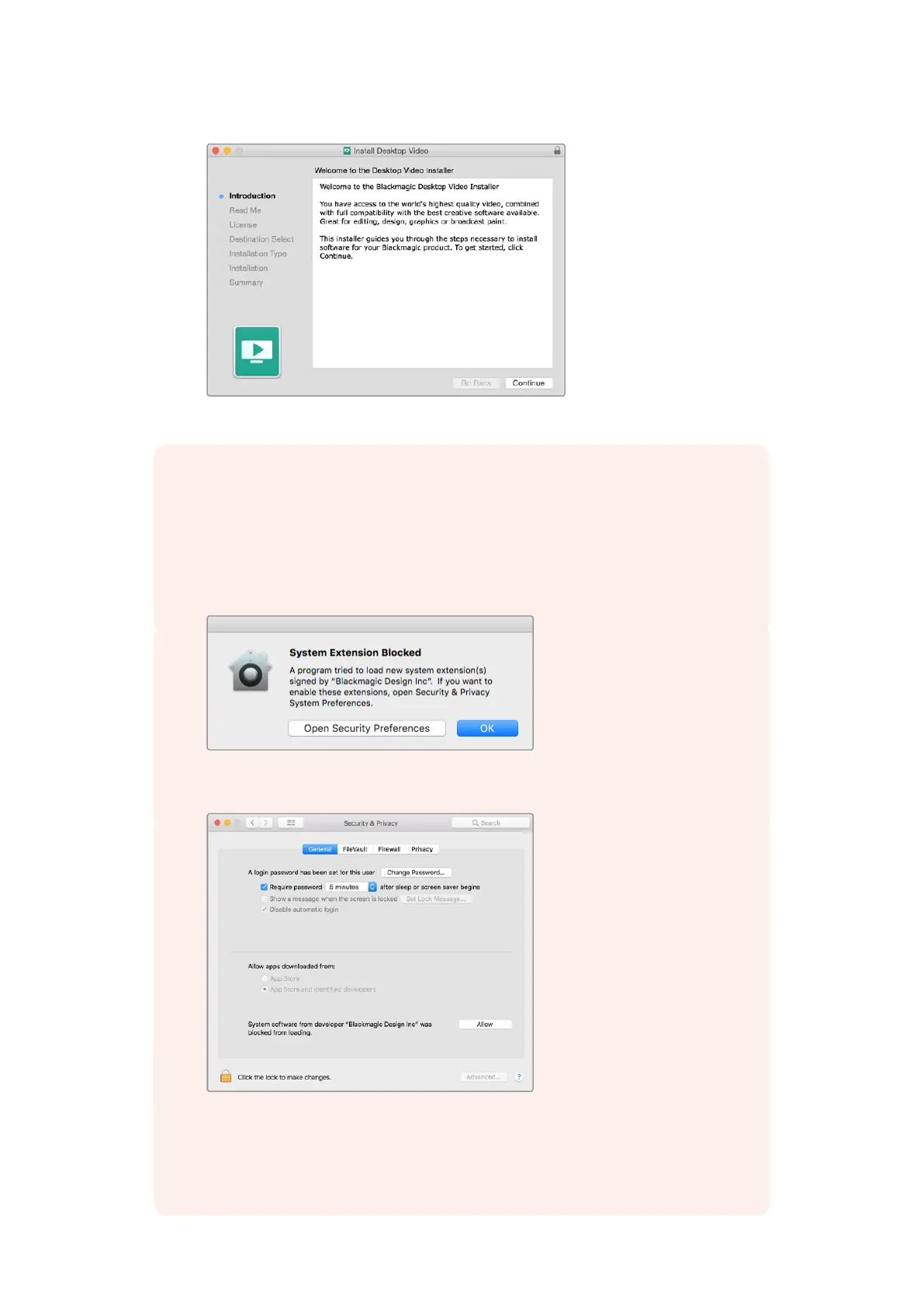
Desktop Video Installer for Mac
NOTE If you are installing Desktop Video on macOS High Sierra or later for the
first time, then you will need to enable your Mac to use your Desktop Video
equipment during the installation process.
To enable extensions on macOS High Sierra or later:
1 When instructed, click on ‘open security preferences’ or open ‘system preferences’
and click on ‘security and privacy’.
2 In the ‘security and privacy’ preferences, click ‘allow’ to enable the
Desktop Video software on your computer.
Click ‘allow’ in the security and privacy preferences to
enablethe Desktop Video software on your computer
3 Back in Desktop Video Installer, complete the software installation
by clicking‘restart’.
11Getting Started



 To Next Page