ENGLISH
(Original instructions)
3
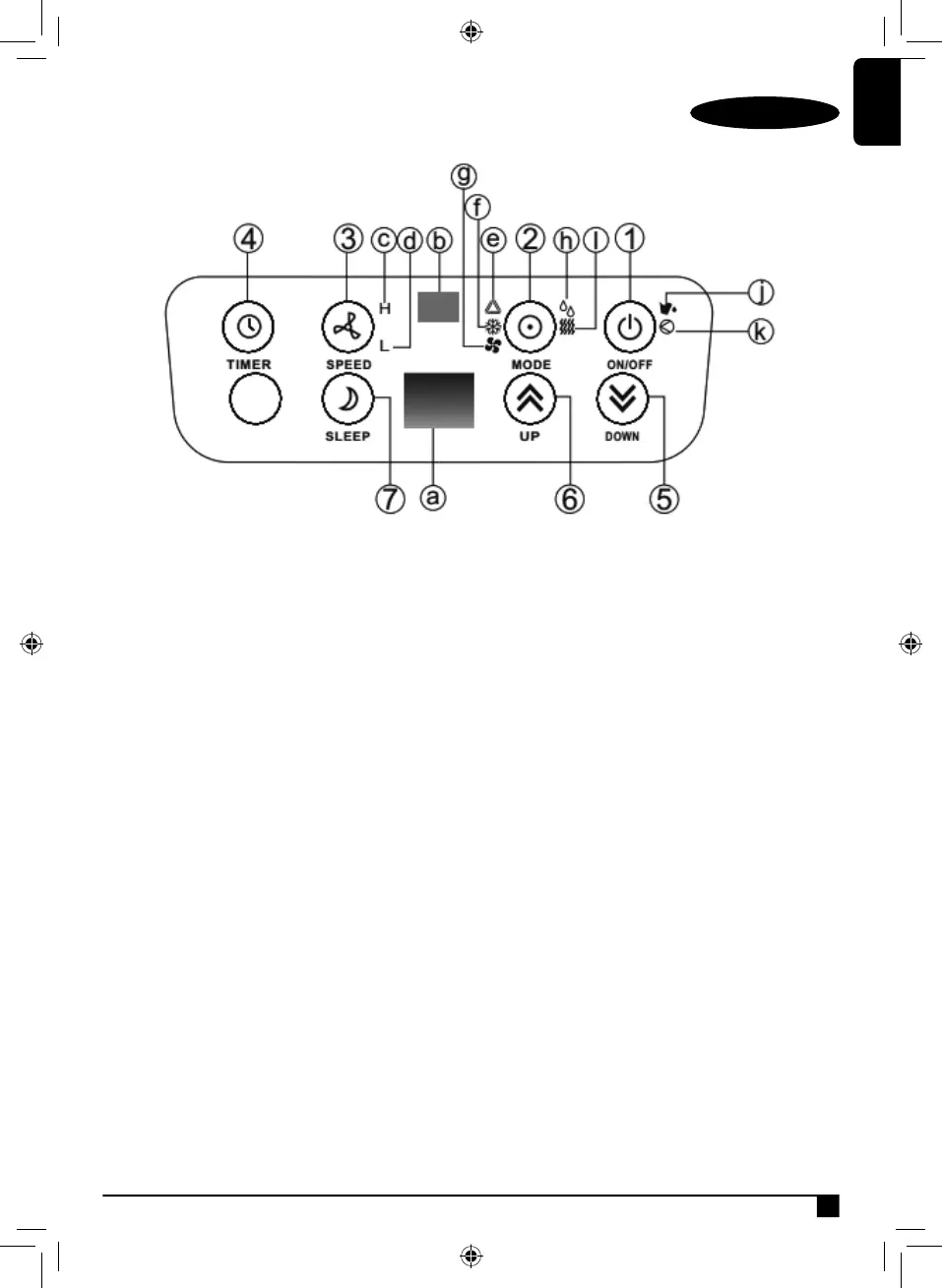
Control Panel
1. On/Off (Power) Button
2. Mode (Function) Option Button
3. Speed (Ventilation) Button
4. Timer Button
5. Temperature Down Button
6. Temperature Up Button
7. Sleep Button
a. Display Window
b. Receiver For Remote Control
c. High Ventilation Indicator
d. Low Ventilation Indicator
e. Automatic Mode Indicator
f. Cooling Mode Indicator
g. Fan Mode Indicator
h. Dehumidify (Dry) Mode Indicator
i. Heating Mode Indicator
j. Full Water Indicator
k. Indicator For Compressor Operation



 To Next Page