ENGLISH
(Original instructions)
11
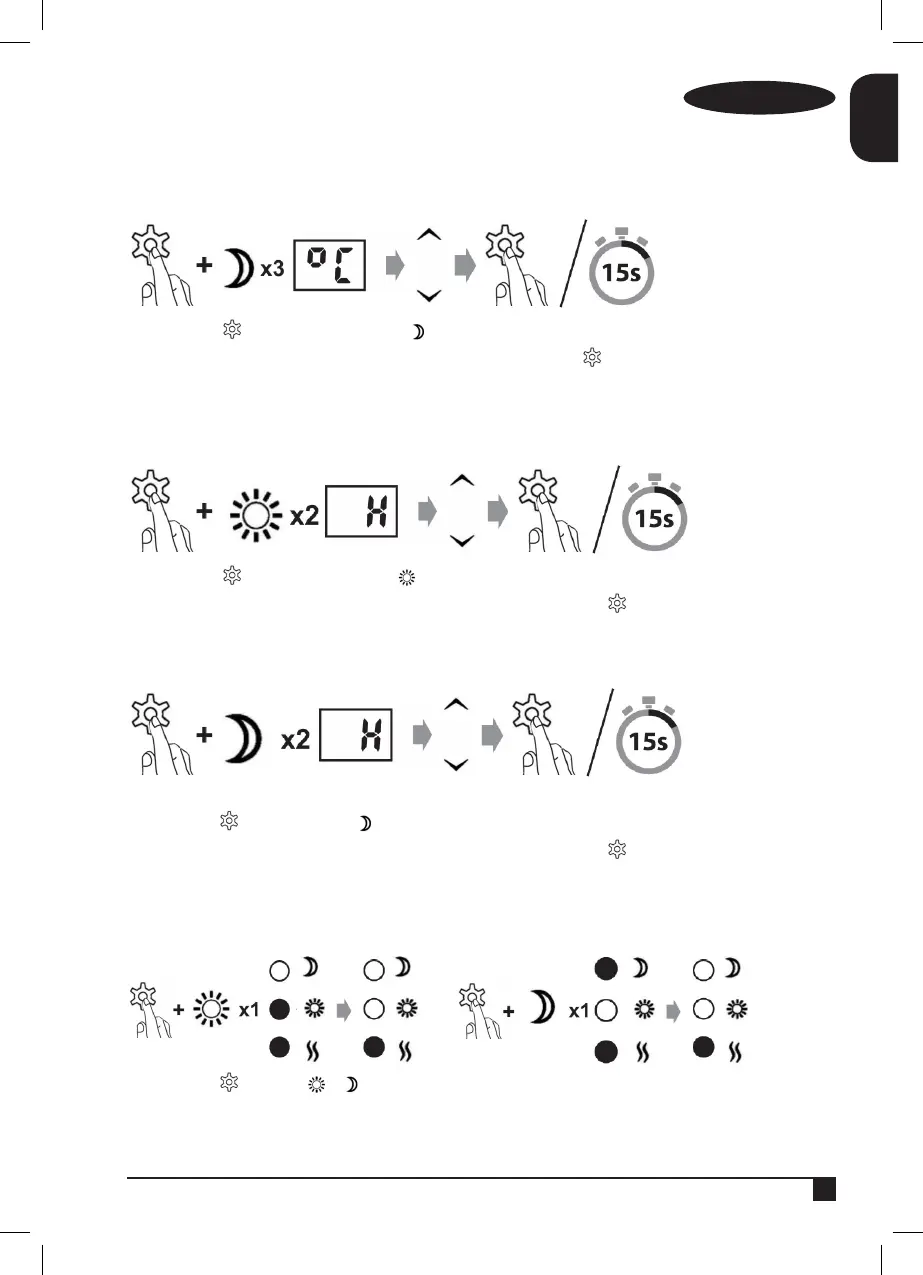
Change the desired night-time temperature
Press and hold as well as pressing 3 times
Enter the desired daytime temperature and leave it programmed by pressing or wait 15 seconds
To program it automatically
Change the number of hours for the daytime timer
Press and hold as well as pressing twice
Enter the desired number of daytime hours and leave it programmed by pressing or wait 15 seconds
to program it automatically.
Change the number of hours for the night-time timer
Press and hold as well as pressing twice.
Enter the desired number of daytime hours and leave it programmed by pressing or wait 15 seconds to program it
automatically.
Skip programmed periods
Press and hold and press or once (depending on the period that you wish to temporarily skip).


 To Next Page