12
ENGLISH
(Original instructions)
• lightly press the steam mop down onto the cleaning pad.
• Place the carpet glider (12b) on the floor.
• Lightly press the steam mop down onto the carpet glider
until it clicks into place.
• Connect the steam mop to the mains.
• Press the ON/OFF button (1). It takes approximately 15
seconds for the steam mop to heat up.
• Turn the Autoselect
TM
dial (2) to the Wood/Laminate
setting.
• Push and pull the steam mop slowly across the carpet to
thoroughly refresh each section.
• When you have finished using the steam mop, return the
handle (8) to the upright position and turn the unit OFF.
Wait until the steam mop cools down (approximately five
minutes).
After use
• Turn the Autoselect
TM
dial (2) to the OFF position.
• Wait until the steam mop cools down.
• Unplug the steam mop from the electrical wall outlet.
• Empty the water tank.
• Remove the cleaning pad (13) and wash it ready for
next use (take care to follow the wash care instructions
printed on the cleaning pad).
• Wrap the supply cable around the cable tidy hooks (7
and 9).
• There is a hanging bracket (15) built into the hand grip
(6) which allows your steam mop to be hung from a
suitable hook on the wall. Always ensure that your wall
hook is capable of supporting the weight of the steam
mop safely.
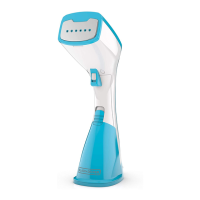
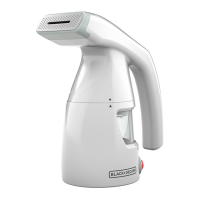
Hand held steam cleaning
Warning! Unit will not produce steam unless it is connected
to the main body (11) or the steam hose (16) is fitted.
Warning! Only use in a horizontal position.
• Attach the required accessory.
• Connect the hand held steam cleaner to the mains.
• Press the ON/OFF button (1). It takes approximately 15
seconds for the steam mop to heat up.
• Turn the Autoselect
TM
dial (2) until the required setting is
reached. After a few seconds steam will start to come
out of the steam head.
Note! When first filled or after running dry, it can take up to
45 seconds for steam to be produced.
• When you have finished using the hand held steam
cleaner turn the Autoselect
TM
dial (2) to the OFF position.
Turn the unit OFF by pressing the ON/OFF button (1)
and disconnect from the mains supply. Wait until the unit
cools down before storing (approximately five minutes).
Accessories
The performance of your appliance depends on the
accessory used. BLACK+DECKER accessories are
engineered to high quality standards and designed to
enhance the performance of your appliance. By using these
accessories you will get the very best from your equipment.
Protecting the environment
Separate collection. This product must not be
disposed of with normal household waste.
Should you find one day that your BLACK+DECKER product
needs replacement, or if it is of no further use to you, do not
dispose of it with other household waste. Make this product
available for separate collection.
• BLACK+DECKER provides a facility for recycling
BLACK+DECKER products once they have reached the
end of their working life. This service is provided free of
charge. To take advantage of this service please return
your product to any authorised repair agent who will
collect them on our behalf.
• You can check the location of your nearest authorised
repair agent by contacting your local BLACK+DECKER
office at the address indicated in this manual.
Alternatively, a list of authorized BLACK+DECKER repair
agents and full details of our after-sales service and
contact are available on the Internet at:
www.2helpU.com.
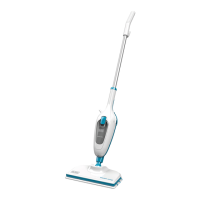
FSMH1321
Voltage V
ac
220-240
Power W 1300
Tank Capacity ml 500
Weight kg 2.7
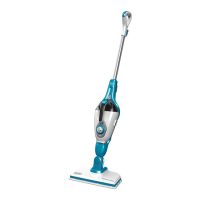
FSMH1351SM
Voltage V
ac
220-240
Power W 1300
Tank Capacity ml 500
Weight kg 2.7
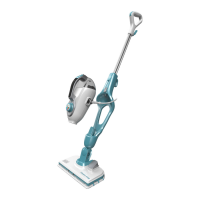
FSMH13101SM
Voltage V
ac
220-240
Power W 1300
Tank Capacity ml 500
Weight kg 2.8
Technical Data


 To Next Page