9
2. Press the Compressor Power Button. A beep will sound and the backlit
LCD screen will display the following:
+
–
+
Compressor
–
Psi
The Compressor Icon will light and the digital display will alternately
show the flashing pre-set PSI value (that was last set by the compressor
pressure control buttons) and the current pressure of the item being
inflated (which will light solid).
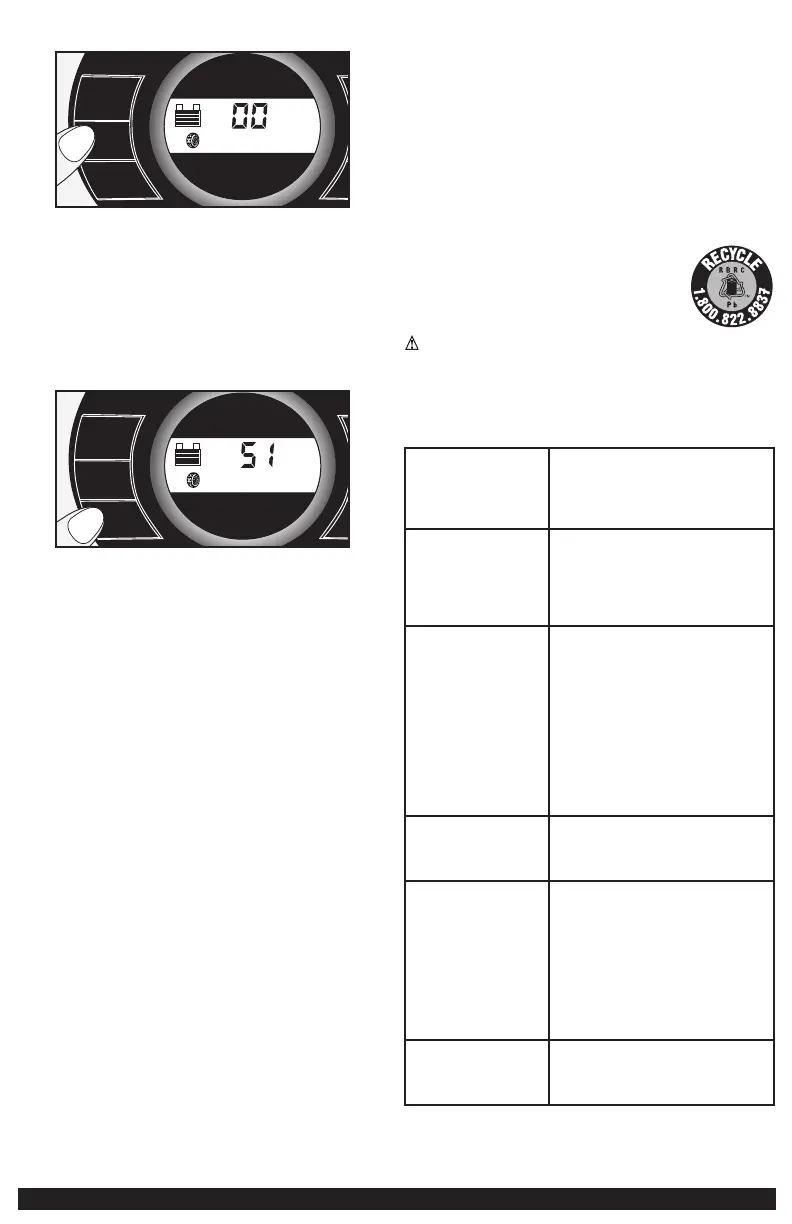
3. Press the “+” and “–” Pressure Control Buttons to set the desired
pressure from a range pre-set values (between 3 and 120), which will
display on the backlit LCD screen. The unit will sound a beep with
each press of the buttons (holding the button speeds up the upward or
downward value selection). Once the desired pressure has been entered,
release the button and the flashing digital display will show the new
selected pressure, as follows:
+
Compressor
–
+
–
Psi
4. Press the Compressor Power Button once more to begin inflating. The
Compressor Icon will flash and the digital display will only show the
current pressure value (which will light solid) to indicate the compressor
is activated. Monitor the pressure on the LCD screen.
IMPORTANT NOTE: To interrupt during inflation, press the Compressor
Power Button again.
5. When desired pre-set pressure is reached, the compressor will
automatically stop.
6. Press the Compressor Power Button again to turn off the unit.
7. Unscrew and remove the Sure Fit
®
nozzle from the valve stem.
8. Allow the unit to cool, then recharge before storing away.
9. Store the compressor hose and Sure Fit
®
nozzle in storage compartment.
Inflating Other Inflatables Without Valve Stems
Inflation of other items requires use of the nozzle adapter.
1. Screw the nozzle adapter into the Sure Fit
®
nozzle. Do not overtighten.
2. Insert the nozzle adapter into item to be inflated.
3. Follow steps 2 through 4 of the “Inflating Tires or Products With Valve
Stems” section.
IMPORTANT: Small items such as volleyballs, footballs, etc. inflate very
rapidly. Keep this in mind when setting pressure. Take extra care not to
over-inflate.
4. When the desired pressure is reached, the compressor will automatically
stop. Press the Compressor Power Button again to turn off the unit.
5. Disconnect the adapter from the inflated item.
6. Unscrew and remove the nozzle adapter from the Sure Fit
®
nozzle.
7. Allow the unit to cool, then recharge before storing away.
8. Store the compressor hose, Sure Fit
®
nozzle and nozzle adapter in the
storage compartment.
CARE AND MAINTENANCE
All batteries lose energy from self-discharge over time and more rapidly at
higher temperatures. When the unit is not in use, we recommend that the
battery is charged at least every 30 days.
Never submerge the unit in water. If the unit gets dirty, gently clean the outer
surfaces of the unit with a soft cloth.
There are no user-replaceable parts. Periodically inspect the condition
of adapters, connectors and wires. Contact manufacturer to replace any
components that have become worn or broken.
Battery replacement/disposal
BATTERY REPLACEMENT
The battery should last the service life of the unit. Service life is dependent on
a number of factors including but not limited to the number of recharge cycles,
and proper care and maintenance of the battery by the end user. Contact
manufacturer for any information you may need.
SAFE BATTERY DISPOSAL
Contains a maintenance-free, sealed, non-spillable, lead acid
battery, which must be disposed of properly. Recycling is
required. Failure to comply with local, state and federal
regulations can result in fines, or imprisonment.
Please recycle.
WARNINGS:
• Do not dispose of the battery in fire as this may result in an explosion.
• Before disposing of the battery, protect exposed terminals with heavy-duty
electrical tape to prevent shorting (shorting can result in injury or fire).
• Do not expose battery to fire or intense heat as it may explode.
TROUBLESHOOTING
Unit will not charge • Make sure the inverter power switch is in
the off position.
• Make sure a suitable gauge extension cord
is properly connected to both the unit and a
functioning AC outlet.
Unit fails to jump-start • Make sure unit’s jump-starter power switch
is in the on position.
• Make sure a proper polarity cable
connection has been established.
• Check that unit has a full charge. Recharge
unit if necessary.
120 volt AC outlet will not
power appliance
• Make sure the inverter power switch is in
the on position.
• Make sure you have followed all the steps
in the 120 AC portable power supply
instructions carefully.
• Make sure the appliance being powered
does not draw more than 500 watts
• Refer to the important notes included in
that section that explain common problems
and solutions.
• Check that unit has a full charge. Recharge
unit if necessary.
12 volt DC accessory outlet
will not power appliance
• Make sure the the appliance does not draw
more than 5 amps.
• Check that unit has a full charge. Recharge
unit if necessary.
USB power port will not
power appliance
• Make sure the USB power button is in the
on position.
• Some USB-powered household electronics
will not operate with this USB charging/
power port. Check the manual of the
corresponding electronic device to confirm
that it can be used with this type of USB
charging/power port.
• Check that unit has a full charge. Recharge
unit if necessary.
LED area light does not
come on
• Make sure the area light power button is in
the on position
• Check that unit has a full charge. Recharge
unit if necessary.


 To Next Page
 Loading...