EasyManua.ls Logo

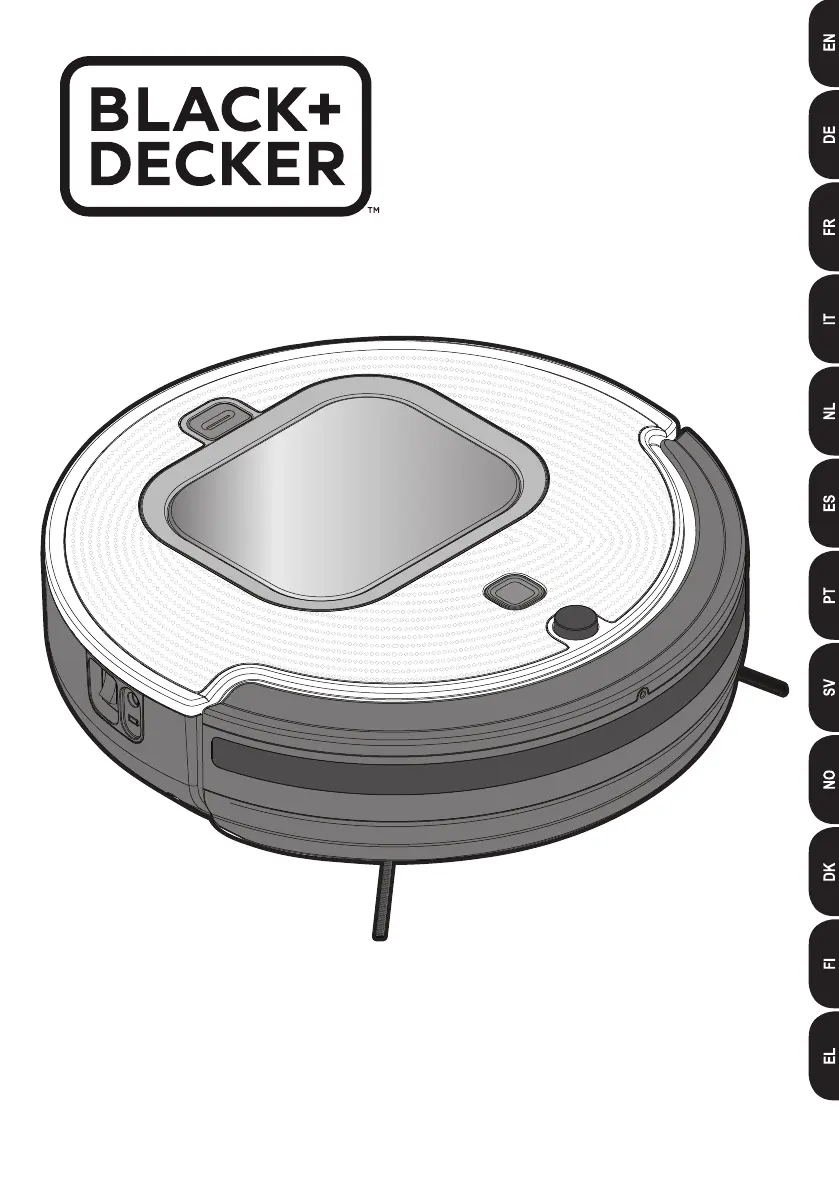
Black+Decker RVA425B - User Manual

Black+Decker RVA425B
108 pages
Print Icon
To Next Page IconTo Next Page
Loading...
www.blackanddecker.eu
RVA425B
RVA420B

Table of Contents

Questions and Answers

  • P
    pamela72Aug 16, 2025
    Why won't my Black+Decker RVA425B Vacuum Cleaner pair with the app?
    • A
      Amanda BakerAug 16, 2025
      Your Black+Decker Vacuum Cleaner might not pair with the app because it's not sufficiently charged, or the Bluetooth on your mobile device is off, or your mobile device is too far from the vacuum. Also, ensure Location Services and App Permissions for Location Services are turned ON (Android Only). To fix this, ensure the vacuum is fully charged, restart your mobile device, and make sure Bluetooth is turned on. Move closer to the vacuum. Turn ON permissions for the BLACK+DECKER APP in your mobile device's preferences. Turn the vacuum off and on again, restart your mobile device, and reopen the BLACK+DECKER App. When attempting to pair the robot vacuum again, be sure to press and hold the power indicator button on the top of the vacuum for at least five seconds.
  • K
    Kenneth MartinezAug 18, 2025
    What to do if my Black+Decker Vacuum Cleaner stops running?
    • D
      Dave PriceAug 18, 2025
      Your Black+Decker Vacuum Cleaner might stop running because it is in an error state, has completed Quick Clean or Spot mode, or the battery charge is low. To resolve this, clear any error (refer to the error indication table), and charge the battery.
  • S
    Scott TaylorAug 21, 2025
    Why won't my Black+Decker RVA425B return to the dock?
    • M
      Mary MartinezAug 21, 2025
      The Black+Decker Vacuum Cleaner might not return to the dock if it is out of range, obstructed by objects, or not paired to the dock. To solve this, move the robot closer to the dock and clear any obstructions. If that doesn't work, ensure the dock is plugged into a wall outlet. With the unit turned off, press and hold the pairing button and turn the robot power switch to the ON position. The robot will beep twice when pairing is successful.
  • J
    Johnny CollinsAug 25, 2025
    How to fix weak suction power in my Black+Decker RVA425B?
    • A
      Arthur WilsonAug 26, 2025
      If your Black+Decker Vacuum Cleaner has weak suction power, it may be because the filters are clogged or the dustbin is full. To restore suction, clean the dustbin and filters.
  • R
    Robert HodgesAug 27, 2025
    What to do if my Black+Decker RVA425B only sweeps for a few seconds?
    • S
      simpsonaaronAug 28, 2025
      If your Black+Decker Vacuum Cleaner sweeps for only a few seconds before stopping, it might be due to dark stripes or spots on the floor that the vacuum detects as a drop off, or the sensors are dirty. Only use the vacuum on recommended surfaces and clean the sensors with a dry cloth to resolve this.
  • J
    jasontaylorAug 30, 2025
    Why does my Black+Decker RVA425B Vacuum Cleaner make different noises?
    • R
      Robert Roy MDAug 30, 2025
      The changing noise in your Black+Decker Vacuum Cleaner during operation could be due to AUTOSENSE adjusting suction power from carpet to hard surfaces, or debris in the rotating brush, wheel, or side brush. To fix this, remove any debris from the brush, wheel, or side brush.
  • C
    Christopher DoughertySep 2, 2025
    What to do if my Black+Decker RVA425B Vacuum Cleaner is going in circles?
    • A
      autumnmejiaSep 3, 2025
      If your Black+Decker Vacuum Cleaner keeps going in small circles, it could be that a wheel is blocked, or the vacuum is operating in SPOT mode. Remove any debris blocking the wheel to resolve this.
  • J
    Jeremiah CoxSep 5, 2025
    Why is my Black+Decker Vacuum Cleaner not charging?
    • K
      Kristin StaffordSep 5, 2025
      Your Black+Decker Vacuum Cleaner may not be charging because the charger isn't plugged in correctly, or the power switch on the vacuum is not ON. Ensure the charger is fully plugged in and the jack plug is properly plugged into the vacuum or charging dock. Also, make sure the power switch is turned “ON”.
  • M
    Misty TaylorSep 8, 2025
    Why doesn't my Black+Decker RVA425B detect stairs?
    • A
      anthony50Sep 9, 2025
      If your Black+Decker Vacuum Cleaner isn't detecting drop-offs or stairs, the sensors might be covered. Clean the sensors with a dry cloth.
  • R
    Ryan HarrisonSep 12, 2025
    Why is my Black+Decker RVA425B Vacuum Cleaner scheduled cleaning not working?
    • J
      Jeremy WilliamsSep 12, 2025
      The scheduled cleaning function on your Black+Decker Vacuum Cleaner may not work if the vacuum was not reconnected to the app after being switched OFF. To restore scheduling, reconnect to the app after turning the unit back on.

Summary

Intended Use and Safety Instructions

Intended Use

Specifies the intended purpose and household use of the robot vacuum cleaner.

General Safety Warnings

Read all warnings and instructions to avoid electric shock, fire, or injury.

Appliance Usage and Precautions

Usage Restrictions

Do not use for liquids/flammables, near water. Keep charger away from heat.

User Guidelines and Inspection

Supervision for children/reduced capabilities; inspection and authorized repairs.

Additional Safety and Battery Care

Be aware of residual risks; handle batteries correctly, avoid water and heat.

Charger and Electrical Safety

Charger Operation and Safety

Use specified charger, avoid water/opening, ensure voltage compatibility.

Appliance Information

Explanation of charger symbols, appliance labels, and tool features.

Charging and Preparation

Charging Procedures

Initial charge for 4-5 hours; charge within 10-40°C; manual and auto charging.

Preparation for Use

Prepare room by clearing cords/objects; install side brushes securely.

App Operation and Basic Maintenance

App Setup and Functions

Download, connect, and use the app for scheduling, monitoring, and control.

Manual Operation and Maintenance

Operate directly with power button; empty dust bin and clean filters.

Brush, Sensor, and Filter Maintenance

Brush and Wheel Cleaning

How to clean main brushes, side brushes, and wheels.

Sensor and Filter Care

How to clean sensors and replace the filter.

Tool Maintenance and Errors A-B

Perform maintenance safely; understand Error Codes A (Brush Stuck) and B (Left Wheel Stuck).

Error Codes C-F and Troubleshooting

Error Codes C-F

Right Wheel Stuck (C), Side Brush Stuck (D), Bin Not Inserted (E), Low Battery (F) solutions.

Clearing Errors and Common Problems

How to clear errors and troubleshoot common issues like not charging or erratic movement.

Advanced Troubleshooting and Product Information

App Pairing and Dock Issues

Troubleshooting app pairing, robot return to dock, and scheduling.

Performance Issues and Support

Troubleshooting weak suction, noise, and finding technical data/guarantee info.

Black+Decker RVA425B Specifications

General IconGeneral
ModelRVA425B
Power SourceBattery
Voltage20V
Battery TypeLithium-ion
Filter TypeWashable
Dustbowl Capacity0.5 liters
Included AccessoriesCreVice Tool, Brush Tool
TypeHandheld Vacuum Cleaner

Related product manuals