Watch Function Introduction
1. Heart Rate
Find the Heart Rate function in the Function Menu interface, click the Heart Rate icon to open and
start the heart rate test. The test lasts for 60 seconds and then the screen will automatically turn off
after the test. Before the test, please remain sitting still, do not wear the watch too tight or too
loose for ensuring data accuracy.
2. Multisport
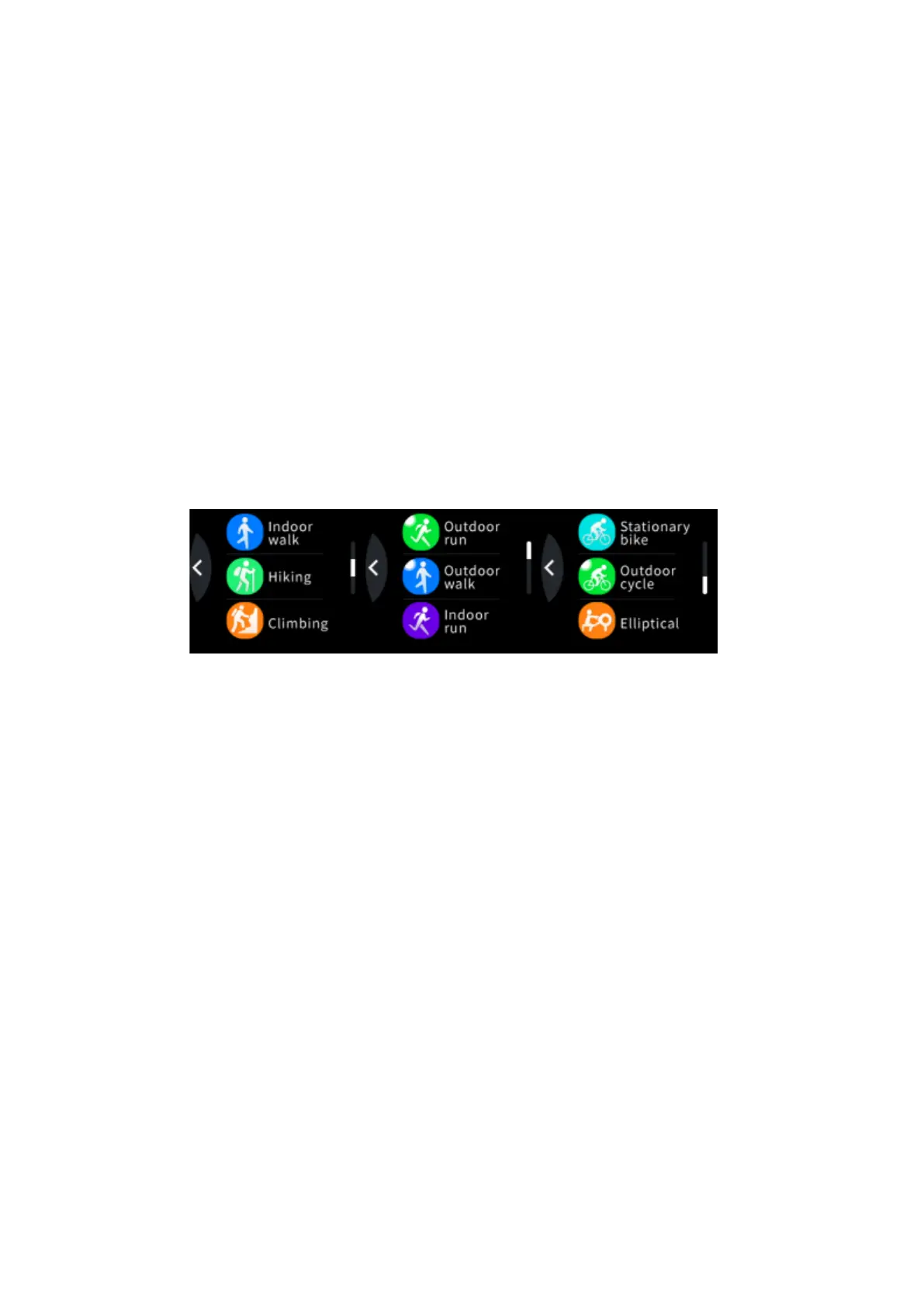
a. Find the Multisport function in the function menu interface, click the multisport icon
to enter the sport mode. The watch provides 9 types of sports: outdoor run, outdoor walk,
indoor run, indoor walk, hiking, climbing, outdoor cycle, stationary bike, and elliptical.
Among them, outdoor run, outdoor walk, indoor run, indoor walk, hiking and above sports
modes can record the user's heart rate, calories, steps, mileage, and pace; Climbing, outdoor
cycle, indoor cycling, elliptical and other sports' mode can record the user's exercise heart rate and
calories; You can swipe up or down to switch data pages and choose to pause and continue.
b. Auto-exit: During the exercise, if the amount of exercise is too low for a long time, the
watch will automatically judge whether the user is in the current state of motion. If the watch
determines that the current condition of motion has not been met, it will automatically quit the
motion mode.
c. Data storage: The watch only holds the last three sport data.
d. Upload data to H Band: Open H Band and select Multisport. Watch the sports' history in
Multisport.


 To Next Page