ADJUSTMENT OF TURN-OFF
DELAY TIMER
After activation of the motion sensor or external switch the fan operates some time period
and then reverts to the previous mode.
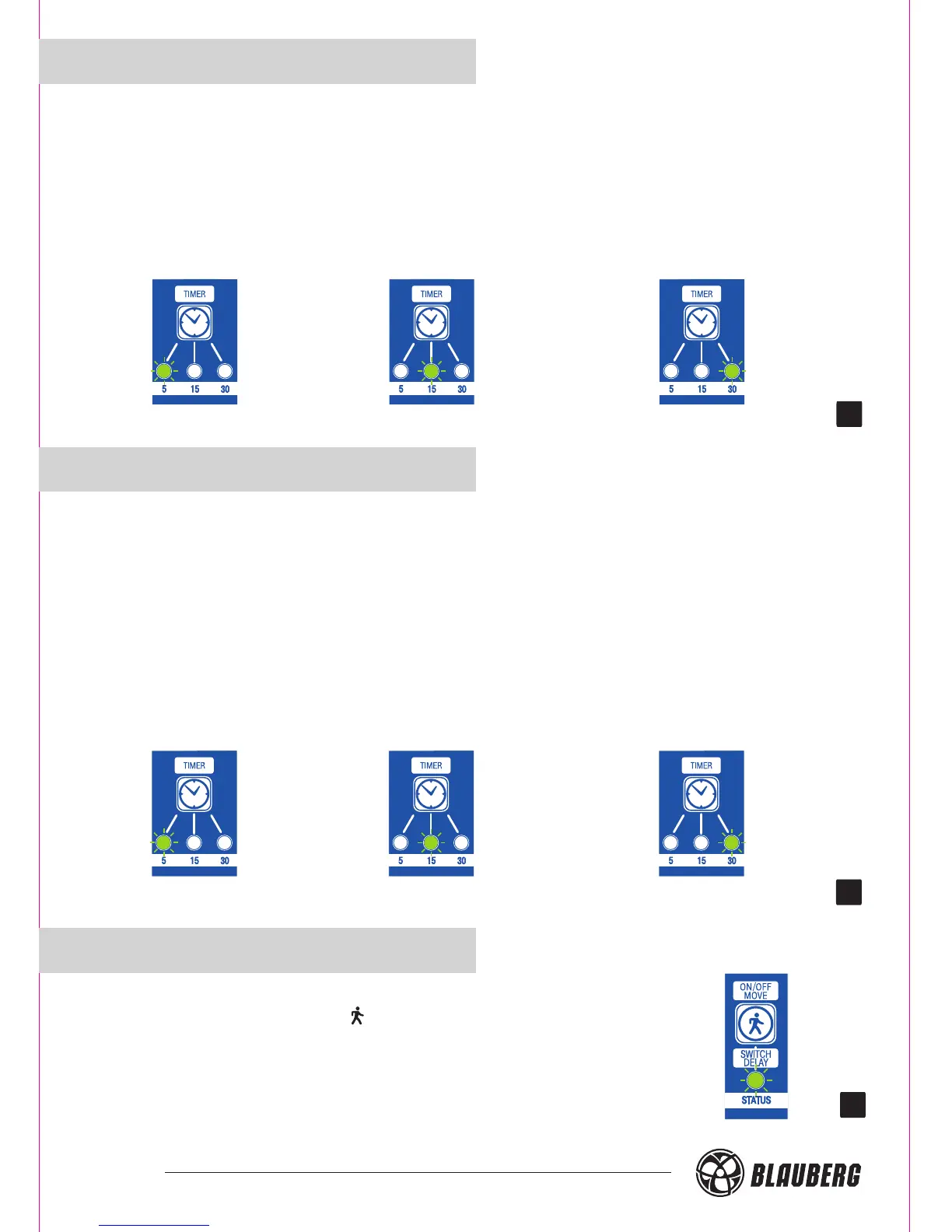
Adjustment of the turn-off delay timer:
On the control panel: press the button "TIMER" and adjust the turn-off delay time for
5, 15 or 30 minutes. On the remote controller: press the buttons "5", "15" or "30" minutes
respectively. To display the current turn-off delay timer settings, press the button "TIMER"
on the control panel once.
30
ADJUSTMENT OF TURN-ON
DELAY TIMER
If you have to use your bathroom often and shortly, you can adjust the turn-on delay timer
to avoid the fan unnecessary switching. After humidity increases or after signal from the
external switch/motion sensor, the fan switches to higher speed in some time period
(0, 2 or 5 min).
Adjustment of the turn-on delay timer:
On the control panel: press and hold the button "SWITCH DELAY" and synchronously
press the button "TIMER".
On the remote controller: press the buttons "0", "2", "5" respectively.
To display the current turn-on delay timer settings, press and hold the button
“SWITCH DELAY" and then press the button "TIMER" on the control panel once.
31
ACTIVATION OF MOTION SENSOR
(SMART IR)
To turn the motion sensor on, press the "On/Off move" button
on the control panel or the " “ button on the remote controller.
The indicator light "STATUS" under this button confirms that the
motion sensor is turned on. To display the current motion sensor
settings, press the button "On/Off move" on the control panel once.
32
20
30 min15 min5 min
5 min2 min0 min





 To Next Page