17
SETTING - OPTION
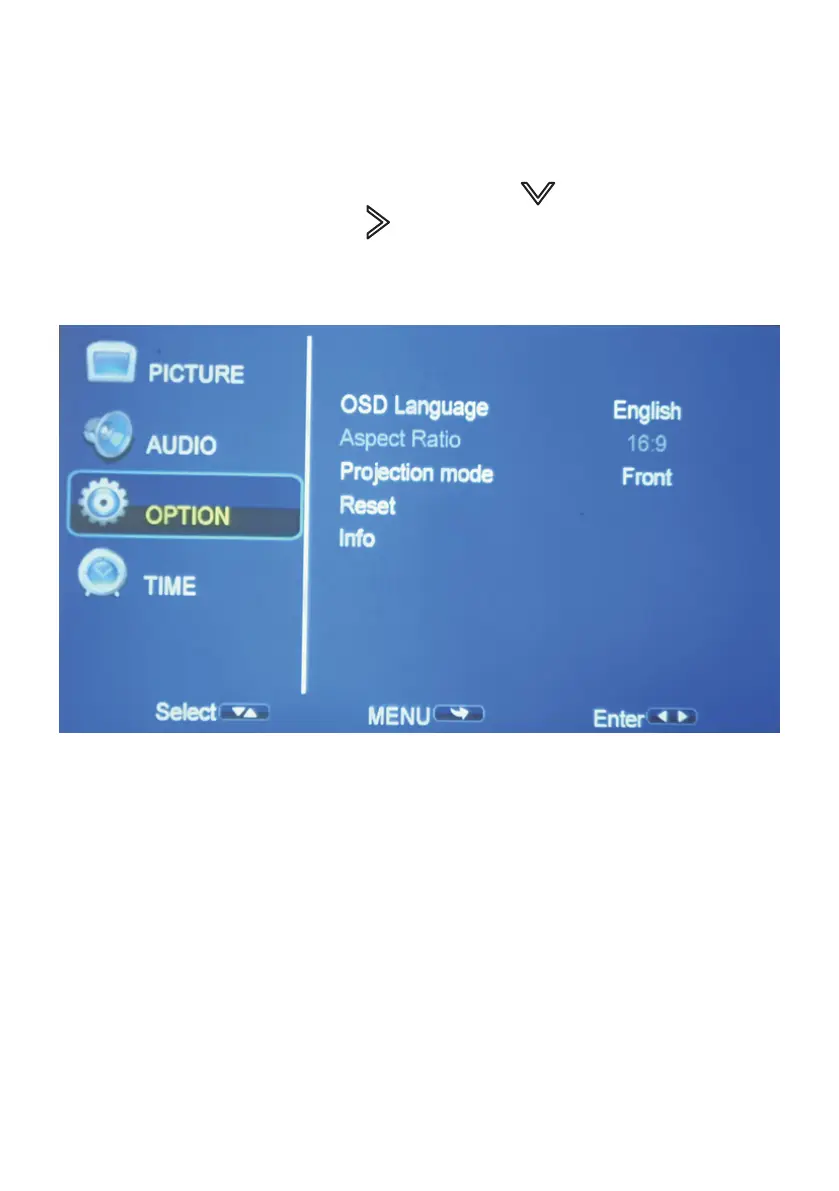
To Access the setting OPTION menu:
1. Press the MENU button on the Remote Control.
2. With the directional keys, Press the DOWN button, when on
OPTION, Press the RIGHT arrow button to enter OPTION settings.
3. To navigate back to PICTURE/AUDIO/OPTION, with nothing selected,
Press MENU button.
OSD LANGUAGE: Adjust between Languages English (default)
ASPECT RATIO: Adjust video aspect ratio
PROJECTION MODE: Front, F/Ceiling, Rear, Rear/ceiling
RESET: Press Yes to reset your projector settings and device.
INFO: Display information about the projector


 To Next Page