16
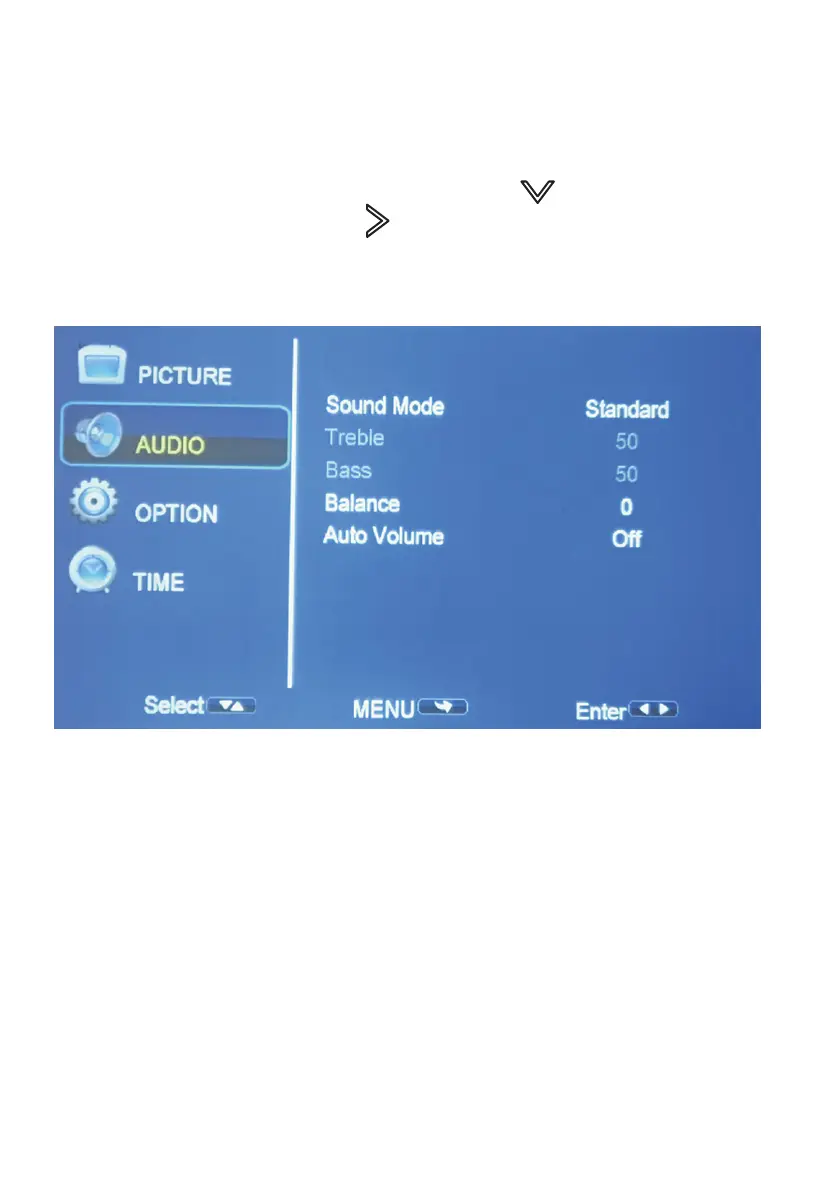
SETTING - AUDIO
To Access the setting AUDIO menu:
1. Press the MENU button on the Remote Control.
2. With the directional keys, Press the DOWN button, when on
AUDIO, Press the RIGHT arrow button to enter AUDIO settings.
3. To navigate back to PICTURE/AUDIO/OPTION, with nothing selected,
Press MENU button.
SOUND MODES: Standard, Music, Movie, Sports, User
When on User mode, you can adjust more settings
such as Treble & Bass.
BALANCE: Adjust the Audio Balance of the left or right speaker.
AUTO VOLUME: Adjust between ON or OFF.


 To Next Page