18
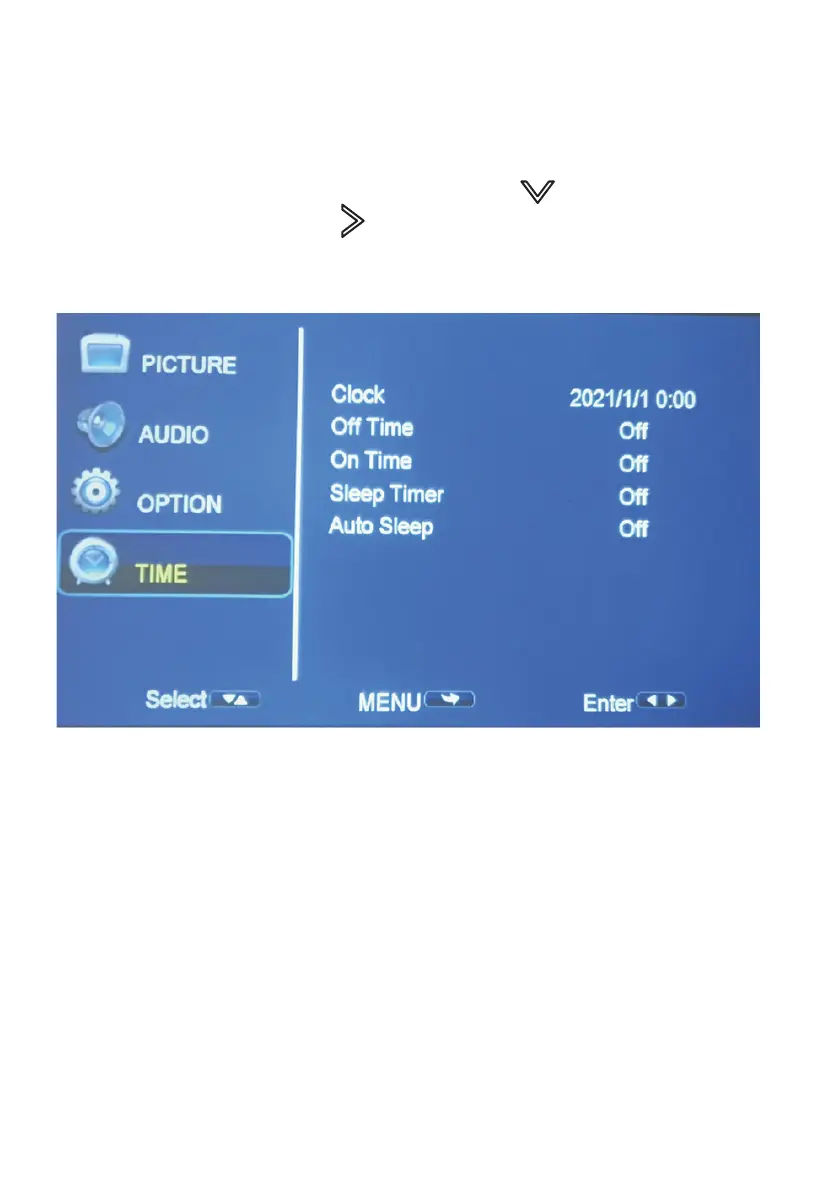
CLOCK: Select time/date for your projector.
OFF TIME: SETTING-TIME Select clock to Day, Month, Year, Hour and Minutes.
ON TIME: Select turn o time to O, Once, Every day, Hour and Minutes.
SLEEP TIMER: Select turn o time to O, Once, Every day, Hour and Minutes.
AUTO SLEEP: Select auto sleep function to O, 1hour, 2hours, 4hours, 8hours.
SETTING - TIME
To Access the setting TIME menu:
1. Press the MENU button on the Remote Control.
2. With the directional keys, Press the DOWN button, when on
TIME, Press the RIGHT arrow button to enter TIME settings.
3. To navigate back to PICTURE/SOUND/OPTION, with nothing selected,
Press MENU button.


 To Next Page