11
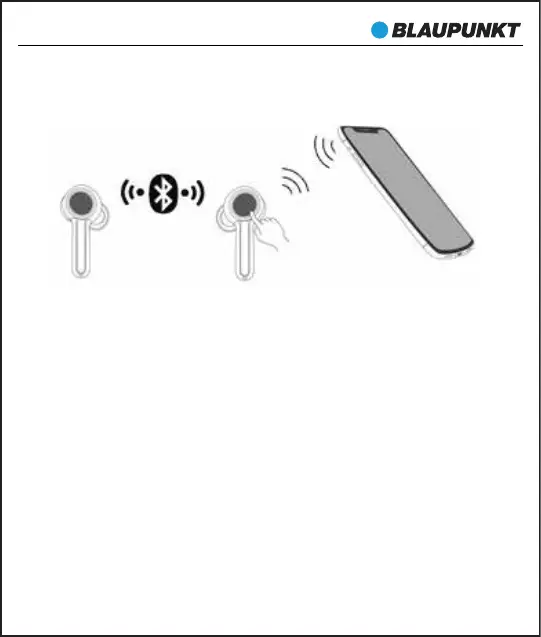
3. Two earbuds connecting with cellphone
In this mode, you can use two earbuds at the same time to enjoy
stereo sound.
1) Turn on any one of earbuds and connect it with your Bluetooth
device, then power on the other earbud and it will connect with
each other automatically.
2) Primary-secondary switch: When primary earbud is successfully
paired with the phone, the phone will Pop-up a dialog: “Earbud
would like to pair with your phone”. If you click “pair”, the secondary
earbud will also be paired with the phone, and the primary-secondary
switching function will become OK. In the following cases, the
secondary earbud can automatically switch and connect to the
mobile phone, so you can continue to use:
(1) In the process of use, when the primary earbud is automatically
turned off at low power, the secondary earbud will be
automatically connected to the mobile phone.
BTW-Pro


 To Next Page