
 Need help?
Do you have a question about the Blaupunkt SAN MARINO 350 and is the answer not in the manual?
Microphone for hands-free calls.
Switches the device on/off and mutes audio.
Returns to the home page or displays the clock.
Adjusts volume up and down.
Restores factory settings.
Slot for microSD cards.
Receives signals from the remote.
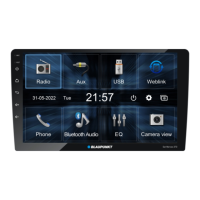
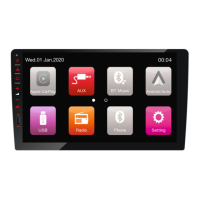
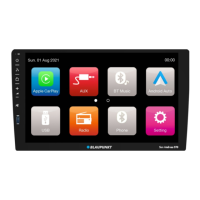
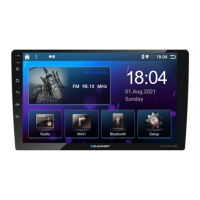
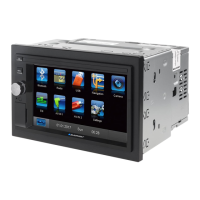
The main display for interaction.
Buttons for playback control and menu navigation.
Buttons for answering and rejecting phone calls.
Buttons to view image, audio, and video folders.
Number buttons and confirmation keys.
Buttons for shuffle, repeat, and scan functions.
Buttons for equalizer and volume adjustment.
Buttons for specific features like ANGLE, SUBTITLE, AUDIO.
Button to switch the device on/off.
Important information for safe operation and handling.
Guidelines for safe vehicle operation while using the device.
Guidance for installing the car audio system.
Instructions on cleaning and proper disposal of the device.
Lists the items included with the car audio system.
Steps for initial setup and powering the device on/off.
How to adjust audio volume and mute the sound.
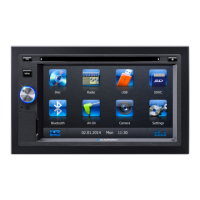
Overview of the primary interface and navigation.
Configures radio reception for different regions.
Accessing the radio and tuning into stations.
Saving favorite stations manually and automatically.
RDS, REG, AF, TA, and seek sensitivity adjustments.
Basic information on supported file types and playback.
Connecting and removing USB data carriers.
Inserting and removing microSDHC cards.
Playing audio files from USB/SD cards.
Playing video files from USB/SD cards.
Displaying images from USB/SD cards.
Overview of Bluetooth features and pairing.
How to activate and access Bluetooth functions.
Accessing and managing phone contacts.
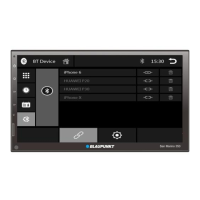
Pairing new Bluetooth devices.
Making and receiving calls via Bluetooth.
Streaming audio via Bluetooth.
Configuring Bluetooth options like auto-connect.
Connecting external AV sources via AV-IN.
Connecting rear camera and external monitor.
Adjusting sound balance and frequency response.
Device configuration options like beep, camera mute.
Radio-specific settings like region and RDS.
Adjusting screen and clock settings.
Connecting smartphones for extended functions.
Displays the time when the home button is long-pressed.
Information about warranty and obtaining technical service.
Steps to access and enable developer options on phone.
Enabling USB debugging for PhoneLINK connection.
Visual representation of device connections.
Explanation of connector pin assignments.
Details on AMP/CNT, VIDEO OUT, SUBWOOFER, CAMERA, USB, SWC.
Details on Bluetooth and Dolby trademarks.
FCC statements and radiation exposure limits.
List of supported video file formats and codecs.
List of supported audio file formats and codecs.
List of supported image file formats.
 General
| Resolution | 800 x 480 pixels |
|---|---|
| Bluetooth | Yes |
| USB Port | Yes |
| SD Card Slot | Yes |
| Radio Tuner | FM/AM |
| Power Output | 4 x 45W |
| Touchscreen | Yes |
| Navigation | No |
| DVD Player | Yes |
| Rear View Camera Input | Yes |
| Steering Wheel Control | Yes |
| Supported Media Formats | MP3, WMA, JPEG, MPEG4 |
| Display Size | 6.2 inches |



 To Next Page